I originally wrote this post in 2016 and nine years later I’m amazed how little has changed about how I handle my electronic genealogy data. The only differences are that I’m using a newer version of Reunion, I moved my research notes from Evernote to Apple’s Notes app, and I use Backblaze, rather than CrashPlan Pro. Otherwise this method has stood the test of time and I have no regrets!
 I love organizing my family history research electronically. As I’ve mentioned here many times, I try not to print digital documents and instead store everything electronically where I can have easy access to it.
I don’t think I have been clear when I talk about storing my genealogy data electronically that I’m not talking about storing it as a family tree on Ancestry or Family Search. I’m talking about storing it on my hard drive.
To me, it would be folly to rely on an outside service to store my precious genealogy data. If the only copy of my information was at Ancestry, I would be required to renew my subscription to access my own data. Even storing all my information at a free site like Family Search feels risky to me. It’s conceivable that they could change their terms of service to something unacceptable to me. Or start charging for access. Or simply vanish. Another place that some people store their genealogy documents is Evernote. I think that can be a great way to have easy, searchable access to information. But I wouldn’t store genealogy documents on Evernote that I don’t also have on my hard drive. They could go belly up. (It happened with Springpad.)
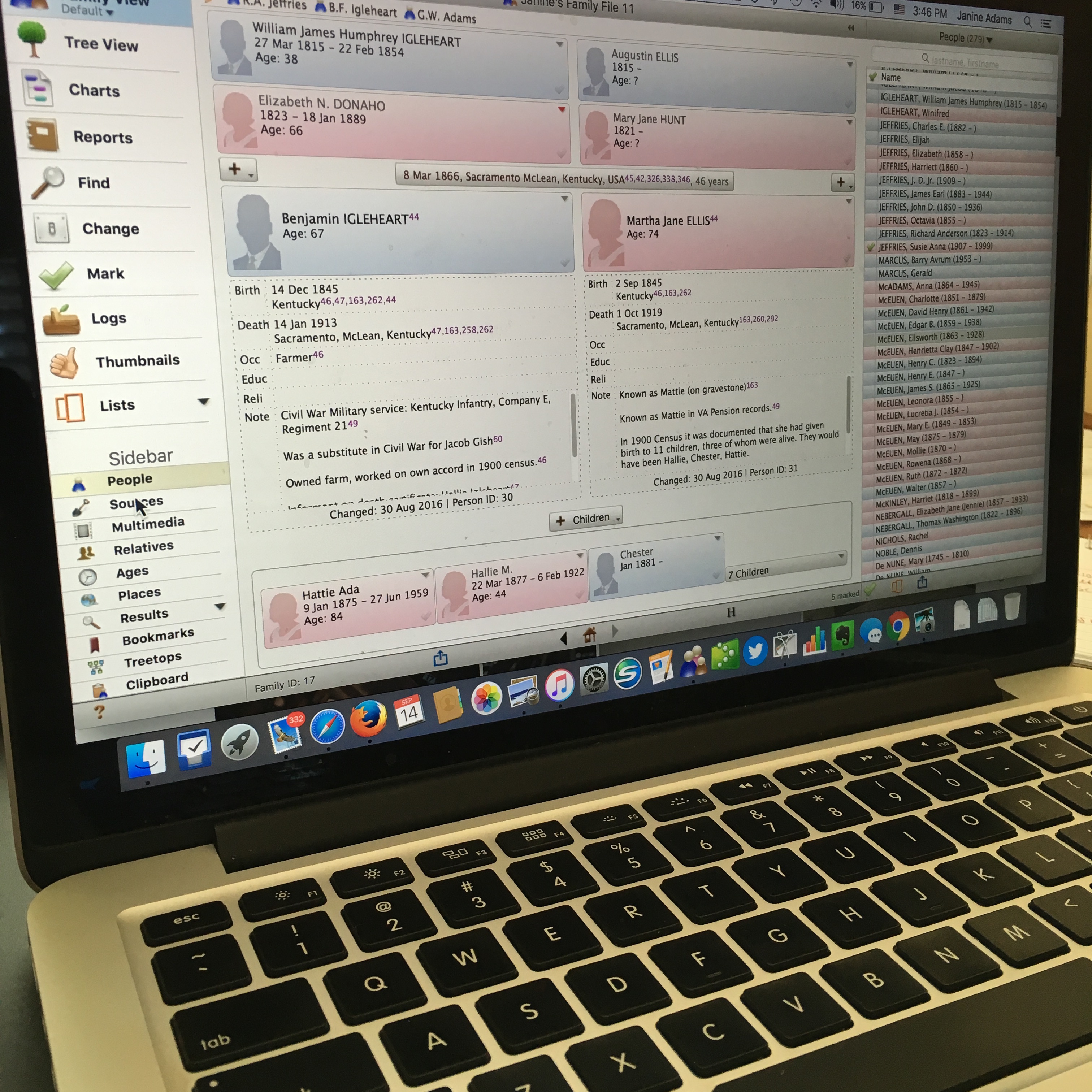
I enter all of my data into family-tree software that resides on my laptop’s hard drive. I use Reunion 11, a Mac program. It can sync with the iPhone and iPad using the ReunionTouch app. I haven’t yet installed ReunionTouch because I take my Mac with me on research trips. I like that storing my data on my computer, rather than an online service, is that the information is accessible even when I don’t have an internet connection (if I have my computer with me).
Of course, I back up my hard drive, both on an external hard drive and with an online backup service (CrashPlan Pro). Backing up is critical.
I’m not saying that my way is the right way or the best way. But I’ll share with you my process for storing info, in case you find it helpful or interesting. So far, it’s working well for me.
When I find a sourced piece of information pertinent to my research this is what I do:
- Add the information to the appropriate person(s) in Reunion (or add a person if need be).
- Cite the source in Reunion.
- Download the information (or scan it if I found it in paper form).
- Attach an image of the source document to the source citation in Reunion.
- File the digital document in that ancestor’s electronic folder on my hard drive, copying it if it applies to more than one ancestor.
- Scour the source for further information.
- Make a note in Evernote if it sparks potential further research.
So far this feels good to me and I haven’t second guessed it.
How do you store your family tree information?

I especially agree with your point no.6! My procedures are (in general) similar to yours, though I prefer other software. And I now use Irfanview because I can add the full source citation into the image’s metadata. One of my most important steps was to create a style guide for naming digital files. My personal thoughts and tips are on https://genie-leftovers.blogspot.com.au/2015/01/genealogy-do-over-or-source-based.html
I agree about the importance of consistency in file naming! Thanks for sharing your blog post, Judy.
I store my tree in Family Tree Maker 2024
Download the image from wherever. Clean it up with cropping and straightening. Add citation level detail to the front of the image and lots of details in the metadata. Add a URL if appropriate.
Thanks for sharing your process, David!
It’s unbelievable to me how many others I still meet who say they have “all” their genealogy work on a paid website. When I ask what happens if they don’t renew, the response is usually “deer in the headlights.” Home software and several backups is the only way to go.
I completely agree, Linda—they just haven’t considered it. I will mention that my own tree on Ancestry has persisted during spells (maybe as long as a year) when I was short on cash and couldn’t renew my subscription immediately. There was an outage (just for trees, about 2010-2015) that lasted for a couple weeks, and one genealogy club friend lost her tree completely in it, although my own was recovered.
I wonder whether the Amazon Web Services outage last week sent a chill down the spine of researchers who keep their only data on a website. I couldn’t use Ancestry, Newspapers, or Findagrave during the outage, and it wasn’t clear whether it would be fixed in hours, days, weeks, … or at all. There is a very quick video from Ancestry that shows how to download a Gedcom version of our family tree on its website: https://www.youtube.com/watch?v=z3XoW_EfiWY
Sorry, I don’t have experience with downloading Gedcom from services other than Ancestry, but people who use them should investigate now.
All good points, Marian!
Whoops. I left out an important thing about downloading a gedcom file from Ancestry. It includes the names, dates, places, relationships, and not-very-good-but-usable source citations—but NOT the record images that we all want. We always need to download those images when we find them.
That’s good info. I had the same experience in reverse…I uploaded my GEDCOM from Reunion to Ancestry and was so disappointed that the record images didn’t upload with it.
We are absolutely on the same page, Linda!
This is really helpful, thank you. I got rid of Evernote a few years ago when the company sold and they limited the free version to 50 notes. After using it for over 14 years for just about everything, you can imagine I was over 50 notes. I now am adamant about keeping things resident on my computer and renting a little software as possible. I’m fairly new to figuring out FTM, have an Ancestry membership, and the genealogy I inherited from my mother (a mess and I’m not sure where she obtained a lot of her info if I don’t have it in the inherited family archive). It sounds like I’ve created a similar digital structure to your description and practices, but I’ve just been making Named folders in Windows – is that ok or do you have a recommendation for Windows users? Thank you!
Cheryl, I’m so glad you found the post helpful. I’m with you with the Evernote disappointment! Even though I didn’t store my genealogy files there, I did use it for my research log (and lots of other things). As far as recommendations for your file structure goes, there’s no one right way to do it. Just think about how you’ll want to access the files and do what makes sense for you to make that easy. I like having nested files with Surname as the top level, followed by the individual’s name and then files that start with the year so they’re in chronological order when the folder is organized alphabetically. That’s pretty simple and works for me. But you do what works for you!
Cheryl, I turned a complete mess into a user-friendly digital filing system, as explained in ‘Genealogy Do-Over or Source-Based Incremental Fix?’ (https://genie-leftovers.blogspot.com.au/2015/01/genealogy-do-over-or-source-based.html). Because many documents mention multiple people, I find it easiest to file by *record type*, using a consistent file-naming system, and putting extra names etc in the image’s metadata. That’s easy if you use IrfanView (it’s free). You may find it helpful to read Nancy Loe’s e-books, especially these two:
* ‘Cataloging Digital Family Photographs’ (https://www.sassyjanegenealogy.com/product/cataloging-digital-family-photographs/). Since reading this, I’ve been filing my digital images (of documents as well as photos) within five main folders: Admin; Family history photos; Genealogy software data backups; Support material, and (most important) SOURCES. My sub-folders in Sources include Archives-misc; Banns; Baptism; Bible; Birth; Burial; Census; Correspondence; Court-Crime-Asylum; Death; Death-funeral-InMemoriam-NOTICE; Directory; Education; Electoral; Grave-MI; Land-Property; Manuscript; Marriage; Migration-Travel; Military; Newspaper other than BDM; Obituary; Publications; Will-Probate-Intestacy.
* ‘Organize Like an Archivist: Taming Genealogy Records and Research’ (https://www.sassyjanegenealogy.com/product/organize-like-archivist/). It has a chapter called ‘The Six-Folder Master Genealogy Organizing System’.
Thanks for sharing your system, Judy!
Which is better Family Tree Maker or Reunion?
Peg
That’s a matter of personal preference and needs, I think. I love Reunion, but I’ve never used FTM.