• BLOG
  • ABOUT
    • Privacy Policy

Organize Your Family History

Stay focused and happy while exploring your roots

Free California digital newspaper archive

June 6, 2025 By Janine Adams 5 Comments

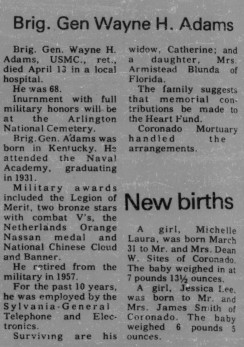
Reader Darlene Crater was kind enough to alert me to a new-to-me digital resource, the California Digital Newspaper Collection (CDNC). I don’t have California roots, but I do have a few collateral relatives who lived there, so I searched on their names. I was able to download an obituary for one of them, Wayne Horace Adams, which I was delighted to add to my Reunion database.

The CDNC is free to use and contains newspaper articles dating back to the mid-nineteenth century. This Wikipedia article details the history of the CDNC and lists the newspapers included in the database.

Unfortunately, funding for the CDNC is in jeopardy. Darlene shared an April 30, 2025 email from the Brian Geiger, director of the Center for Bibliographic Studies and Research at the University of California Riverside, which hosts the CNDC. Geiger said that funding for the current fiscal year, which ends June 30, 2025, was withheld by the state and the university needs to come up with funding to keep alive. He also shared a link to this article that summarizes the situation.

If you have California people to research at CDNC you may want to act quickly in case the database is taken offline. If you’re moved to donate to help keep it afloat, here’s a link to donate to the CDNC.
Filed Under: Genealogy tips Tagged With: genealogy tools, newspapers, resources

Don’t miss the 2025 National Archives’ Genealogy Series

May 14, 2025 By Janine Adams Leave a Comment

For the fifth consecutive year, the National Archives is offering its free multi-week Genealogy Series. I’m a day late to be telling you about the first session, but you can watch the video! In 2021, the National Archives transformed its annual one-day virtual Genealogy Fair into a multi-week Genealogy Series. The first session, Revealing Ties to Espionage in the Office of Strategic Services Records, was held yesterday. You can watch it here.

For the rest of the series, there will be weekly lectures on May 21, June 3, June 11 and June 17, from 1 to 2 pm eastern. No registration is required; you can watch live and ask questions of the presenter at the NARA YouTube channel. (You can also watch later without the opportunity to ask questions.) This year’s series doesn’t have a central theme; instead it provides a variety of interesting talks.

Visit the NARA website to see the program and details about each talk, including a preview of the slides for the upcoming talks in the series. Links to each talk will be available on the day of the event (and remain available after). According to the website, “You are invited to attend, participate, and ask questions during our sessions’ YouTube video premieres. Presentations are pre-recorded videos broadcast on the U.S. National Archives’ YouTube channel. Throughout the broadcast, you will be able to ask questions, and the presenter will respond in real time. After the initial showing, the video and handouts will remain available on this web page and YouTube.”

What’s also great is that NARA provides a Genealogy Series and Fairs Past page with links to all the sessions for the four prior Genealogy Series as well as the one-day virtual Genealogy Fairs they held from 2013 to 2019. That is a lot of free learning!

Filed Under: Excitement, Genealogy tips Tagged With: excitement, learning opportunities

The challenges of downsizing inherited items

May 8, 2025 By Janine Adams 6 Comments

As I mentioned, I moved last summer, downsizing from a 3200-square-foot house to a 1700-square-foot apartment. It’s a spacious apartment but it certainly lacks the storage that our house had. (In addition to 3200 square feet the house had a full unfinished basement.) I let go of a lot in the moving process, but I did move of the family photos I’ve accumulated and never really done anything with. These are photos passed down to me, as well as photos from my lifetime (and my husband’s).

I felt the pain of my limited storage space again this week when I moved some furniture around in my office and took the photo boxes off the bookshelves they were on so I could move the shelves. Before returning them to the shelves, I glanced through the boxes to see if I could consolidate any of them to save space. Nope. There’s a treasure trove in there but it’s going to take some time to go through. I have nine photo boxes of varying sizes to deal with. I need to formulate a plan to do that!

This morning, in the midst of thinking about my photos, I received genealogist Amy Johnson Crow’s email newsletter and was delighted to see that it was all about downsizing and family history. It features a link to the interview she and I did in 2019 for her podcast, Generations Cafe.

The interview touches on some strategies for downsizing your own belongings as well as helping family members downsize, which can be an even larger challenge.

Amy’s email prompted me to see if I had written here before about this interview, and I have. This post from 2022 reminded me how overwhelmed I was by the items I inherited when my father died and when my aunt (his sister) moved to a nursing home, all within the space of a few months in 2022. The fact that I was able to whittle the stuff down before my husband and I moved in June 2024  and now just have nine photos boxes actually makes me feel good.

At the end of the interview, I made a statement that really hit home for me today. I said, “Right now I’m thinking of these photos I need to go through as a chore. But it’s really not a chore, it’s a privilege.” That’s true isn’t it?

It’s more pleasant to go through these treasured photos and ephemera when you’re not under a lot of time pressure. If you have inherited items calling to you for attention, please consider working on them sooner rather than later when you have a better chance of enjoying the process.

Here’s a link to the podcast episode if you’re interested in listening to the interview.

Filed Under: Challenges, Organizing, Preservation Tagged With: amy johnson crow, downsizing, inherited items, keepsakes, overwhelm

Revisit: How I process Newspapers.com articles

April 21, 2025 By Janine Adams 10 Comments

I’ve been looking through my published blog posts for some that might be worthy of repeating. This article from 2020 is one that I thought folks might find helpful. The screenshots may not exactly match how things look currently on Newspapers.com and to be honest I haven’t had a subscription in awhile so I wasn’t able to verify that all the steps are exactly right. But I’m going on faith that it’s up-to-date enough to be helpful to those looking for ideas on including newspaper articles in their genealogy database. When I published it originally, it garnered some valuable comments, so you might want to check the comments on the original version.

I’ve been doing a lot of research on Newspapers.com recently. I downloaded a number of articles about my maternal grandparents, Crawford and Susie (Jeffries) Brown, who lived in Spokane, Washington, from 1936 until their deaths in the 1990s. My mother, Betty Sue Brown Adams, was born in Missouri in 1933, but the family to Spokane when she was three and lived there until she left for college.

The Spokesman-Review, Spokane’s daily paper, is part of Newspapers.com Publisher Extra collection. I did a seven-day free trial with them and when it was over I still I had research I wanted to do, so I signed up for a 30-day subscription for $19.99. (I didn’t want to spend $60 for a six-month subscription.) With the clock ticking, I’ve been downloading articles and also working through my backlog of downloaded articles. In doing so much research on Newspapers.com, I’ve developed a method of downloading and processing the articles that I thought I’d share with you here with some screenshots in case it’s helpful.

As always, I’m sharing what works for me…that doesn’t make it the right way or the best way. And it doesn’t mean I won’t change it up later. But this is what I’m doing now. (Several years ago, I did a screencast of how I process newspaper articles from Genealogy Bank, which was slightly different. If you’re interested, you can check it out here.)

When you find an article on Newspapers.com, you have the option to clip the article so that you find it later on Newspapers.com and others can see it (you can also download, share or save on Ancestry.com by clipping an article), or you can print or save the article. Because I don’t plan to keep my Publisher’s Extra subscription and because I prefer to download everything to my hard drive, I choose to the download the article and also to download the entire page it is on, for context. Here’s what I do:

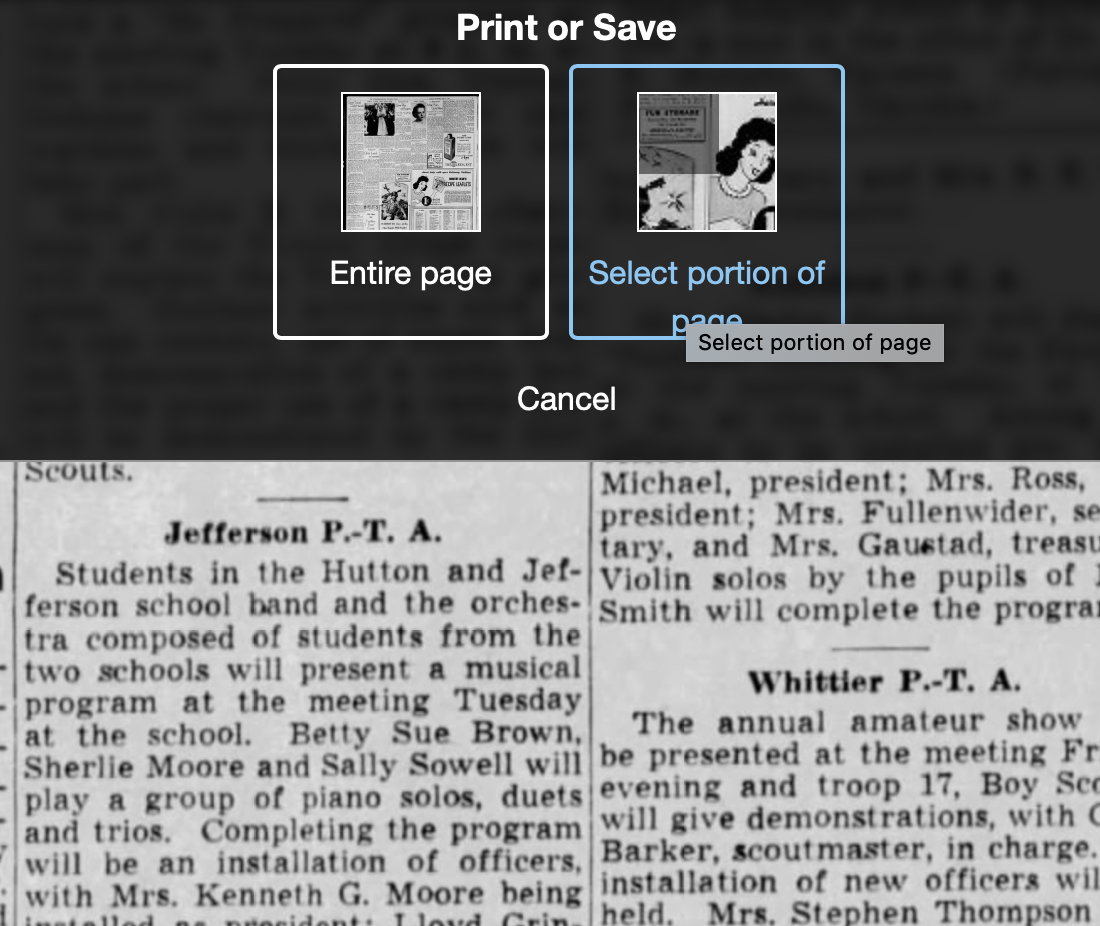
Once I’ve found an article that I want to save (in this example, it’s a 1943 article about my ten-year-old mother performing in a musical program at a PTA meeting), I click on Print/Save.

Then I click on Select portion of page. (Click on any of these images to make them larger.)

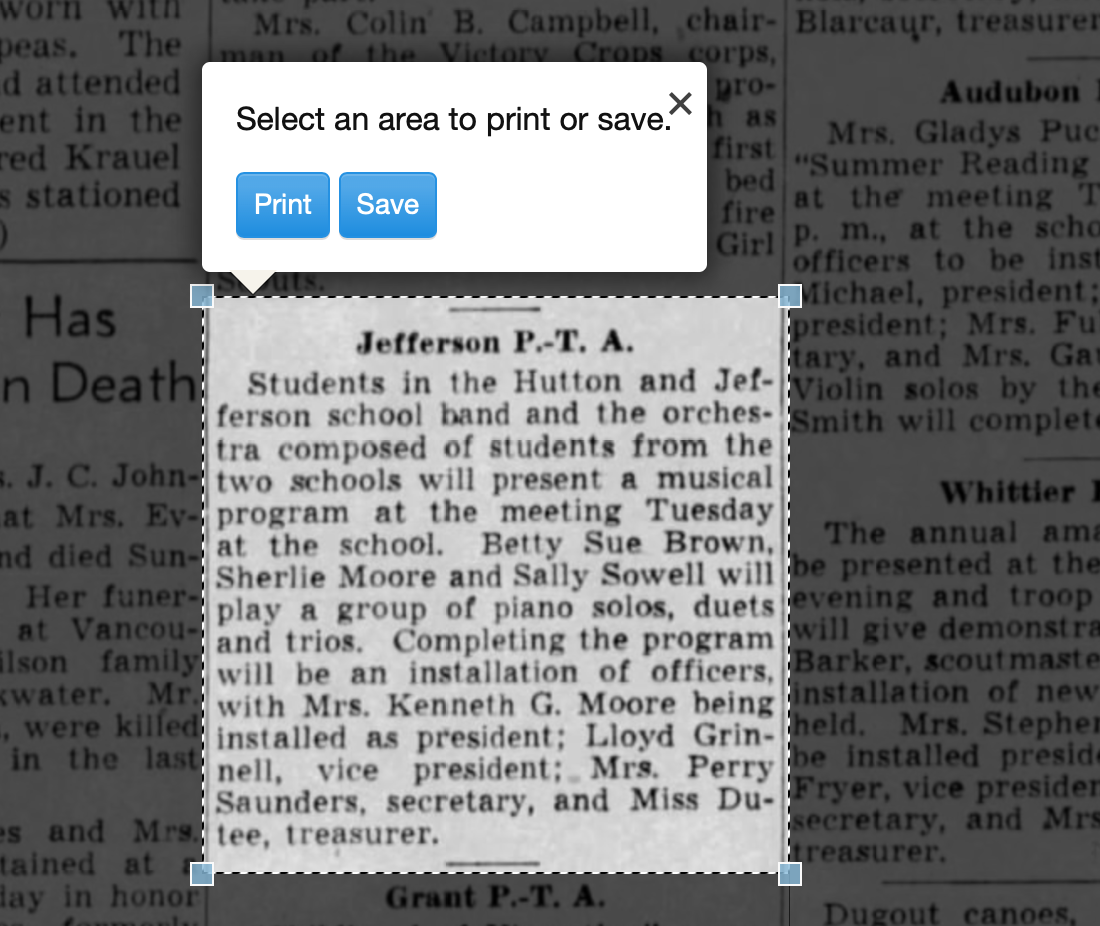
Processing an article from Newspapers.com Step OneThen I outline the article using Newspaper.com’s grab tool and click Save.

Processing an article from Newspapers.com Step One

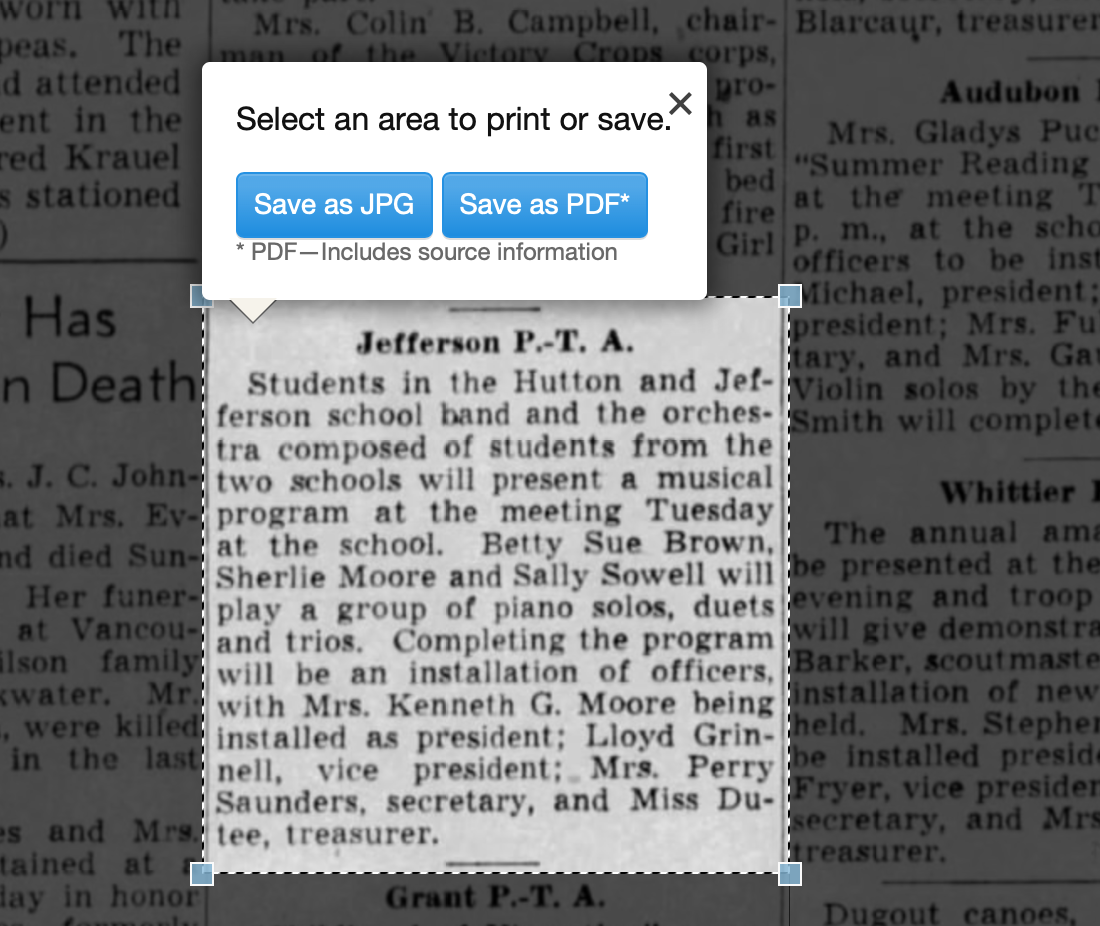
Once I click Save, I’m given an option of saving it as a jpg or a pdf. When you save as a pdf, the source information is included. I always save a clip as a pdf.

Processing an article from Newspapers.com Step Three

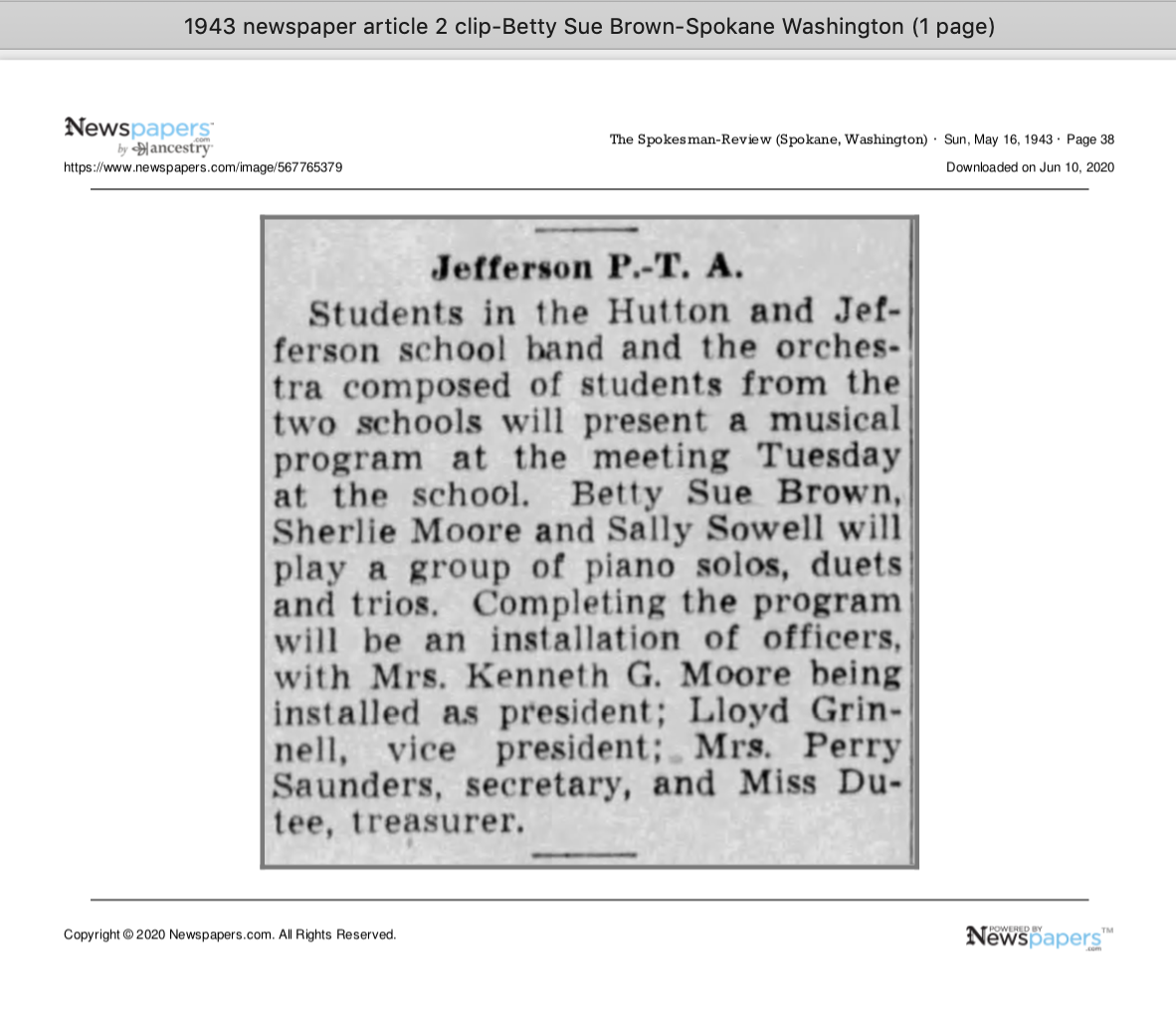
Once I click Save as PDF, the article is downloaded to my hard drive. When I open it, it looks like this:

Processing an article from Newspapers.com Step Four

You can see that Newspapers.com has included the newspaper title, date, and page number of the article, as well as the date it was downloaded and the URL for the image. This is really helpful when I create the source citation in Reunion, the genealogy software I use on my Mac. Notice that I have changed the filename of the article per my file-naming protocol. I always put “clip” in the filename for the clipped articles, since I will also download the entire page using the same filename (minus “clip”). I save the article in my Surnames folder.

Next, I go back to newspapers.com, click on Print/Save again, and this time select Entire Page. Then I’m asked if I want to save it as a jpg or pdf. I always save the whole page, as a jpg. That’s just my personal preference.

Processing an article from Newspapers.com Step FourOnce I click Save as JPG, the page is downloaded and I change the filename to match the clip’s filename (omitting the word “clip.”)

Now it’s time to glean information from the article and add it to Reunion.

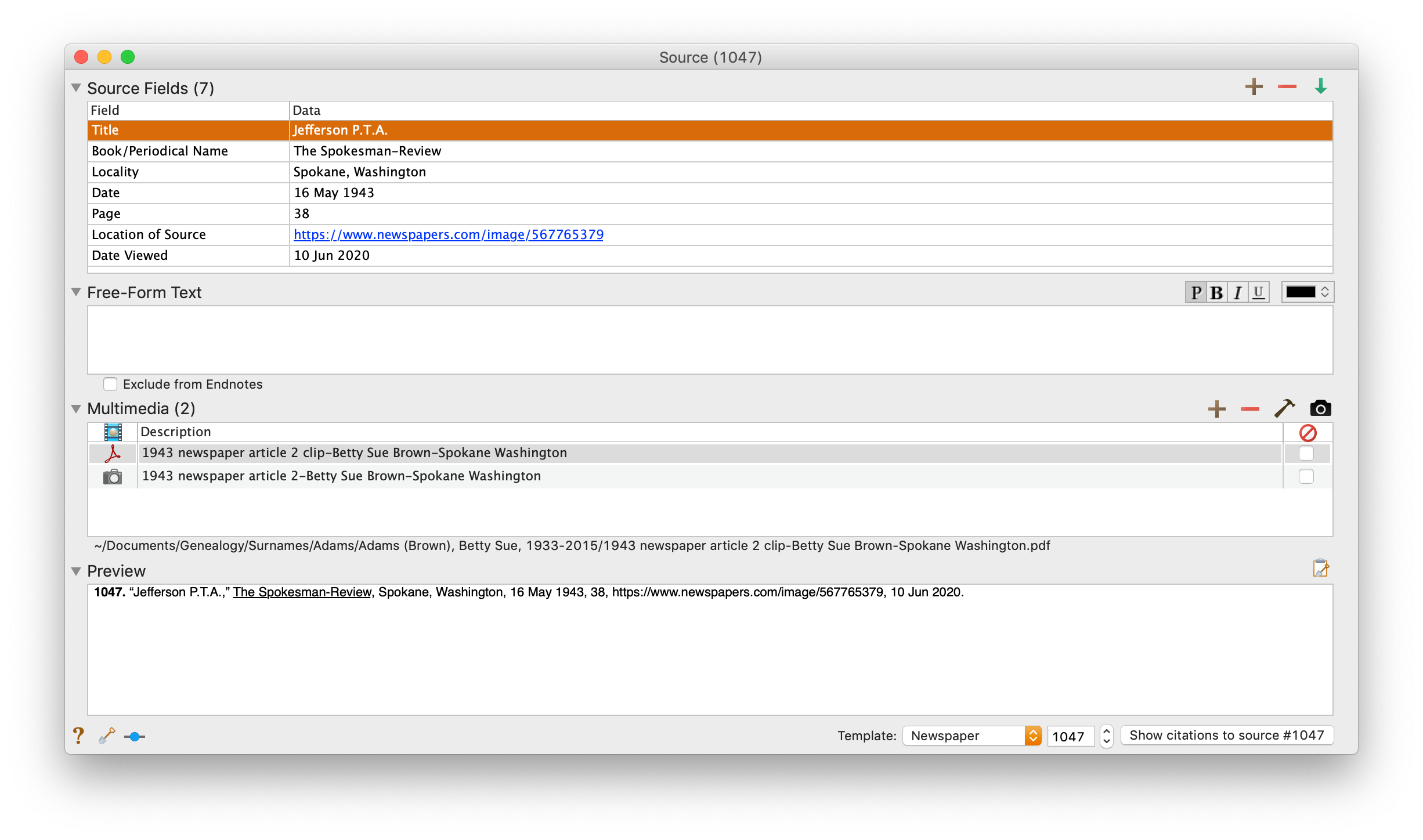
I take a fact from the article, enter it into Reunion and create a source citation. In Reunion, I use the template for Newspapers to create my source citations. So here’s what the source record for this article looks like (again, click any image for a larger view):

Processing an article from Newspapers.com Step FiveNote that I have attached both files, the clip and the whole page, as multimedia files in the source citation, by simply dragging them from the Finder. But before I do that, I do one other thing. I click on the little clipboard icon in the Preview pane and I paste the citation into the metadata of the file. Here’s how I do that.

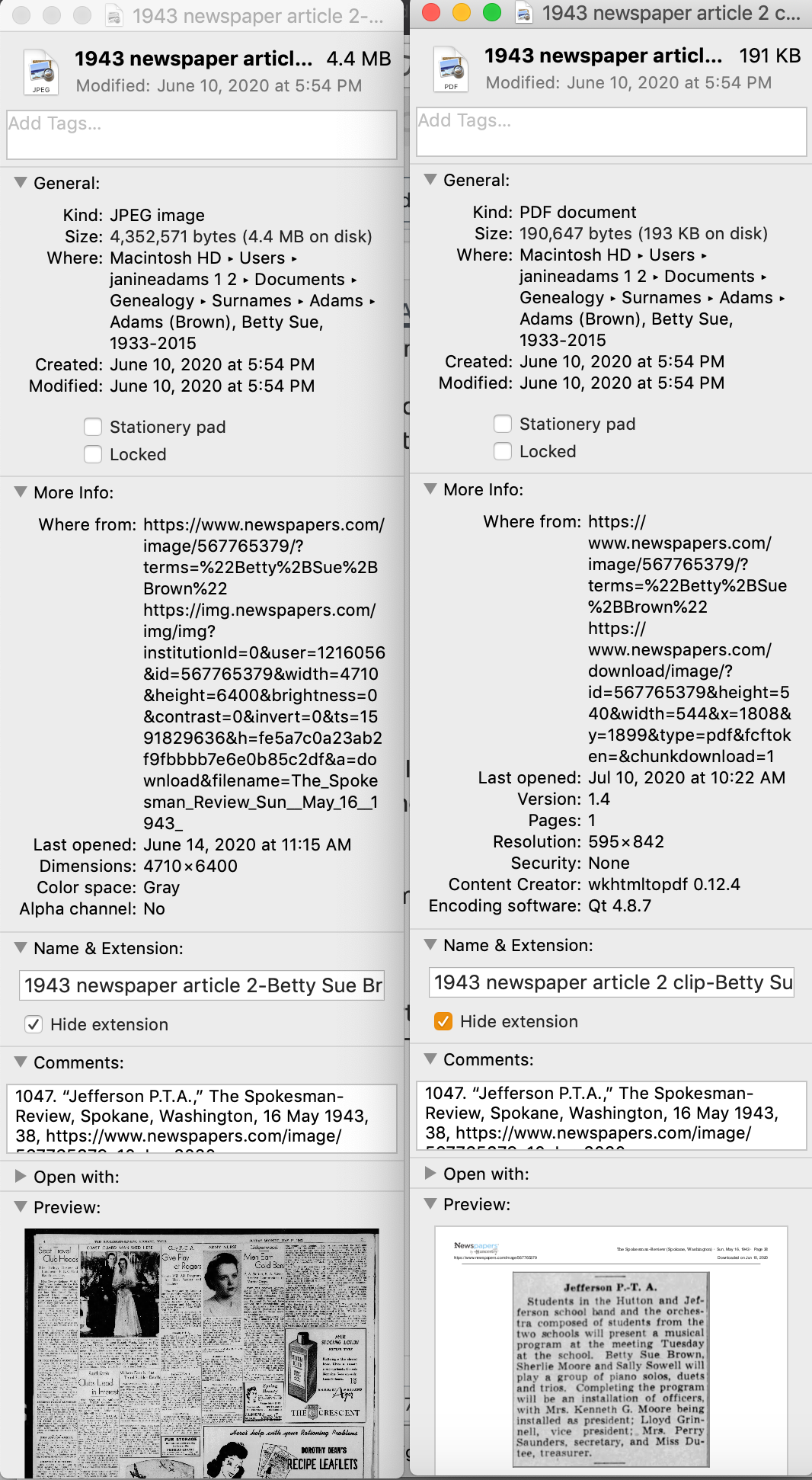
I highlight the two files (article and whole page) in Finder, right (or control) click on them and then select Get Info. That brings up the metadata for those files. I paste the source citation in the Comments field. This is really helpful later on if I want to see which source a particular file is attached to.

Processing an article from Newspapers.com Step Six

Then I drag the files into the source record. After I’ve gleaned all the information from the articles, I file them in my folder structure.

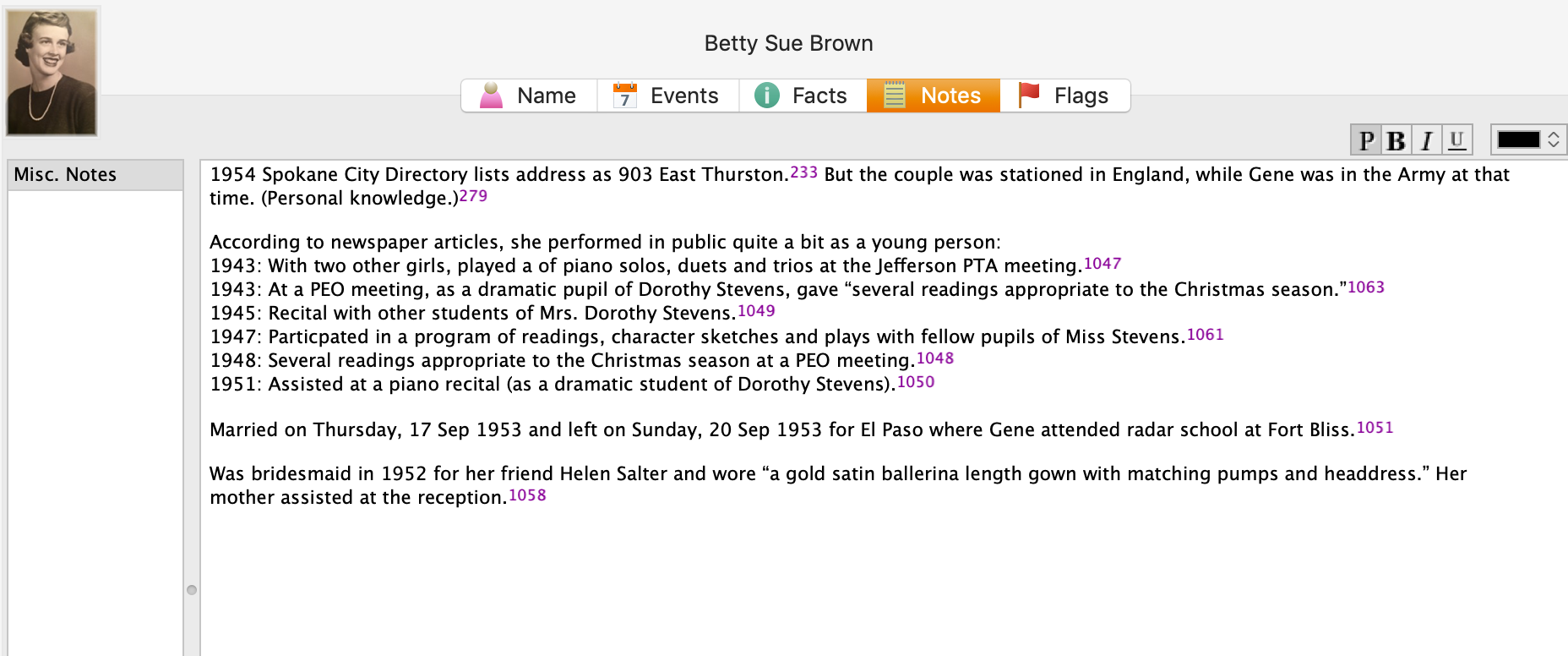
A final note: In this particular example, you might be curious how I entered this tidbit about a musical program in Reunion. Under Residence in the Events tab, I added the date of the newspaper article and Spokane, recording that my mother lived in Spokane on 16 May 1943.  But I took it a little further. This was one of six Spokesman-Review articles I found about my mother performing as a girl. So in the Notes tab I also created a little listing of those performances. Here’s a screenshot:

Processing an article from Newspapers.comI don’t know if it looks complicated laid out like this, but it really isn’t. I pretty easily got into the rhythm of it. The process can get a little tedious, but I think it’s worth the effort to have both the clip and the whole page downloaded. The little nuggets you get from newspaper research can really paint a great picture!


Filed Under: Challenges, Genealogy tips, Organizing, Technology Tagged With: Brown, electronic files, genealogy tools, newspaper clippings, newspapers, organizing aids, research, source documentation

  • « Go to Previous Page
  • Page 1
  • Page 2
  • Page 3
  • Page 4
  • Page 5
  • Page 6
  • Interim pages omitted …
  • Page 219
  • Go to Next Page »

about me

I'm Janine Adams, a professional organizer and a genealogy enthusiast. I love doing family history research, but I find it's very easy for me to get overwhelmed and not know where to turn next. So I'm working hard to stay organized and feel in control as I grow my family tree.

In this blog, I share my discoveries and explorations, along with my organizing challenges (and solutions). I hope by sharing what I learn along the way I'll be able to help you stay focused and have fun while you do your research, too.

tags

30 x 30 Adams amy johnson crow anniversary Brown cemetery census Civil War conferences connections dna electronic files Evernote excitement Family Curator family photos genealogy tools getting started goals How They Do It Igleheart Jeffries keepsakes learning opportunities maps newspapers NGS organizing aids overwhelm paper files planning quick tips rasco record keeping research research log research trip resources RootsTech social history source documentation Stacy Julian technology time management vital records

join the facebook community!

join the facebook community!

My organizing business

Learn more about my organizing business, Peace of Mind Organizing®.

Subscribe by RSS

  • RSS - Posts
  • RSS - Comments

© 2026 Janine Adams


Loading Comments...