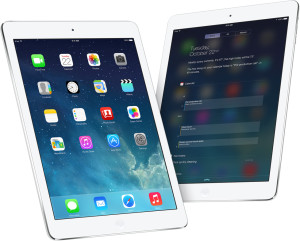
 I’m an unabashed Apple fangirl. I bought my first MacBook in 2008. (I replaced it with a MacBook Pro in 2011.) A couple of months later, I bought an iPod Touch, which rocked my world. In 2010, I bought the original version of the iPad. I loved it. I bought my first iPhone (a 4S) in 2012. I adore it even more.
After I got my iPhone, my iPad lay dormant. The newer iPhone was so much faster than the older iPad that I couldn’t even tolerate using it. So I ended up selling it to Gazelle for $100. (I hope that doesn’t make me sound fickle!)
Now I’m giving serious thought to buying an iPad Air within the next month or so. One of the things I want to use it for is genealogy research. So far, my research has been pretty much restricted to my computer and my home office. But I’m planning for that to change in 2014 and I think I’ll venture into family history libraries and other record depositories. And I’m going to RootsTech.
So I’m curious. Do you have an iPad and, if so, do you use it for your genealogy research? Do you love it? Why or why not? Please help me decide!

My wife Cathy has an I Pad Air – early Christmas present and loves it. Very fast and very light; she has no negative comments. She does no genealogy research.
Thanks, Jerry! The fast and light aspect of the MacBook Air is very appealing to me. I’m glad Cathy loves hers!
I have an iPad 2 and I’m loving it. I use it also for blogging and for genealogy. I have two apps for the family trees, although I mostly use ancestry. I use it for gravehunting, I wouldn’t even leave the house without my evernote 😉 I can only recommend it!
Thanks, Barbara! I hadn’t even thought about it in terms of being handy for blogging on the go…
Barbara Schmidt:
I love Evernote and use it for backup notes, articles etc for my ancestry.com research. BUT, I’d like to hear/read more of how you use yours. Do you have a way I can get more details, templates, organization etc? I use both iPad and PC for ancestry, Evernote and FTM 2014. (I actually use my iPad more than my PC except for FTM) If you know of other sources, videos etc that have more info on Evernote for genealogy, I will be most thankful! – I look forward to hearing from you and any others about Evernote and genealogy! [email: jenandkk@bellsouth.net] Jen
Jen, I’ll email you, but Lisa Louise Cooke has all sorts of info on using Evernote for genealogy. That would be a great place to start.
HI Jen,
there is a great “Evernote for Genealogy” community on google+. I’ve learned a lot from them.
I have different notebooks for the families and one for research where I have one note “Research diary” for every month where I note down what I did in that month. I started doing this because I realized I looked three, four, five times at the same source and the same document. So now I can check, if I’ve already been there. Findings from there I directly map to my “resarch plan” which I have for every person (well, once I am done, I will have one per person).
Those are just a few thoughts. I am glad to share more..
Hi! I use my IPad 4 all the time for Genealogy. First I have Ancestry.com on it. I also use a free app called Trello, to help manage projects, genealogical, as well as a film I am working on. I use MindNode to brainstorm and it helps keep me from backtracking and searching in the same old place over and over. I also have Billion Graves and Find a Grave. I use Genusis Scan, free version to scan photos and documents when needed, and of course Google Earth, because once I find a land record, I am curious and want to see where it is and what it looks like. I love my IPad, but it’s a 32 gig and I have just about filled it. I see a 128 Air in my future this spring.
Maria, thank you so much for taking the time to provide all that information! You all have me excited to buy an iPad Air. I have to admit, I was thinking I’d get the 32 gig, but your comment has me thinking I need to go bigger if I want it to last awhile. Thank you!
I have an iPad and currently have Ancestry, MyHeritage, Blogger, Google+ and Evernote – a fantastic tool for helping me organise what I have and haven’t done with my research! The other app that I have to look at all the blogs that I follow is Feedly.
I don’t go anywhere without my iPad now! It is my baby! 😀
Thanks, Marion! I’m sensing a theme here. And I’m convinced. Now I just have to decide which capacity to get and whether to spring for the Wifi+cellular version.
I appreciate you weighing in!
Before I bought mine, a friend advised me to get the largest capacity I could ’cause you can’t add more – good advice!
Jen, I think that’s great advice. I did end up buying one (woo hoo!) and went with the 64 gig, rather than the 32 gig was considering. I went wi fi-only…we’ll see if I live to regret it. Watch for a future blog post about how I’m using my iPad.
I am also considering buying my 1st iPad, but do not know anything about them. I wanted it for genealogy research mostly when I am on the go. This is most helpful. I have a laptop that needs to be updated, so is this the way to go?
Your blog is very helpful and most interesting.
Heather, I’m glad you find the blog, and this post, helpful! Whether you decide to replace your laptop with an iPad depends on how you use your laptop. Me, I don’t see ever doing that, but I’m heavy computer user. But if you’re a light computer user, the iPad might just do it for you. I have a bluetooth keyboard that I used to use with my iPad, which made writing long emails and so forth much easier.
Best of luck to you! I’ll be interested to hear what you decide!
I chimed in early and over Christmas made a quick trip. Left my laptop at home and only took my IPad. I realized that one essential item is the keyboard/cover that has made the IPad the invaluable tool it is. I have a logitech keyboard, there are others out there, including Zagg’s backlit keyboard/cover.
I certainly found a keyboard to be essential with my first iPad, Maria, so I appreciate your mentioning that. Now I’m intrigued by Zagg’s backlit keyboard/cover. I’m off to check it out!
Jamie,
Really enjoyed this post. I found it searching for a skin for my iPad4 . I use my ipad for all of my Genealogy work. I use Roots Magic on my laptop with Roots magic To Go for the ipad.Of course i use ancestry,along with Drop box for all of my photos. I have several apps on the ipadI use for editing photos before putting into my database. I also am trying to start a wordpress website with Blog and have my family tree info there to share with family and friends. Glad you got your iPad and like it .
Thanks again for the great post.
Thanks for your comment, Rick! So glad to hear you love your iPad for genealogy. I’m so glad I bought mine. Good luck with your new blog!