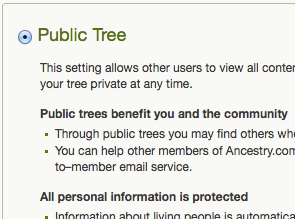
 Back in July, I was pondering uploading my family tree from my Reunion software to Ancestry and trying to decide whether to make the tree public or private on Ancestry. I invited comments on that question and was really thrilled to see a robust discussion about it, with advocates on both sides.
So I uploaded my tree, making it private initially. I was disappointed to see that the sources didn’t update as hyperlinks, so while my facts are sourced, others don’t have easy access to the sources.
After careful consideration, I decided to make the tree public. For me, the good of helping others with their research and potentially attracting connections with distant relatives outweighed the risk of my data ending up in incorrect trees.
The decision was made, but then I stalled. The perfectionist in me didn’t want to make the tree public until the source problem was fixed. But I haven’t made fixing that problem a priority. (It kind of overwhelms me.) Today, I decided to not let perfectionism get in the way of progress and I pulled the trigger and made my tree public.
Having done this gives me the impetus to do several things:
- Create a checklist and schedule for systematically going through my Ancestry tree and hyperlinking the online sources included in the tree (and simultaneously making sure I’ve saved them on my hard drive).
- Add the information and sources I’ve found offline in recent my recent trips to my Ancestry tree.
- Come up with some sort of schedule for updating the Ancestry tree. (I keep the Reunion software on my hard drive up to date–it’s my primary database.)
- Check out Family Tree Maker for the Mac, which I’m told automatically updates to Ancestry, and consider switching to it from Reunion.
I’m hoping that making my tree public will help others and, potentially, lead to some fruitful interactions. I’m looking forward to seeing where this might lead!

I have struggled with the same issues, Janine. The solution I am exploring is not to provide sources directly in either my genealogy software or on the public tree, but instead include all of my sources (including the images of the original evidence) in a Word file (could be a pdf, instead) that I attach to both trees, one such file per ancestor. I also plan to attach another Word file that includes analysis, research notes, and “stories” for each ancestor.
Every time I have been forced to switch to another genealogy software solution (four times now?), my sources have been lost. This way, they can easily be ported in the future to whatever format becomes necessary.
Penny, thanks for your comment. That’s a very interesting solution to that problem. Food for thought. I appreciate our sharing it!!
Janine,
I want to let you know that your blog post is listed in today’s Fab Finds post at http://janasgenealogyandfamilyhistory.blogspot.com/2014/10/follow-friday-fab-finds-for-october-17.html
Have a great weekend!
Thank you, Jana! That’s always a thrill for me.
Janine,
I think we all struggle with this. I know I did.
BUT, in doing so, I have been contacted by a couple of new cousins. (Cousin Bait)
More importantly, and I hope you are ready for this, you will probably get some “help” from others. Others will find your (or THEIR) mistakes in your online tree. At one point, I thought that was bad news, no longer. Think of ALL of the new and other “helpers’ out there.
Example: I have one family with 4 children. I read where someone else had the 8th and 9th children of the same couple. We BOTH now, need to find children 5 to 7.
Congratulations but be ready for the help.
Good luck,
Russ
Russ, thanks for the warning about the corrections (correct or otherwise) I might receive as a result of making my tree public on Ancestry! I’m so glad I’m only putting stuff up there that I feel confident about. I welcome any help people want to throw my way! 🙂
I’m a huge proponent of public trees and thank you for making the decision to “go public.” I also use FTM 3 for Mac and I have to tell you, I am not pleased. The synch isn’t working, and it is so slow I could drink a cup of coffee between each action. I have uninstalled it from my Mac laptop and am now considering buying a cheap Windows machine just to run FTM. I use Ancestry.com now as my primary database and use FTM to run custom reports, clean up and normalize data and categorize my media more granularly.
Schalene, I sure appreciate your sharing your experience with FTM 3 for Mac. I haven’t started my research on FTM yet. I’m satisfied with Reunion, except for the sourcing when uploaded in a GEDCOM file to Ancestry. I’ll keep your comments in mind as I evaluate FTM.
So did you post it? I sure hope so.
I did, Julie! I don’t know how to post a link to it, but my username at Ancestry is JanineAdamsSTL and my public tree is called Janine Adams Family Tree, if you want to check it out.