• BLOG
  • ABOUT
    • Privacy Policy

Organize Your Family History

Stay focused and happy while exploring your roots

BCGS presentation on Presentism

April 26, 2024 By Janine Adams 4 Comments

I have to admit that “Presentism” isn’t a term I had been familiar with when I received an email from Donna Cox Baker about her upcoming virtual presentation on presentism in genealogy for the Bucks County Genealogical Society. (The title of the talk is Our Founding Fathers Would What? Presentism in Genealogical and Historical Research.) When I clicked for more details I learned that “Presentism is a type of historical bias in which our understanding of the present influences or clouds how we evaluate and interpret the past. Historians take great pains to avoid presentism—and genealogists should be on guard for it also.”

This topic is so intriguing to me when seen through the lens of genealogist. I think this presentation from Donna, who is a history scholar and professor (and friend of this blog!) will be fascinating. It will be held on May 4 from 10 to noon eastern time. Registration opens on April 29.

I’m participating in a neighborhood yard sale on May 4 so won’t be able to attend live but the topic sounds so interesting that I’m tempted to sign up so I can watch the recording. The fee for the program is $5 for members and $10 for non-members. Membership is $20 a year and only members have access to a recording of the program, which is available for 30 days.

To learn a little more about Donna Cox Baker, you can read her How They Do It interview on this blog as well as her guest post on organizing genealogy research with Zotero.
Filed Under: Genealogy tips Tagged With: Donna Cox Baker, learning opportunities, research

Two-part program on Zotero for genealogy starts tomorrow

February 3, 2023 By Janine Adams 2 Comments

Reader Donna Cox Baker is an enthusiastic advocate for using the tool Zotero to organize genealogy research. She wrote a guest post about it for this blog and also described it in her How I Do It interview from 2018.

So I was interested when I received an email yesterday from about a two-part program that Donna is teaching for the Bucks County (Pennsylvania) Genealogy Society (BCGS) called “Zotero for Genealogy: Harnessing the Power of Your Research.” The first part is tomorrow, February 4, from 10 am to 12 pm eastern. The second part will be on March 4. Donna says, “Part I will be about the essential core of Zotero and why genealogists need it. Part II will be about various creative ways I’ve expanded on the Zotero basics to make it a real powerhouse tool–such things as timelines, map legends, ticklers, research planning, thought mapping, and more.”

I still haven’t explored Zotero, so I’m interested in watching her programs. The fee is $10 per workshop for non-members of BCGS and $5 for members. The presentations are being recorded and will be available, to members only, for 30 days. I’m not able to attend live tomorrow, so I elected to join the Bucks County Genealogical Society for only $20 and then I’ll have $5 access to the two workshops (and any future workshops in 2023.) It’s worth it to me to pay an extra $10 for access to the recordings for 30 days.

If you’re interested too, go to this page on the BCGS website to learn about the program and this page to register as a non-member. If you’d rather join first, you can read about membership benefits or skip right to the online membership application form. It’s worth noting that when I joined this morning, I did not instantly gain access to registering for the program at the members’ rate. (I’m waiting for a welcome email with a login.) So if you’re planning to go this route, you might want to join today rather than waiting for tomorrow.

Filed Under: Genealogy tips, Organizing, Technology Tagged With: Donna Cox Baker, genealogy tools, learning opportunities, organizing aids, record keeping, research log, resources, source documentation, technology, Zotero

Organizing your family history research with Zotero

February 23, 2019 By Janine Adams 11 Comments

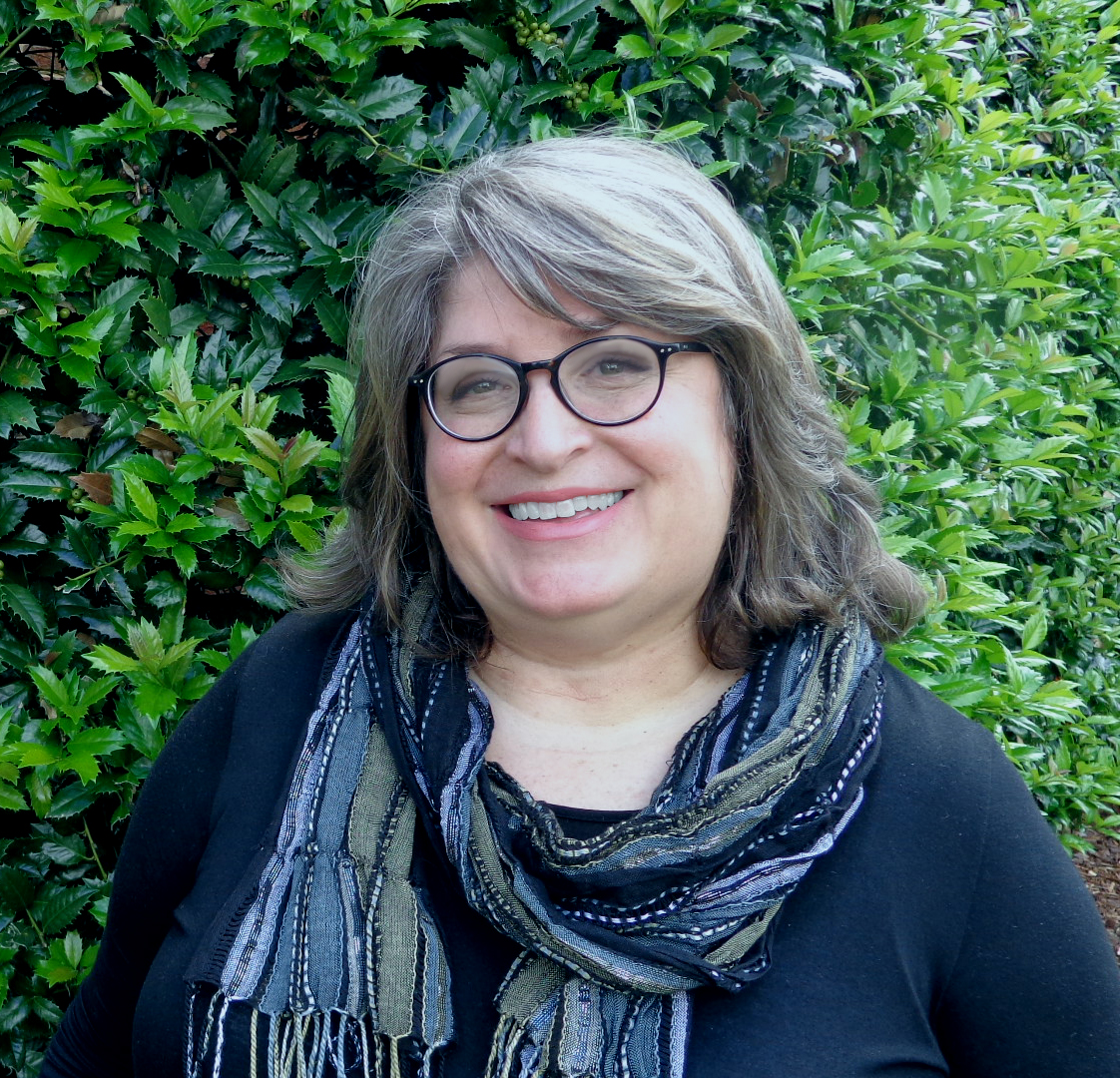
I interviewed the author of this guest post, Donna Cox Baker, in my How They Do It series last year. In it, she mentioned she used Zotero, which I had not been familiar with, to organize her genealogy research. I asked her to write a guest post about Zotero and here it is! I haven’t checked out Zotero yet, but I very much appreciate reading Donna’s perspective as a Zotero power user. For more information, check out Donna’s book, Zotero for Genealogy.

I want to thank Janine for offering me the chance to expand on the wonders of Zotero. It is the core of my genealogical research, as it once was in my doctoral research.
With thousands of resources to cite in my doctoral research, Zotero sold me the minute I experienced the “Zotero Connector” add-on. The connector is an extension for web browsers that allows you to click a single button and extract citation data from any number of places it appears, even Amazon. The citation for virtually anything that appears in a library catalog online can be stored in your Zotero database in less than a second.

Through another extension, Zotero can be linked to Microsoft Word. You can create your footnotes and bibliography straight from Zotero, letting it format the citation.

Discovering Zotero for genealogy

Well, that was graduate school. Within minutes of finishing the dissertation, I had pulled out my long-neglected genealogy box, and got back to the thing that first made me care about history.

Our family tree solutions—like Family Tree Maker, Ancestry.com, Legacy, RootMagic, MyHeritage, and so forth—give us adequate ways to document individual facts. We add a birthdate to an ancestor’s profile and cite the source. But research—what I call Big-R Research—starts way before the individual facts and goes much bigger than an isolated birthdate.

Genealogists have file cabinets full of Big-R Research, if we’re doing true family history, and not just filling in the blanks on a chart. We want to know about where our people lived and how they lived. We want road maps of their communities and the minutes kept at their church’s business meetings. We want photographs and letters and court transcripts that fill in the story. Our research can fill a room.

It doesn’t have to fill a room, though. It can take up gigabytes, instead. But we need a tool to store and retrieve it. My search for a proper Big-R Research tool began.

I tried OneNote, then Evernote, but I continued to feel a nervous sense of distrust. Would the structure hold together? Was it portable to other tools?

Then it hit me. I already had the tool I needed. It was tried and sure. It was both structured and flexible, controlled but expansive. Zotero would be great for genealogy!

Before I get into the reasons it is great, let me be transparent in this: it was not made for genealogy or by genealogists. I’ve developed tweaks here and there to deal with the differences between history and genealogy. You will not dump perfectly formatted Evidence Explained citations from Zotero (or most other tools I’ve tried). But you can come pretty close. And I’m working on some technical tweaks that will get us even closer.

Why Zotero matters

Zotero is great for genealogy for all of these reasons and more:

  • It is free, with the stability and support of a university backing it up. Even if you are syncing to the Zotero cloud, you can do that for years on free storage, before you have to buy some. And when you do buy storage, it’s inexpensive and unlimited.
  • It provides the structure missing from tools like OneNote and EverNote, but brings substantial flexibility, along with the structure.
  • It can add most catalogued online source citations to your Zotero library with one click.
  • It can organize and provide one-click access to the thousands of documents, spreadsheets, photographs, and other files you have saved to your hard drive. In essence, it can draw all those files together into a uniform, organized system. Zotero becomes your door to all you have collected.
  • It allows you to create a record once but to file it in as many folders as you want without taking up significant extra space. You make a change once, and it changes in every folder.
  • You can find things rapidly, even if you only have vague memories of having long ago found a document that might be of use in solving a new genealogical problem.
  • It will sync to the cloud, allowing you to access your work at Zotero.org, wherever you have Wifi access.
  • It can replace your to-do list and your research log with something more efficient and always accessible.
  • It allows you to set up group arrangements, so multiple people can collaborate together on a research collection.
  • It can import from and export to a number of other bibliographic managers or databases, making it portable and survivable in a changing world.
  • And while you are in Zotero every day anyway, why not store personal things there? How about storing recipes, your journal, articles about financial management in retirement. It can be your photo album. It can even store every article coming out of an RSS feed you have subscribed to.

Giving it a try

Since Zotero is free, you can try it with no risk. In fact, I encourage you to take up the challenge I offered to the readers of The Golden Egg Genealogist blog not long ago. I asked them to test out the one feature that sold me utterly and forever on Zotero: its ability to grab citations from online sources like Amazon and your local library catalog. Here’s the article: Instant citations: Zotero’s magic bullet.

I’ve also set up an online discussion forum at the Zotero for Genealogy website. It is growing fast, and we are teaching each other how to handle citations and research organization with maximum efficiency. Join us there for free.

If you want guidance in the use of Zotero, I have written the book I wish someone had given me ten years ago, as I struggled to organize my history research for school. It’s called Zotero for Genealogy: Harnessing the Power of Your Research and debuted in January 2019 as Amazon’s “#1 New Release in Genealogy.” You can find it on Amazon or at my online store. In fact, there is a free excerpt of the book there, if you want to check it out.

I hope to see the field of genealogy moving to Zotero in large numbers. Give it a try!

Filed Under: Challenges, Genealogy tips, Organizing, Technology Tagged With: Donna Cox Baker, genealogy tools, organizing aids, record keeping, research log, resources, source documentation, technology, Zotero

How They Do It: Donna Cox Baker, The Golden Egg Genealogist

February 13, 2018 By Janine Adams 6 Comments

The next interviewee for my How They Do It series is Donna Cox Baker, the blogger behind The Golden Egg Genealogist and the co-founder of the Beyond Kin Project. Donna has a PhD in history and is editor-in-chief of Alabama Heritage magazine. Her first book, Views of the Future State: Afterlife Beliefs in the Deep South, was published in January 2018. One of my readers suggested I invited Donna to participate in this series and I’m so glad! I found myself nodding in agreement as I read her insightful responses. Enjoy.

How They Do It: Donna Cox Baker shares how she organizes her genealogyHow They Do It: Donna Cox Baker

How long have you been doing genealogy?

I first got hooked on family history around 1986 at the public library in Fort Wayne, Indiana, where I lived briefly. Far away from family for the first time in my life, a local advertisement for “family history” caught my eye, and I was captivated. Since then, I have gone through long periods when I had no time for it, especially when I was pursuing graduate education while working full-time. As soon as I put the last touches on my PhD dissertation, though, I pulled out the old dusty genealogy box, and it was back to my first love.

What’s your favorite thing about being a genealogist?


At the risk of sounding corny, it is a spiritual thing for me. Oh, I love the thrill of the hunt, like everybody else. I love filling in the blanks that time has left. But there is something mystical-magical about reaching back to restore to memory the people without whom I would not be. It is an act of gratitude for those who came before, and an act of service to those yet to come. There is a grounding quality to the act of writing in birth dates and death dates again and again, person after person. You become truly conscious of the brevity of each life and want to make every day count.

What’s your biggest challenge when it comes to organizing your genealogy?

In the highest stress years of my career, I finally realized that I was psychologically allergic to paper. Piles and piles of sheets to remind me perpetually that the work was never done. That things had been forgotten. That I would never find what I needed. After a tornado wiped out 7,000 structures in my town and all the hoarded materials in them in 2011, I determined never to depend on paper again. Had the storm shifted two blocks north, every piece of paper my team had collected over 25 years would have been gone in three seconds. I make every effort to be paperless—for my sanity and the security of my research. The challenge, then, is in doing that in a smart way.

What is your favorite technology tool for genealogy?

My favorite tool is the one that got me through a PhD dissertation without giving up: Zotero. This free tool, developed by George Mason University, allows me to have everything I would have stored in paper files with me, wherever there is WiFi. I love it more than the unstructured tools like Evernote and OneNote, because it blends structure with free-form capabilities. It allows me to find a source online and click once to put all of the bibliographic information into its database. It can extract every comment and highlight I make in a PDF. It’s amazing and is the subject of my next book. I’ve written a number of blog posts about it on The Golden Egg Genealogist.

If you were starting out new as a genealogist what would you do differently?

I would get formal training. I was arrogant enough to think I didn’t need it for the first couple of decades. But then I went to the Institute for Genealogy and Historical Research. I took the beginner’s class, just in case I had missed things along the way. And BOY had I missed things along the way. I had been making mistakes that rendered whole branches of my family tree questionable. This summer will be my fourth trip to IGHR.

Do you keep a research log? If so, what format?


Zotero replaces that for me. It gives me everything the traditional logs give, but in a much more efficient format. If I was doing genealogy for others, I might need a log to keep up with time spent, but I don’t have that need. With Zotero, I know what sources I consulted, where I found them, and what I extracted. It keeps up with the date I first added the source record and the last time I modified it—the only two dates I really care about. And unlike the traditional research logs, I only have to add the source and repository information once—no matter how many times I might return to that source and gather new information. In my notes, I make a habit of including a statement about what I was looking for at any given time—say, “All Mayberrys,” or “Ransom Payne.”

How do you keep track of clues or ideas for further research?


Again, Zotero is my hero. I have a master To Do folder, in which I add subfolders for places I might need to visit to do future research. As I encounter a library catalog record or some other notice of a source I want to see at that repository, I create the Zotero source record and drag it into the folder for the repository. That way, I’m collecting a to-do list for a repository and have it waiting when I have the time to make that trip. In fact, if I happen to find myself at a repository unexpectedly—say a meeting ends early at the state archives, and I have an hour—I can find a computer there, look up my to-do list in Zotero’s cloud, and get to work. I am also able to drag and drop the same source record into folders for the person or family I’m researching. So the record exists only once, but I can find it in multiple places.

How do you go about sharing your personal research with cousins or other interested parties?


I give them access to my Ancestry tree, which is syncing with Family Tree Maker. Because I still have some of that old questionable research that I mentioned in my largest tree, I keep that one private. I caution the curious cousin up front that they need to check everything behind me. My research is a clue, not the gospel. I have a couple of public trees that represent more recent (post-IGHR) work. I’ve had little time to work on the general family tree there. I am spending most of my time on a tree that is a slaveholding branch of my family that serves as a prototype for the Beyond Kin Project, which represents our method of documenting enslaved populations.

What’s the most important thing you do to prepare for a research trip?

I go through any available catalogs or lists of what the local repositories have, and then determine what specific research questions I need to try to answer. I also try to determine which of the local records might be available online through FamilySearch or Ancestry or are in a library in my vicinity. I want to spend my time on the sources I will not find any other way. I make sure I have my smart phone and laptop and the ability to keep both charged. My phone becomes my scanner, and I am often keying things directly into Zotero, as I work on-site.

What’s your biggest piece of advice to genealogists in terms of organizing their research?

Get rid of the paper. You cannot carry it with you on your research trip with any ease. If a piece of paper mentions twenty different people, will you make twenty copies of the page to file in twenty folders? And here’s another really important reason to break the paper habit. Your descendants will not want your file cabinets and boxes. If you depend on paper, your research may stop with you. Don’t let that happen. Now for those who have twenty years of paper piled up and wonder how they could possibly go paperless now, I say start today with a paperless ethic. Make everything you work on from now on paperless, and slowly work backward through the paper mountains in your home, scanning them as you are able.

Do you have a dedicated space in your home for doing genealogy research? What’s it like?


The beauty of paperless genealogy is that I can do 99% of my work at home on a laptop. Everything I’ve gathered has been scanned and can be accessed there (being backed up faithfully to the cloud at all times). I have a great little office in my house, but it feels too much like my day job. I usually work in an armchair with headphones on, so I can enjoy the company of my husband and cat-children. When I retire someday, maybe I’ll be willing to sit at a desk again. But more likely I’ll want to be on a lounge chair on the deck.

 Now all of this is possible because I’m not a person who wants to be the keeper of my family’s precious documents and photographs. If you are that person, you have to be able to preserve things in acid-free boxes, fire-proof safes. And I salute that person, but it will not be me.

I hadn’t heard of Zotero before hearing about it from Donna and now I’m excited to check it out. Her enthusiasm for it is contagious! I’m also intrigued by the Beyond Kin Project and can’t wait to learn more. And, finally, I agree completely with Donna about paper. (I love her phrase “psychologically allergic to paper.”) Eliminating paper creates such freedom and her advice to start with from this point forward with going paperless then chip away at the backlog is spot on. Thank you, Donna, for taking the time to answer these questions!

Filed Under: Challenges, Excitement, Genealogy tips, Organizing Tagged With: Beyond Kin, Donna Cox Baker, Golden Egg Genealogist, How They Do It, organizing aids, Zotero

about me

I'm Janine Adams, a professional organizer and a genealogy enthusiast. I love doing family history research, but I find it's very easy for me to get overwhelmed and not know where to turn next. So I'm working hard to stay organized and feel in control as I grow my family tree.

In this blog, I share my discoveries and explorations, along with my organizing challenges (and solutions). I hope by sharing what I learn along the way I'll be able to help you stay focused and have fun while you do your research, too.

tags

30 x 30 Adams amy johnson crow anniversary Brown cemetery census Civil War conferences connections dna electronic files Evernote excitement Family Curator family photos genealogy tools getting started goals How They Do It Igleheart Jeffries keepsakes learning opportunities maps newspapers NGS organizing aids overwhelm paper files planning quick tips rasco record keeping research research log research trip resources RootsTech social history source documentation Stacy Julian technology time management vital records

join the facebook community!

join the facebook community!

My organizing business

Learn more about my organizing business, Peace of Mind Organizing®.

Subscribe by RSS

  • RSS - Posts
  • RSS - Comments

© 2026 Janine Adams


Loading Comments...
