There are so many amazing options for online research. Some, like FamilySearch and Chronicling America, are free. Others are fee-based. I’ve subscribed to Ancestry for a dozen years or more and always feel like it’s a worthwhile investment. More recently, I’ve started subscribing to Newspapers.com and just reupped. (I love newspaper research.)
But it was not until recently that I subscribed to MyHeritage. I was actually given a subscription to MyHeritage by the company gratis. They approached me about doing a Facebook Live presentation and about partnering with them for a week-long special promotion to my readers. (That promotion will be going out on Friday–if you’re not already on my mailing list, I encourage you to subscribe so you’ll get the offer in your inbox). When they asked me to partner with them, I requested free access so I could try it out before recommending it to my readers.
So I’ve been using MyHeritage a bit–not a ton because I haven’t had a lot of time for researching in the past couple of months. But I love that they have rich databases (16.9 billion records!) and also some pretty spectacular photo tools.
To test those out, I uploaded a couple of photos from my hard drive.
First, here’s a sepia-toned photo of my second great grandmother, Jennie Nebergall Wheeler (1857-1933) taken in 1917. I uploaded it to MyHeritage and used the Colorize, Repair and Enhance tools to improve the photo. The results are pretty remarkable, in my opinion.
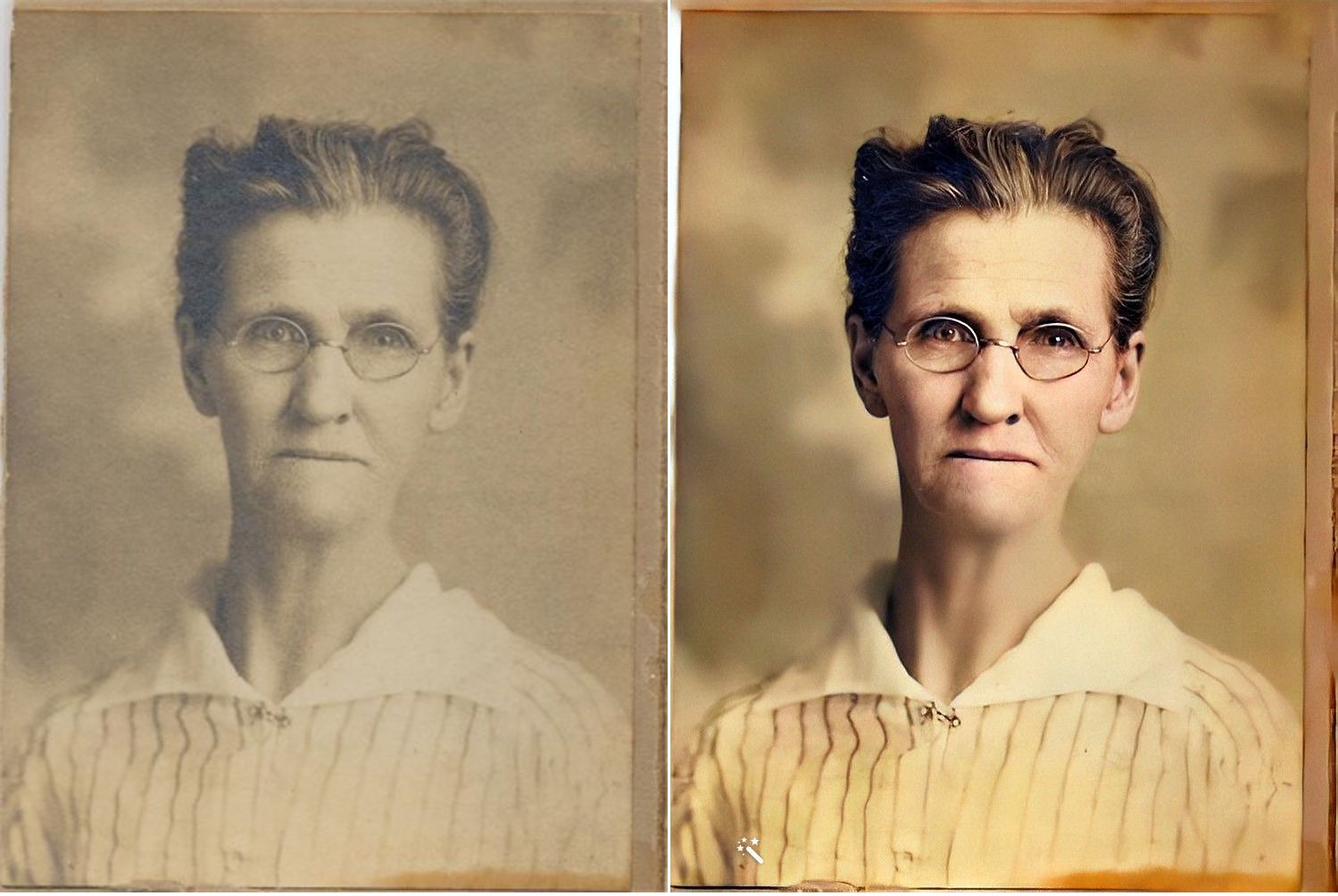
I now feel like I can look into Jennie’s eyes and imagine a conversation with her, something that never felt possible with the old photo.
Here’s another example. This is the William Reese Rasco family in 1907. This photo graced the mantle at my aunt’s house for many years. My aunt recently moved and gave this photo to me. I consider it one of my treasured possessions. The baby in the photo is my maternal grandmother, Beatrix Rasco Adams (1907-1987).
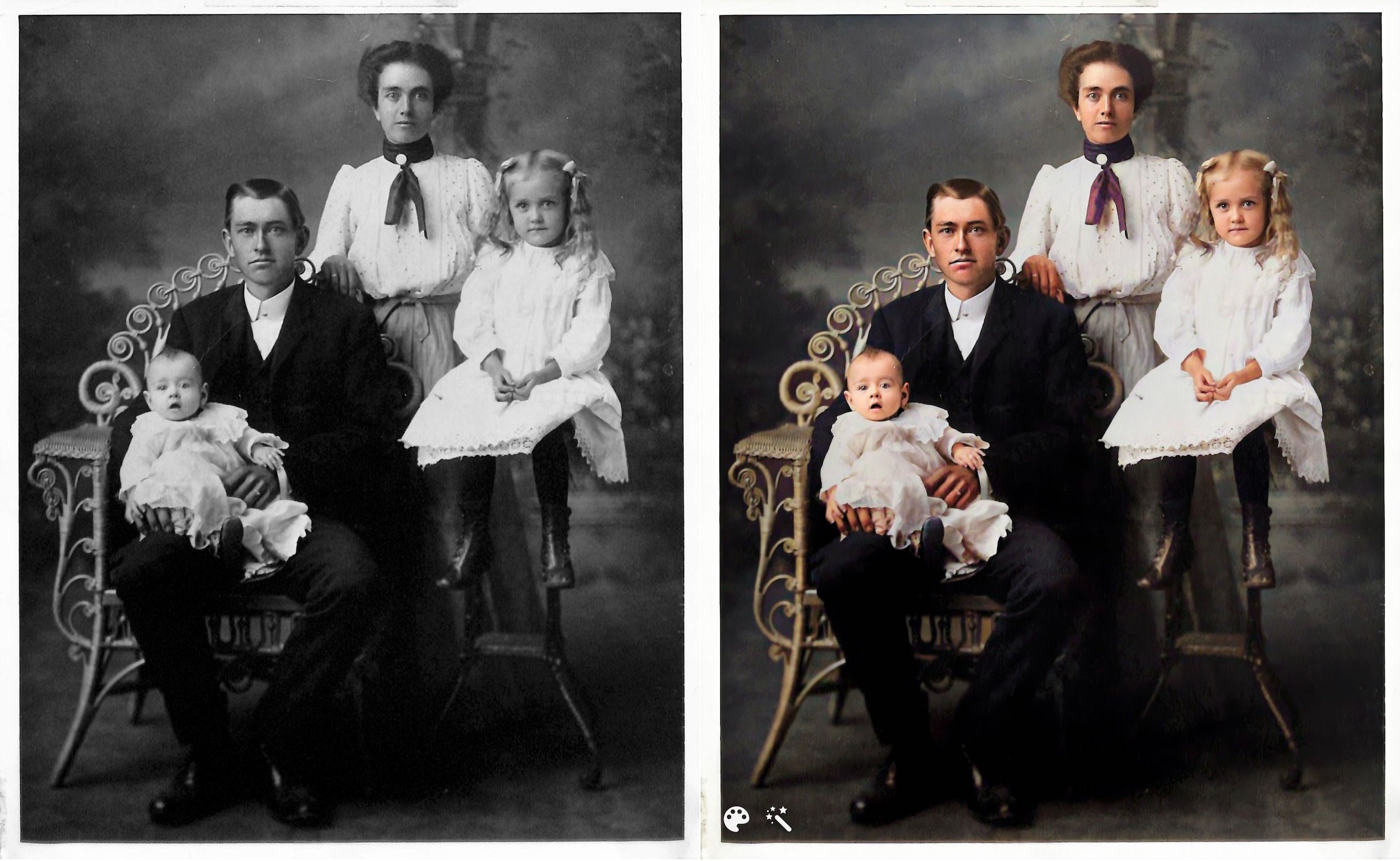
This one feels a little different to me. It might be because I’m so familiar with the photo and the fact that the original photo is black and white (rather than sepia), but the improvement doesn’t feel quite as dramatic. It is fun to see what color my great great grandmother’s scarf might have been, though!
I downloaded the improved photos to on my hard drive and am storing them with the originals with the word Enhanced added to the end of the file name. I can’t wait to upload more photos. Since these two photos are portraits, improving them didn’t add a whole lot of information. But I know from watching Photo Detective Maureen Taylor’s Facebook Live for MyHeritage that these enhancements can bring out clues in photos that aren’t easily seen in the originals.
Another photo feature that MyHeritage has introduced is animation. You upload a still photo and they will animate the individual or individuals in the photo. Here’s an example, using the photo of my great grandmother Jennie.
And here’s my great aunt Lessie Rasco, from the portrait above.
I’m a bit on the fence about the utility of this one. But it is pretty fun and I imagine it might make sharing the photos a little more interesting for non-genealogy-focused relatives
Have you used these photo tools? What do you think?
Again, if you’re on my mailing list, you’ll receive an email from me on Friday with a special link for a really great discount on a MyHeritage subscription (for new MyHeritage subscribers only.) Full disclosure: they will share the revenue from your subscription with me. If you aren’t on the list, you can sign up here or in the form that pops up when you scroll to the bottom of this page. When you sign up for the mailing list, you’ll also get a short series of daily emails from me, along with a end-of-the-month email with links to the previous month’s blog posts. You can unsubscribe at any time.
 I was so delighted to get an email from Denise Levenick of The Family Curator about her Genealogy Scan Along, starting tomorrow. Denise is scanning her own old family photos with the intention of creating a family history photo book. And she wants you to join her!