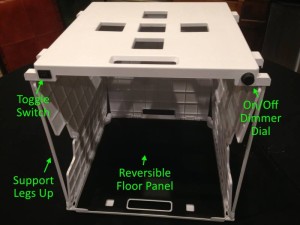
 Last fall I blogged about SHOTBOX, a portable light studio that was part of a Kickstarter campaign. I was excited about the prospect of using it to take pictures for my blogs as well as photographing delicate documents for my genealogy research. The SHOTBOX studio plus the SideShot attachment that allows well-lit photography from the front, seemed like an answer to a problem I’d had for a long time. (Just take a look at many of the photos on this blog or on my organizing blog to see what I mean. There’s room for improvement!)
My SHOTBOX arrived in December, literally at the same time my puppy, Bix, joined our family. So I haven’t had the chance to use it as much as I will. But I did set it up right away and take a few shots.
Here’s my overall impression:
- The packaging was excellent. It arrived safe and sound from China with no damage at all.
- The instructions are good and hardly necessary because the product is simple and intuitive.
- I was able to get it up and running within minutes. I’ve since used it one other time and it’s remained easy to set up and use.
- The neoprene carrying case is excellent. All the components fit securely in the case and the collapsed SHOTBOX takes very little room to store.
- I’m delighted that it comes with four different colored backdrops (white, black, green and blue), which are very easy to switch out.
Here are some photos created by the SHOTBOX team that show the connectors and also how everything fits into the neoprene bag. (They also provided the photo above.)
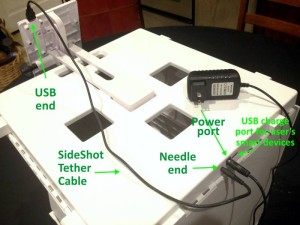
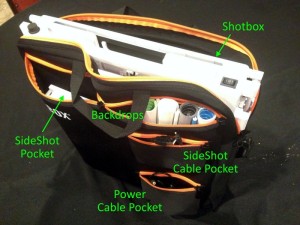
How are the pictures I’ve taken with my SHOTBOX?
Bear in mind that I’m not much of a photographer and I have some learning to do. I intend to look for camera apps other than the one that came with my iPhone so I have a little more control. (A reviewer on the SHOTBOX website recommends camscanner app for documents and camerapro for three-dimensional objects. I’m going to check those out.) But these quick photos are so much better than what I would have taken without the SHOTBOX!
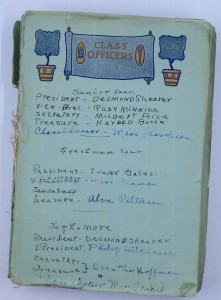
Here’s a photo of my grandmother’s autograph book, given to me by my father in December. It’s taken from above.
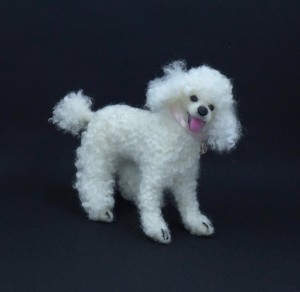
Here’s a photo of a small needle-felted replica of my departed poodle, Kirby. (It was created by Janet’s Needle Felting if you’re interested in having one of your own made.)
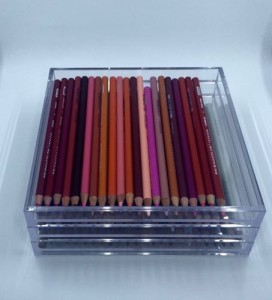
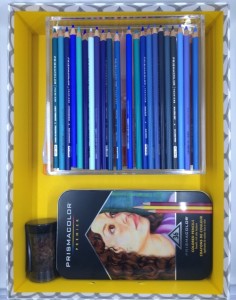
On my organizing blog, I wrote about organizing my coloring supplies recently. So I took some photos of my coloring supplies using SHOTBOX. Here are a couple of examples. The first was taken from the front, the second from above.
SHOTBOX gives me much-needed assistance in creating viable photos for my blog, with minimal effort. I love the that it gives me a blank backdrop. And, of course, I love the fact that the photos are well lit. A bonus: It takes up so little space when not in use.
At $199 for the Deluxe Bundle (which includes the SHOTBOX, the SideShot, the backdrop kit, and the neoprene carrying case), I think this product is huge bargain. Click here to order or get more information.
I look forward to using it more!
Full disclosure: The links above are affiliate links, which means that SHOTBOX gives me a percentage of the sale, but that doesn’t affect the price. And it doesn’t affect my opinion of the product.

I’m so glad you gave it a try and shared the results with us. This will be going on my wish-list. I have many old photographs, letters, and scrapbooks to digitize and it looks like this is the answer to my conundrum.
This could be great for you, Eva. And it’s so affordable. Another option is the ScanSnap SV600 contactless scanner, but it’s at least $700. I blogged about that scanner here: https://organizeyourfamilyhistory.com/irresistible-scansnap-sv600/. The SHOTBOX + your smartphone is much more economical!