As I’m processing the photos I took on my Kentucky research trip, I’m realizing an important aspect of research-trip planning that I hadn’t taken into account: the time of day I visit cemeteries.
On my June 2019 trip, I visited two cemeteries I’d seen in October 2014. I took pictures in both cemeteries on both trips–there was more to discover on my second trip, since I knew more about my family tree. One thing I noticed is that my 2014 photos taken at noon at the Sacramento Cumberland Presbyterian Church are so much better than the ones I took at 6 pm in my June 2019 trip to that cemetery. (The I visited the other cemetery, Poplar Grove Cemetery, at the same both trips, about 2 pm.)
Taken 16 Sep 2014, 12:07 pm

Taken 24 June 2019, 6:04 pm
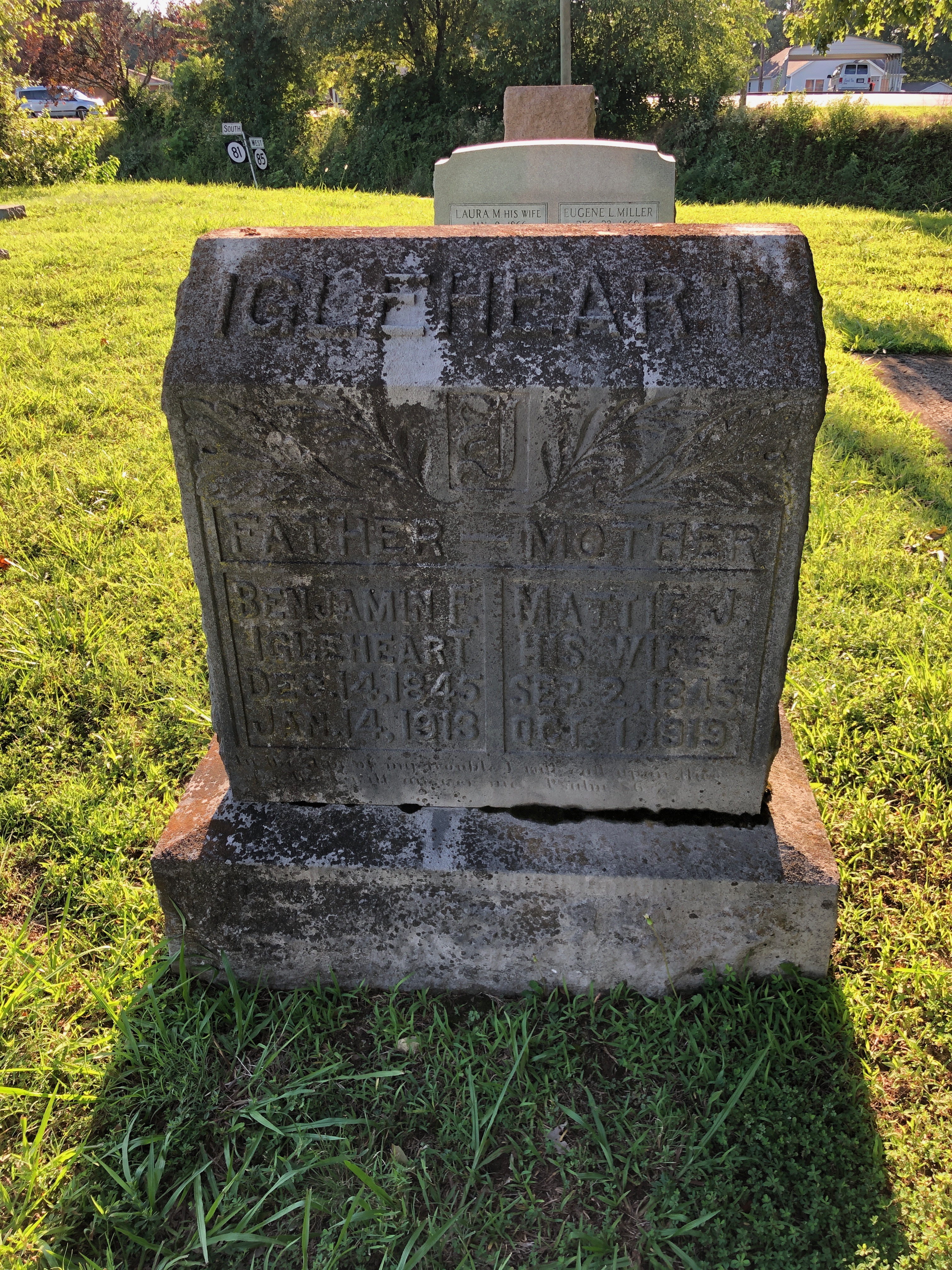
I understand there are all sorts of variables that can go into getting a great shot, but you can see that the first photo, taken on a partly cloudy day at noon, is much better than the second photo, taken on sunny June day at 6 pm. It doesn’t help that the grave marker faces east! (Since I knew I had a great shot of that grave marker, I didn’t worry much about the quality of that second photo.)
Here’s another example, of the marker for my second great uncle, Ellsworth McEuen, in the same cemetery:
Taken 16 Sep 2014, 12:35 pm
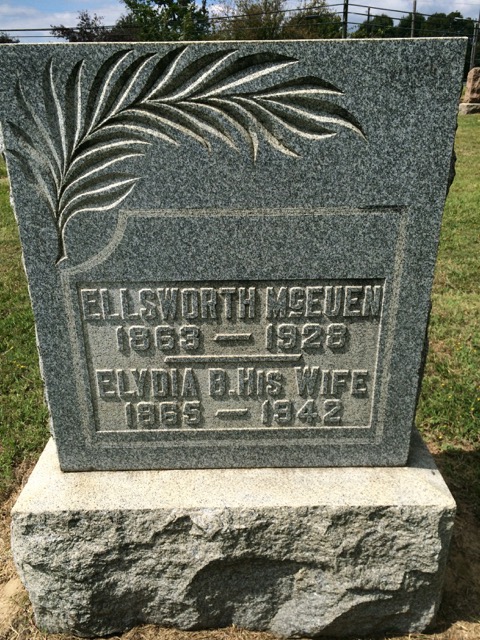
Taken 24 June 2019, 6:03 pm

On my next research trip that includes cemeteries, I will do my best to visit them when the sun is high to avoid these challenges!

Excellent point!
Add in angle of the shot and time of year (position of sun) as well. Shots taken down on one knee (vs from above) usually help to make the inscriptions more legible as well.
You can also use a selfie stick, held down by your knees, if you can’t take all the bending 🙂
Great tips! I hadn’t thought of a selfie stick for this purpose!
Thanks Janine, I had never thought of that. I have seen many photos of headstones that are very hard to read. I will take your excellent advice.
Thanks for the compliment–please be sure to read the other comments. Lots of wisdom!
A lot *does* depend on time of day as well as the direction the headstone faces. I had the unhappy experience you had at 6 p.m. when I took some last year at 10 in the morning. The side I wanted just faced the wrong way — the marker directly in back of it facing the opposite way was beautifully clear. Too bad my guy was on the “wrong” side 😉 .
You’re absolutely right! I had another picture taken in that same 2019 session of a westward-facing headstone that was lit very nicely. But my shadow was also visible. 🙂
Thanks for the tip. Will keep that in mind when I visit a cemetery.
You’re welcome, Jerry!
I’ve had that problem, and also a photo of a headstone in shade, taken on a sunny day.
But don’t give up on those photos! I’ve been able to “squeeze” out something legible from these not-so-great images by using the edit feature in Photos on my iPhone and Mac, basically adjusting the exposure and contrast and sometimes colors in order to bring out the inscription. (Sometimes the grass looks a little peculiar, but I get my inscription.) I feel sure that Android phones have a similar photo editing app, and maybe Google Photos will let us do similar adjustments. There are also more sophisticated photo editing programs, like the ones that Adobe sells.
Marian, thank you so much for that reminder!!