• BLOG
  • ABOUT
    • Privacy Policy

Organize Your Family History

Stay focused and happy while exploring your roots

Get your ancestor’s handwriting analyzed

April 7, 2015 By Janine Adams Leave a Comment

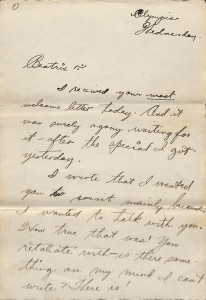
page 1 dave's letter to bea testWhen I was at the RootsTech conference, one of the exhibitors in the Expo hall was Nancy Douglas of Write Meaning, a certified handwriting analyst. I’ve always been fascinated by graphology and didn’t understand immediately what it had to do with genealogy.

I picked up her postcard and, after I got home from the conference, I checked out her website.  I was intrigued when I learned that she can take handwriting samples from an ancestor and provide an analysis, giving you insights into your ancestor’s personality.

I have a long, handwritten letter that my grandfather wrote my grandmother a month before they wed. It’s a treasure, because it outlines his father’s work history, his own work and education history, as well as touches on his parents’ unconventional marriage. And, at 36 pages, it provides a wonderful opportunity to try out this handwriting analysis.

Using my Fujitsu ScanSnap SV600 scanner, I scanned the entire delicate letter and sent it via Dropbox to Nancy, along with payment of $100. I eagerly anticipate the analysis, which I hope to receive in a month or so. You can bet that I’ll be reporting the results here!

Edited to add: Nancy is no longer doing handwriting analysis, so I took the links out of this post.
Filed Under: Excitement, Genealogy tips Tagged With: Adams, genealogy tools, handwriting

Making migration more visible

April 3, 2015 By Janine Adams Leave a Comment

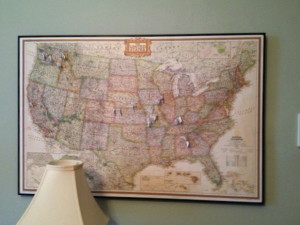
A map, cork board, foam core and frame make a great way for me to map my ancestors!I love looking at my genealogy map, which hangs on the wall in my office. Using color-coded pins with little label flags, I pin my ancestors’ birth and death places.

As much as I enjoy adding pins to the map, I probably let a year lapse between pinning sessions. But just the other day I took a little time (as part as my weekly genealogy research commitment) and added ten ancestors to the map. It was a fun exercise — and it was educational too.

Focusing on ancestors’ birth and death places helps me think about migration. Looking at the map makes that migration feel more real.

I added a generation in my latest pinning session, so I now have five generations pinned on my map. I was born in Washington state; as I go back in generations, I go farther east with the pins. (Not a big surprise, I know.)

In this past pinning session, I reached an eastern seaboard state, Georgia. A glance at the map showed me that the distance from Georgia, where my great great grandmother, Margaret Elizabeth Dye, was born, to Alabama, where she died, wasn’t as far as I’d thought. Margaret was born in 1844 in Henry County, Georgia and was married in 1865 in Shelby County, Alabama. Her husband, Laban Taylor Rasco, was born in Alabama and did fight in the Civil War in Georgia, so maybe she was a war bride? (I’m thinking not because there were many Dyes in the cemetery where she is buried in Cullman, Alabama.) These are the kinds of stories I hope to suss out as I look to go deeper, rather than higher, in my family tree.

The map helps bring questions to light, making migration patterns more visible. I know that there are higher-tech ways to do this. But my old-school map and pins make me happy.

Filed Under: Genealogy tips, My family Tagged With: genealogy tools, maps, rasco

Putting your ancestors’ lives in context

March 17, 2015 By Janine Adams 8 Comments

HistoryLines can help you create a timeline for your ancestorsOne of the ways I want to explore my ancestors as I try to dig deeper into their lives (learning more about my ancestors, rather than learning about more ancestors) is to put their lives in social context. I’d like to learn more about how they lived and what life was like for them.
At RootsTech, I learned about a new service, HistoryLines, that helps me do just that. I think it’s pretty exciting. You enter in an ancestor name or link a Family Search tree or upload a GEDCOM and you’re presented with a timeline of information about what was going on around your ancestor at the time he or she lived.

The service is in Beta now, but I signed up as a Beta user (as can you) and have had a good time exploring it.

Here’s a video they debuted at RootsTech.

The timeline that HistoryLines produces includes historical events that may have had an impact on the ancestor’s life, as well as more personal information, like how childbirth might have been for the ancestor’s mother, and what education, hygiene, clothing, medicine and entertainment were like at the time. (That’s just the tip of the iceberg of available information.) There’s also an interactive map, so that you can see their migration patterns. You can edit the timeline, which allows you to quite easily create a meaningful story to share with others.

My ancestors are all from the U.S. and the U.S.-related information on HistoryLines is plentiful. They also have information from Germany and Denmark and data for Canada and France are in process. I’m sure they will be adding data from more countries.

Timelines can be a great organizing aid. Adding social to the context makes this a really fun, and potentially very meaningful, tool.

Filed Under: Excitement, Genealogy tips, Technology Tagged With: excitement, genealogy tools, organizing aids, resources, social history, technology

Digging out after a conference

March 4, 2015 By Janine Adams 2 Comments

Diggin out after a conferenceI love going to conferences. Between organizing and genealogy conferences, I attend at least three a year.

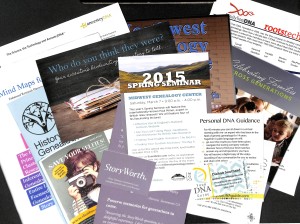
Conferences are wonderful learning and networking opportunities, but they can present an organizing challenge. When I return home from a conference, I’m usually behind in my work and it’s so easy to leave everything I learned on a back burner. The biggest challenge is probably dealing with the literature I bring home from conferences. I’m a bit ashamed to admit that, in the past, items I picked up at trade shows have stayed in the bag untouched until they’re thrown away months or even years later.

Last month, I attended RootsTech. It had a gigantic trade show and I learned about so many new resources I wanted to explore. I was bound and determined that the information I bought home with me would not languish. Here’s how I handled it this year. (Spoiler alert: I’m feeling pretty good about it!)

  • I minimized what I brought home by carefully going through all the paper before packing my bag at the hotel room in Salt Lake City.
  • Once I got home to St. Louis, I put all the literature together until I could process it.
  • I spread it out and scanned it for the photo to go with this post (something non-bloggers wouldn’t have to consider!).
  • Then I gathered it into a pile and went through it piece by piece. I looked up the websites for each of the flyers I brought home. If the product or service still interested me, I added it to a note I created in Evernote called “Interesting resources from RootsTech 2015” that I placed in my Evernote “Genealogy Resources” notebook.
  • For a couple of the resources, I created a follow up task in Things, the task management application I use.  I can assign a due date, so these tasks will pop up on my Today page next year  (helpful for reminders about conferences I might want to attend in 2016).
  • I jotted down some blog post ideas sparked by the literature and put them in my Blog Post Ideas notebook in Evernote.
  • I recycled all the paper, except two items I decided to file

The whole process took me about 30 minutes. It feels great! There were some resources I’d forgotten about already, but now they’re safe inside Evernote. I took action on a couple of items, signing up for newsletters and other services and making one inquiry about working with someone. And, perhaps best of all, I got rid of a pile of paper.

Taking 30 to 60 minutes to process this information really adds value to what I brought home from RootsTech. It’s an amazing return on the investment of time spent! I’m grateful for Evernote and Things which help me free up my memory so I can find this information when I need it.

I can’t wait to do it again after next month’s National Association of Professional Organizers conference.

Do you have a better (or different) way of digging out after a conference?

Filed Under: Challenges, Genealogy tips, Organizing, Technology Tagged With: conferences, Evernote, genealogy tools, organizing aids, resources, technology

  • « Go to Previous Page
  • Page 1
  • Interim pages omitted …
  • Page 87
  • Page 88
  • Page 89
  • Page 90
  • Page 91
  • Interim pages omitted …
  • Page 106
  • Go to Next Page »

about me

I'm Janine Adams, a professional organizer and a genealogy enthusiast. I love doing family history research, but I find it's very easy for me to get overwhelmed and not know where to turn next. So I'm working hard to stay organized and feel in control as I grow my family tree.

In this blog, I share my discoveries and explorations, along with my organizing challenges (and solutions). I hope by sharing what I learn along the way I'll be able to help you stay focused and have fun while you do your research, too.

tags

30 x 30 Adams amy johnson crow anniversary Brown cemetery census Civil War conferences connections dna electronic files Evernote excitement Family Curator family photos genealogy tools getting started goals How They Do It Igleheart Jeffries keepsakes learning opportunities maps newspapers NGS organizing aids overwhelm paper files planning quick tips rasco record keeping research research log research trip resources RootsTech social history source documentation Stacy Julian technology time management vital records

join the facebook community!

join the facebook community!

My organizing business

Learn more about my organizing business, Peace of Mind Organizing®.

Subscribe by RSS

  • RSS - Posts
  • RSS - Comments

© 2026 Janine Adams


Loading Comments...