• BLOG
  • ABOUT
    • Privacy Policy

Organize Your Family History

Stay focused and happy while exploring your roots

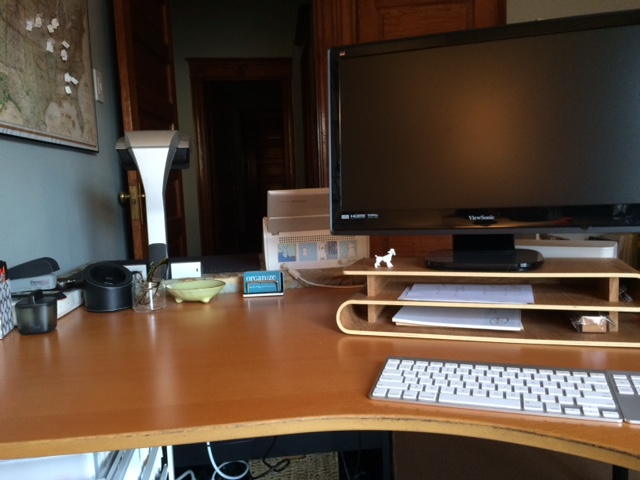
Now’s a good time to declutter your research desk!

May 13, 2020 By Janine Adams 6 Comments

I originally published this post in 2015 (and republished it at the end of 2016), and today I thought it might offer helpful information during this stay-at-home time. A lot of folks (including me) are taking the time to do some decluttering and organizing these days. Perhaps it’s because we’re surrounded by our stuff 24/7! As a professional organizer, I know a lot about tackling a messy desk (any kind of desk), so I share my expertise here, in case you’re up for some step-by-step instructions.

If you can’t remember the last time you saw your desktop in your genealogy research space, perhaps it’s time to experience the joy of a clean desk. I know that time to do genealogy research is limited for most people and the last way  you want to spend your precious genealogy time is on cleaning up your desk. But it’s worth it. When you sit down at a clear desk, your mind is more clear and you can be more focused on your research.

But there’s good news: It doesn’t have to be hard or time consuming. Here’s a step-by-step suggestion for creating some order on your desk, swiftly.

  1. Set your timer for 25 minutes.*
  2. Clear everything off your desk (and I mean everything except, perhaps, your computer). Put like things together into rough categories as you go. (For example, put papers together in a pile on the floor near your desk; put office supplies together, etc.) It might helpful to have some bankers’ boxes or plastic totes handy to hold the categories, but the floor will do too.
  3. Put away the items that already have homes. For example, put binders and books where they belong. If something belongs in another room, put it in a box or bin that you’ve marked “Relocate to another room” so you don’t wander away from the room you’re working on. At the end of the session, you can put all that stuff away.
  4. Go through the non-paper items and put back on the desk those things that deserve to take up such prime real estate. Only those things you use every research session should be placed within arms’ reach when you’re sitting at your desk (with the possible exception of items that give you great pleasure to look at). Relocate or discard the other non-paper items that were on the desk.
  5. Take all those papers and put them in a box of some sort. Mark that box “Backlog.” (I use a box similar to this one from IKEA for that purpose and I place that box on a shelf.)
  6. Every time you’re at your desk, set a timer for ten minutes and go through the papers in the backlog, discarding, scanning and/or filing as required. Do this ten minutes a day for as long as it takes to eliminate the backlog. (You might be surprised how few of these short sessions it takes.)
  7. Don’t add to the backlog box. Instead, at the end of each research session take the time (probably less than five minutes) to clear off your desk and put everything away. That way, you’ll start each session fresh.

* When your timer goes off, stop what you’re doing and take a five-minute break. Then set it for another 25 minutes and get back to work, unless you’re done.

Filed Under: Challenges, Organizing Tagged With: organizing aids

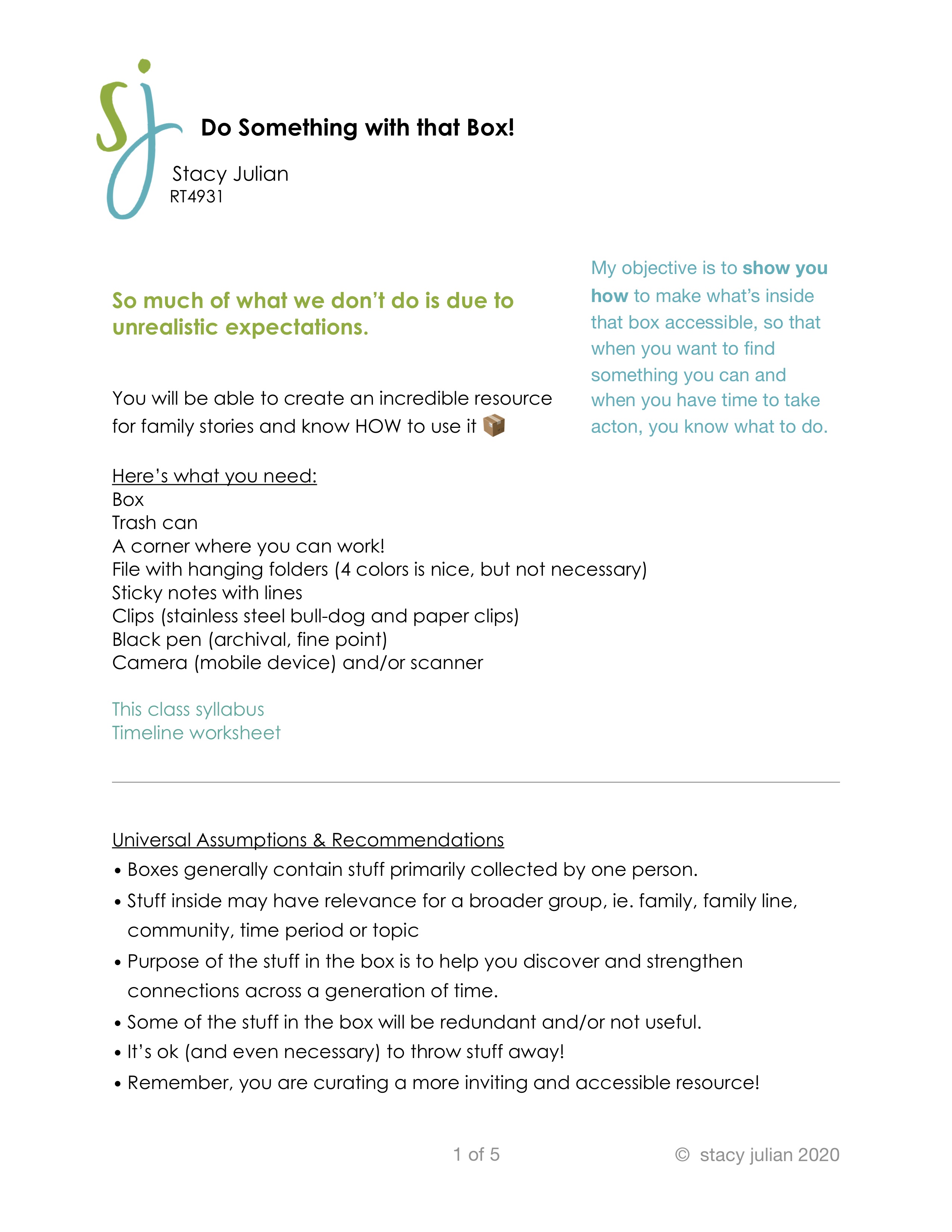
Favorite RootsTech session: Do Something with that Box!

April 28, 2020 By Janine Adams 9 Comments

Stacy Julian

I heard a lot of great sessions at RootsTech this year. But the one that really blew me away–because of the quality of its content and presentation–was Stacy Julian’s Do Something with that Box! Stacy is a blogger and podcaster and superstar in the scrapbooking world. You can learn more about her at www.stacyjulian.com.

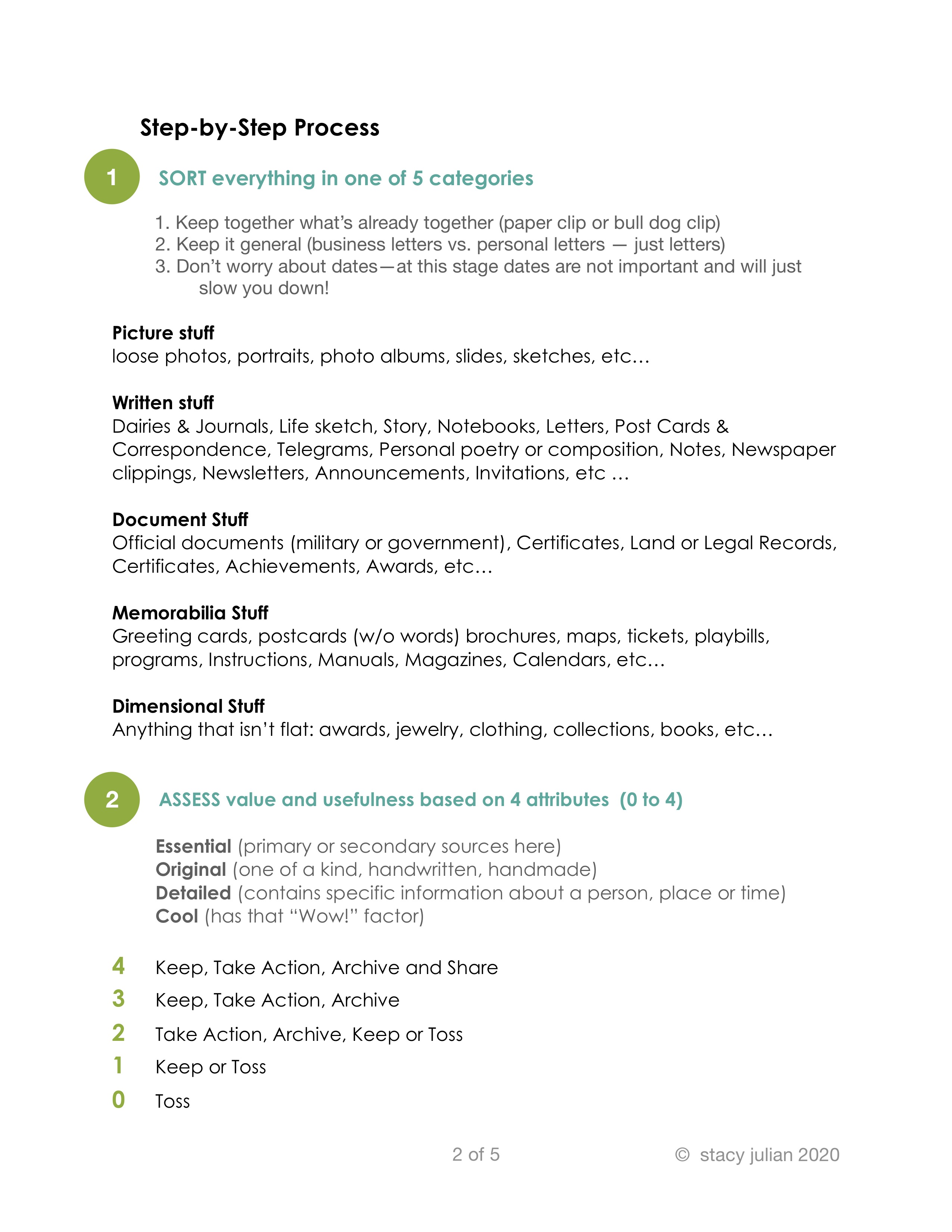
“That box” that Stacy refers to is the box of family history papers, photos, ephemera and (sometimes) junk that so many of us have been given. It’s so easy to be overwhelmed by that box, isn’t it? In her talk, Stacy took us step by step through her methodology to make the stuff inside that box accessible “so that when you want to find something you can and when you have time to take action you know what to do.” As a professional organizer, this made my heart sing.

One of the things I loved about her approach is that it makes the process of dealing with a box of family-history stuff less overwhelming. Stacy has you sort everything into one of five broad categories, then go through each category and assess the value of each item. You’ll be discarding lots of stuff during this process, undoubtedly. Stacy makes the point that scarcity creates value–if you are discerning about what you keep, your family members are more likely to look at and enjoy the items.

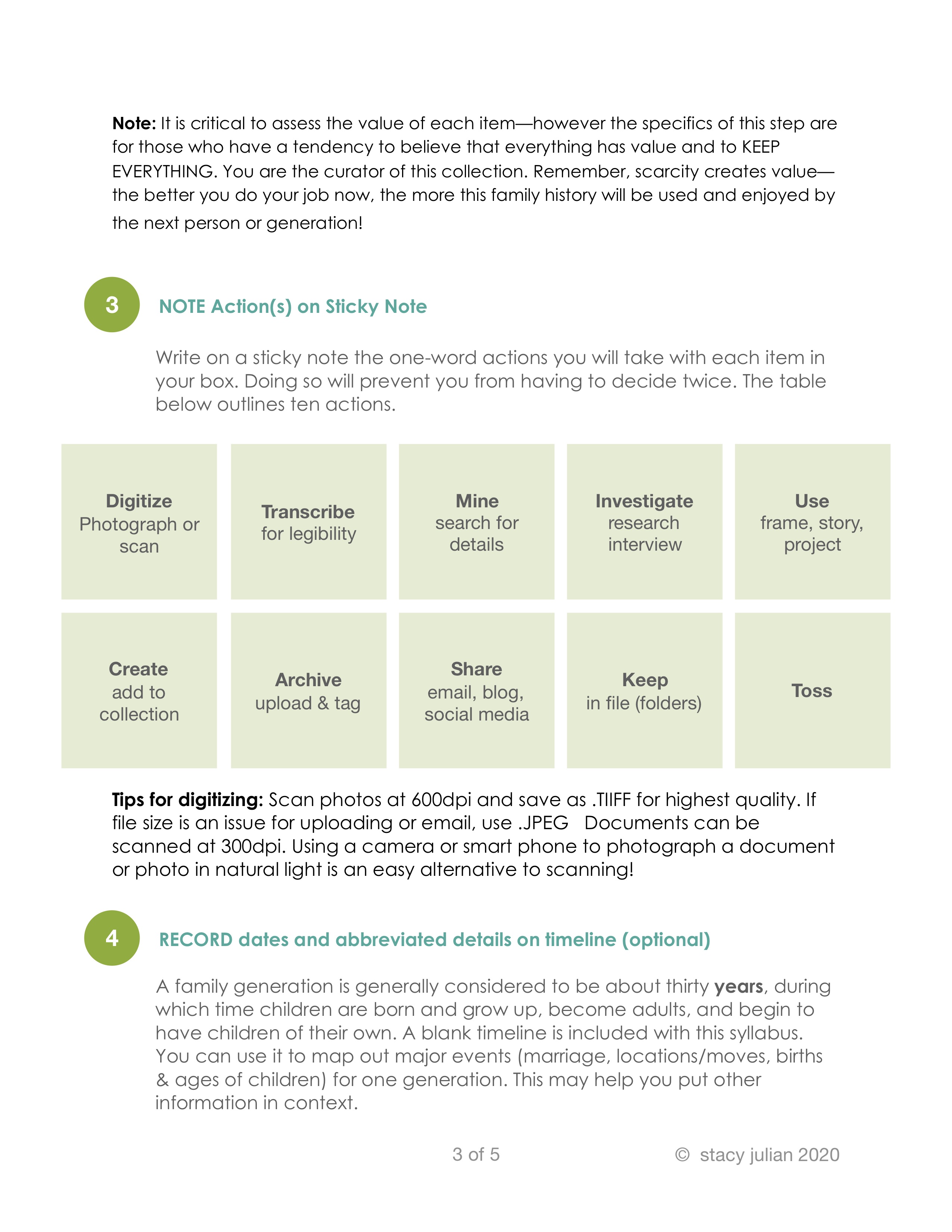
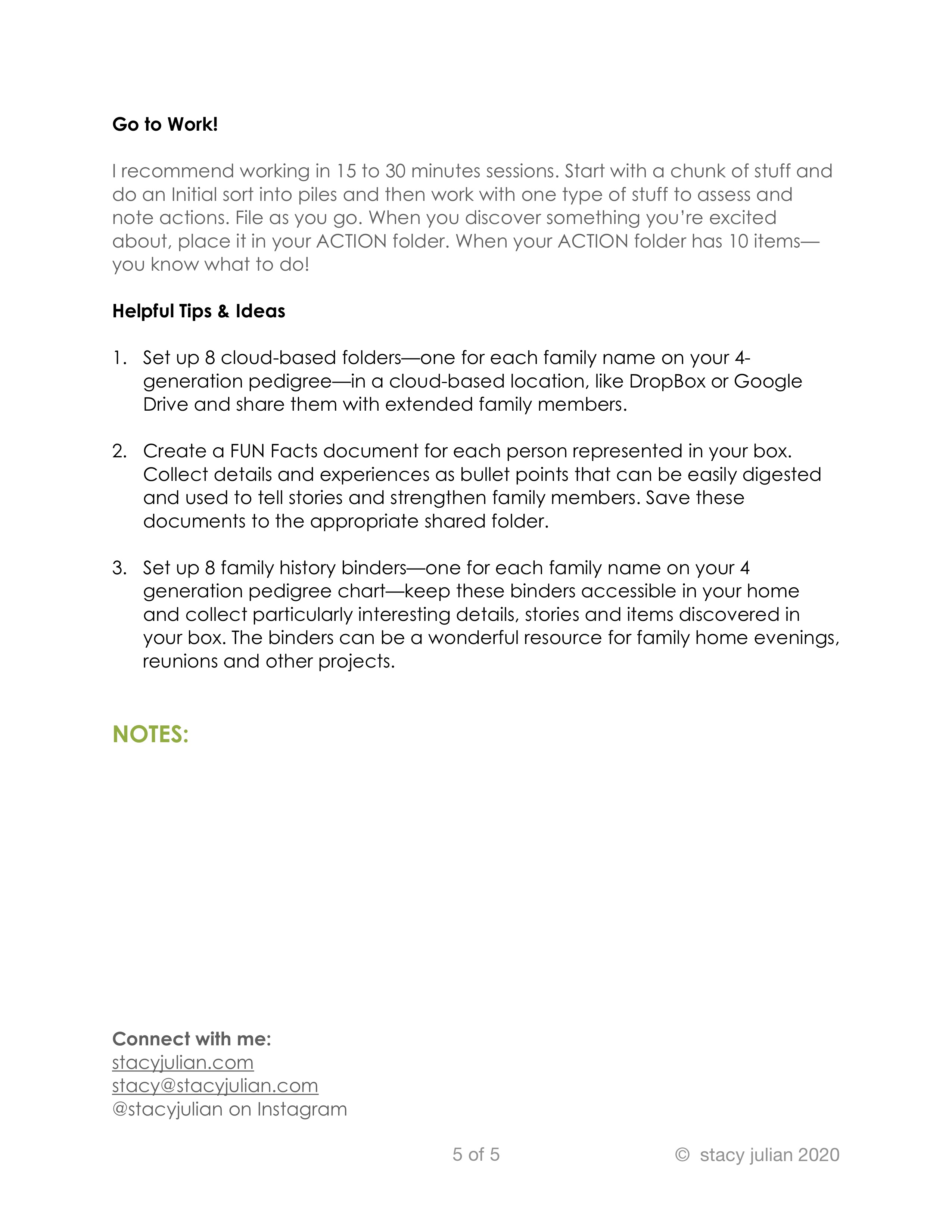
After sorting and assessing you’ll assign an action to each item that requires one (digitize, transcribe, share, etc), using a sticky note. The final step is to file the stuff into a file box using the same broad categories you started with. As you go through the documents, you’ll put those that excited you into an Action folder. Once you have ten items in the Action folder, you take action.  An optional step in the process is to create a timeline, as you go, for each generation of the family represented by the box.

The system gets you to a “good enough” place where your stuff is easily accessed–by you or other family members–without expending a huge amount of effort. And when you have an itch to take action, you’ll know just what to do. Genius.

Stacy was kind enough to give me permission to make the handout that she gave to RootsTech participants available to you. At the bottom of this post are images of each of the five pages. Click on each to see a larger version.

The handout is great because it gives you the bones of her fantastic method. Hearing her speak about it was even better–there were videos included in her presentation and her energetic style was so enjoyable (and effective).

I have some great news: Stacy is developing an online course on this topic! So you’ll be able to get all the great content those of us in her RootsTech audience experienced (and probably more). I’ll be sure and post when that’s available.

In the meantime, take a look at this handout and see whether you might be able to take some steps to tackle one of your boxes while you’ve got extra time at home.

Edited to add: I was delighted to discover that Stacy has now written a robust blog post on this topic! Check out How to BEGIN with the BOX on her website.

Filed Under: Challenges, Excitement, Organizing, Preservation Tagged With: family photos, organizing aids, overwhelm, paper files, resources, Stacy Julian

Now’s a great time to go paperless

April 11, 2020 By Janine Adams 10 Comments

Have you been thinking about going paperless with your genealogy? I made that transition about six years ago and have never looked back. In 2015, I wrote a post called 8 reasons not to print that pretty well spells out my reasoning behind embracing digital organizing.

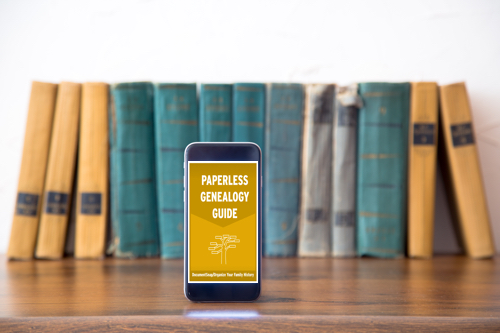
Making that transition is the kind of thing that you might be putting off, thinking you’ll need time to think it through and come up with and implement a plan. Most of us are not working at this time of COVID-19, so now might be a good time to start the process. And here’s a great (if I say so myself) resource to help you get started: The Paperless Genealogy Guide, a  40-plus-page downloadable pdf that I wrote in 2017 with scanning expert Brooks Duncan of DocumentSnap. We wrote the guide as we were working on the Going Digital talk we gave together at RootsTech that year.

One thing I want to make clear as you’re pondering going transitioning to digital: You don’t have to scan your existing paper files all at once. Just figure out what your digital workflow will be (here’s mine) and think about your digital file naming convention and computer folder structure. Once you know those things, you can just start with next document you find online. Rather than print it, just do this: rename it, process it and then file it digitally. You can then work on the backlog a file folder (or half hour) at a time until it’s done. But the key is not to add to the backlog. From this point forward process all incoming documents digitally.

So that it’s handy, I’ll share with you my file-naming protocol and folder structure. They’ve been working well for me for years but of course you might have or come up with something that works better for you.

My file-naming protocol:

Year Document Type-Ancestor Name-Locality of document

Example: 1938 death certificate-George Washington Adams-Indianapolis Indiana

My folder structure:

Genealogy/Surnames/[Surname]/Last Name, First Name, YOB-YOD

Example: Genealogy/Surnames/Adams/Adams, George Washington, 1845-1938

I have a folder for each individual. For married women, I file them under their married name (if there’s more than one, I use the one pertains to me) and put their birth name in parentheses.

Example of wife: Genealogy/Surnames/Adams/Adams (McEuen), Henrietta, 1847-1902

This is the kind of information that’s covered in The Paperless Genealogy, along with a lot more. The guide also includes information on selecting a scanner, keeping your data safe, and what you do (and don’t) need to get started. It also includes our Paperless Genealogy Checklist to walk you through the steps you need to take. The Paperless Genealogy is $9 and available instantly. Read more about it and purchase it at the DocumentSnap website.

Filed Under: Genealogy tips, Organizing, Technology Tagged With: electronic files, organizing aids, record keeping, technology

It’s the end of the month! How’d your 30 x 30 challenge go?

March 31, 2020 By Janine Adams 14 Comments

What a month. It feels more like 130 days since I posted about the March 30 x 30 challenge. The fact that many of us are spending so much time home probably made it easier for some of us to do 30 minutes of research for 30 days. But for others (like me) the abnormal situation has proven very distracting. I did manage to kick my genealogy in gear the last week or so of the month, focusing on webinars and on my third Civil War pension file.

I used a few of my research sessions to get the pension file ready for transcribing. It came to me from the National Archives five years ago in paper form, on legal size pages. I’ve done this twice before and outlined how I process a pension file in an earlier blog post. But basically what I did this week was put the 96-page paper file in chronological order, create a master source citation for the whole thing and separate source citations for each of the 53 documents, create and print labels for each source and then affix the labels to the appropriate paper documents before scanning the whole thing. Now I can work 30 minutes a day transcribing and adding information gleaned from the file into my genealogy software. So that feels like progress, even though I didn’t actually work 30 minutes a day.

How about you? If you participated in the challenge, were you able to keep up with your daily research? I welcome anything you’d like to share in the comments about how this most unusual month affected your research.

I hope you and yours are staying healthy.

Filed Under: Challenges, Organizing Tagged With: 30 x 30, time management

  • « Go to Previous Page
  • Page 1
  • Interim pages omitted …
  • Page 15
  • Page 16
  • Page 17
  • Page 18
  • Page 19
  • Interim pages omitted …
  • Page 69
  • Go to Next Page »

about me

I'm Janine Adams, a professional organizer and a genealogy enthusiast. I love doing family history research, but I find it's very easy for me to get overwhelmed and not know where to turn next. So I'm working hard to stay organized and feel in control as I grow my family tree.

In this blog, I share my discoveries and explorations, along with my organizing challenges (and solutions). I hope by sharing what I learn along the way I'll be able to help you stay focused and have fun while you do your research, too.

tags

30 x 30 Adams amy johnson crow anniversary Brown cemetery census Civil War conferences connections dna electronic files Evernote excitement Family Curator family photos genealogy tools getting started goals How They Do It Igleheart Jeffries keepsakes learning opportunities maps newspapers NGS organizing aids overwhelm paper files planning quick tips rasco record keeping research research log research trip resources RootsTech social history source documentation Stacy Julian technology time management vital records

join the facebook community!

join the facebook community!

My organizing business

Learn more about my organizing business, Peace of Mind Organizing®.

Subscribe by RSS

  • RSS - Posts
  • RSS - Comments

© 2026 Janine Adams


Loading Comments...