• BLOG
  • ABOUT
    • Privacy Policy

Organize Your Family History

Stay focused and happy while exploring your roots

There’s no perfect way to organize

August 28, 2014 By Janine Adams 10 Comments

There's no one right way to organizeIf there’s one thing that I’ve learned in nine years helping people get organized in their homes, it’s that there’s no one right way to organize. Organizing systems that work beautifully for me (or another client) may be seriously flawed for you. That’s why professional organizers can’t take a cookie-cutter approach to organizing…we have to  customize everything for the client.

This is true in organizing a home. And it’s also true in organizing your genealogy research. There are many ways to  organize your family history–just take a look at the many and varied answers for any particular question in the popular The Organized Genealogist group on Facebook.

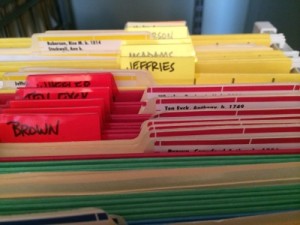
So that’s why I bristled a little as I read a document called Organize Your Files on the Family Search wiki about how to organize your genealogy research. I actually use the recommended one-couple-per-folder system for my paper records. (I learned about it more than a decade ago on FamilySearch.org.) But the absolutes in the article, the my-way-or-the-highway tone made it less useful to me.

For example:

Computer note keeping. Computers are great for genealogists—but they are not the final storage medium. Keep your research notes on computer if you like, but make a paper copy at the end of the day. Your descendants may not know how to boot your computer, but they will be able to read your paper printouts.

Make paper copies of electronic sources such as Internet sites, email, fax, or telephone interviews.

I don’t agree with making paper copies of everything. For some people, it will feel worth the effort. For others, not. And that’s okay.

The Family Search wiki has loads of good information. But this article served as a good reminder to me that gently guiding, rather than ordering people around,  can be more effective.

I think some people thrive on structure and probably really appreciate being told exactly what to do.  But for others, strict instructions can feel intimidating or overwhelming. Me, I prefer gentler language with options built in. I like to tell you what works for me, but I don’t pretend that it will necessarily work for you. After all, tweaking is a good thing.

Filed Under: Organizing, Reflections Tagged With: family search, organizing aids, record keeping, resources

Readers weigh in on blog-reading tools

August 21, 2014 By Janine Adams Leave a Comment

Feedly is popular among genealogy blog readersEarlier this month, I solicited your suggestions for blog-reading tools. I was interested in hearing how you keep up with the various blogs you read. I was thrilled to receive about a dozen comments with suggestions. As promised, I’m compiling them here for easy reference.

Feedly was the blog reader of choice for five commenters. Two of those were Thomas MacEntee and Jana Last, whose blogs highlight other genealogy blogs, use Feedly. If Feedly is good enough for these blog power-readers, I think it’s probably good enough for me. I’ve just downloaded it and am going to give it a go. So far, set up has been intuitive and easy!

Here are the other suggestions (each of which were mentioned once), in case you want to try any of them:

  • Netvibes
  • Bloglovin‘
  • igHome
  • Evernote
  • Blog reader built into Internet Explorer
  • Blogspot/Blogger dashboard
  • RSS feed in email
  • Blogroll list on own blog

Several people mentioned that they formerly used and like Google Reader. Alas, Google, in its infinite wisdom, discontinued that service last year.

Thank you to everyone who took the time to share information for this post!

Filed Under: Challenges, Organizing, Technology Tagged With: blogs, genealogy tools, organizing aids, time management

Keeping up with blogs

August 5, 2014 By Janine Adams 30 Comments

How do you manage your blog reading?There are so many great genealogy blogs out there. (I’m flattered that you’re reading this one when you have so many choices!) I am delighted to be part of the GeneaBloggers community, which points me to new and existing genealogy blogs, but I know I underutilize it.
Today I’m pondering how I might do a better job of (a) finding genealogy blogs to read; (b) remembering to read them and (c) finding the time to do so.

So I thought I’d turn to my readers. You guys are such a great source of information. Would you mind telling me how you organize your genealogy blog reading? Do you use RSS feeds and, if so, what platform do you use to read them?I’ve been thinking I could create a Flipboard of favorite blogs but I haven’t even explored it.

I think this is one of those situations where I’m overwhelmed by options and don’t know how to go about researching it without it turning into a huge time suck.

Any advice is much appreciated! I’ll do a follow-up post with the results of this little poll so we can all benefit. (I’d also love to hear what your five favorite genealogy blogs are!)

Thank you!!

Photo by Shardayyy via Flickr. Used under Creative Commons License.

Filed Under: Challenges, Organizing Tagged With: blogs, genealogy tools, organizing aids, time management

Trying out Ancestry.com family tree

July 25, 2014 By Janine Adams 9 Comments

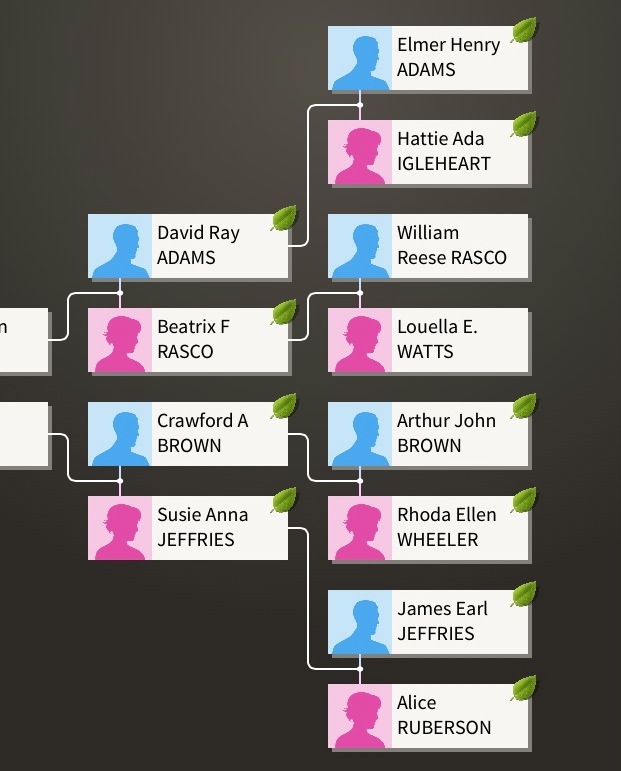
Ancestry family tree screenshot from iPhoneThanks to the lively discussion here earlier this month about public vs private family trees on Ancestry, I decided to go ahead and create a GEDCOM file from my Reunion software and upload it to Ancestry. I  considered the pros and cons of a public tree, as expressed in the comments of that post (I so appreciate the comments!), and decided to make the tree private when I uploaded it, do some quality control, and then make it public once it’s ready.

I’d been keeping all my data on my computer in Reunion, rather than on Ancestry, because I don’t like to rely on cloud-based databases; I really like the information to reside on my hard drive. But I decided to upload the file for four reasons:

  • I’m intrigued by the prospect of the shaky-leaf hints (though I understand they often lead nowhere).
  • I would like to find cousins.
  • I would like to help others with my research.
  • I just did an Ancestry DNA test and I want to be able to link the results to a tree to give me maximum return.

So I uploaded the tree this week, which was very easy. But then I hit a snag. I am meticulous about not adding any ancestor for which I don’t have a source to my tree. Everything is sourced. But the sources don’t upload in a satisfactory manner. The source is noted in non-hyperlinked text. So the source is there, but isn’t as helpful to others (or me) as I was expecting. (I did a google search and apparently that’s just the way Reunion talks to Ancestry.)

The shaky leaf hints, though, make it easy to add many of these sources as hyperlinks that others can click on. So yesterday, I spent some time going through the hints, evaluating them, and adding them to records. I’m starting with the Rasco family (that’s my father’s mother’s family, and this quarter’s focus).

Two challenges came to the forefront immediately. One is keeping my Reunion software updated while I’m adding things to my Ancestry tree. (In other words, if I come across new data that’s not already in Reunion, I have to be diligent about adding it to Reunion as well as to the tree.) The other is overwhelm. I need to take this one person at a time, and try not to skip around or get lost in exploring and evaluating other people’s research on my family members.

For the moment, the tree is still private as I get a handle on the source situation. But I intend to make it public soon. I’m already so grateful for those who have public trees.

I think ultimately I’ll be glad that I have put my tree on Ancestry. It seems to have potentially added another layer of complexity (and work) to my research activities–and I really do like to keep things simple. But once I get through this source situation, I think it will be great to have an online tree and I’ll be delighted if it helps others and helps me meet new-to-me cousins.

Filed Under: Challenges, Genealogy tips, Organizing, Technology Tagged With: Ancestry, dna, genealogy tools, overwhelm, technology

  • « Go to Previous Page
  • Page 1
  • Interim pages omitted …
  • Page 51
  • Page 52
  • Page 53
  • Page 54
  • Page 55
  • Interim pages omitted …
  • Page 69
  • Go to Next Page »

about me

I'm Janine Adams, a professional organizer and a genealogy enthusiast. I love doing family history research, but I find it's very easy for me to get overwhelmed and not know where to turn next. So I'm working hard to stay organized and feel in control as I grow my family tree.

In this blog, I share my discoveries and explorations, along with my organizing challenges (and solutions). I hope by sharing what I learn along the way I'll be able to help you stay focused and have fun while you do your research, too.

tags

30 x 30 Adams amy johnson crow anniversary Brown cemetery census Civil War conferences connections dna electronic files Evernote excitement Family Curator family photos genealogy tools getting started goals How They Do It Igleheart Jeffries keepsakes learning opportunities maps newspapers NGS organizing aids overwhelm paper files planning quick tips rasco record keeping research research log research trip resources RootsTech social history source documentation Stacy Julian technology time management vital records

join the facebook community!

join the facebook community!

My organizing business

Learn more about my organizing business, Peace of Mind Organizing®.

Subscribe by RSS

  • RSS - Posts
  • RSS - Comments

© 2026 Janine Adams


Loading Comments...