• BLOG
  • ABOUT
    • Privacy Policy

Organize Your Family History

Stay focused and happy while exploring your roots

How They Do It: Randy Seaver

October 3, 2017 By Janine Adams 7 Comments

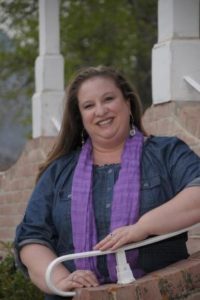
This month’s How They Do It interview is with genealogist and blogger Randy Seaver. I’m willing to bet you’re familiar with Randy Seaver and his popular GeneaMusings blog, which he has been writing more than ten years. GeneaMusings offers so much content and analysis; Randy posts multiple times per day. Randy is a prolific researcher and writer and a true luminary in the genealogy field.

When I read his interview responses I was blown away with the sheer quantity of research he does–he spends eight to ten hours every day on genealogy-related activities! I really enjoyed reading about how organizes his voluminous research.

How They Do It: Randy Seaver
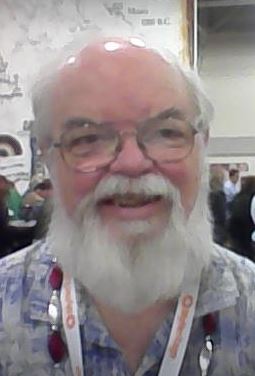
How They Do It: Randy SeaverHow long have you been doing genealogy?

I finally read Roots in 1987, and watched the TV series, and figured “I can do that.” I started in early 1988 using information from my father’s Seaver siblings and my mother’s collection of papers and photographs. My paternal grandmother told her children that we were descended from Peregrine White, the baby born on board the Mayflower in 1620, so proving that became a goal. My Aunt Marion, who had been a schoolteacher, had a Seaver genealogy from a town history book, but I found errors in some of the information. I visited local libraries and the Family History Center, and quickly filled out the “easy” part of my family tree. Then it was on to research trips to New England and ordering microfilms from Salt Lake City to find more and more information about all of my ancestors.

What’s your favorite part of doing genealogy?

It’s twofold for me: THE HUNT – finding more records, and especially new ancestors, or solving a thorny research problem. THE COUSINS – finding new cousins through research and DNA testing.

Do you consider your genealogy research well organized?

I am mentally well organized. The genealogy cave has a desk, a computer, and is full of paper with 50 linear feet of bookcases, file cabinets and stacks. Half of it is genealogy magazines and conference syllabi. The balance is printed books, genealogy periodical articles, family research notebooks, local society stuff, and stacks of folders and papers. I have not spent a lot of time weeding out unnecessary papers in recent years. My descendants may have that task. I fear I’m a pack rat at heart.

The computer digital files are well organized – I have a file naming system, a file folder filing system, and I can find a specific document, or file a new one, in seconds. See My Genealogy Digital File Folder Organization. [See a photo of his digital filing system below.]

What type of software do you use for organizing your genealogy research?

I used Personal Ancestral File from 1988 to about 1995, then Family Tree Maker until 2006, and now I use RootsMagic 7 for all of my data entry. In addition to the data entry, I use the Correspondence feature, the To-Do list feature, and the Research Log feature in RootsMagic. I also have Family Tree Maker 2017 and Legacy Family Tree 9 on my computer and use them occasionally for specific tasks, especially report-writing and charts.

I have entered all of the information about my ancestors from my collected books, periodicals, correspondence and vital record certificates into my RootsMagic family tree database. I have collected digitized books, periodical articles, genealogy and family history records, and much more and entered the text information, image and source citations into my database. I have digitized the paper certificates, family letters, and family photographs and added that information to my database.

A lot of the digitized information finds its way into a blog post – I post a transcribed document on Monday, extract data from documents on Tuesday and Thursday, post family photographs with comments on Wednesday, write an ancestor biography on Friday, and review one of my specific ancestral surnames on Saturday on my blog, www.GeneaMusings.com. All of that comes out of my RootsMagic database.

Do you keep a research log? If so, what format?

I started out keeping a Research Log on paper – one sheet for every surname. That became time consuming and overwhelming quickly. At present, I use a To-Do List and a Research Log only for a thorny research problem – of which I have many! I update them before I go to the Family History Library or another repository.

Do you have a tree on Ancestry? If so, is it public or private? Why?

I have about 15 trees on Ancestry.com. Some are Public, some are Private. My public DNA tree is limited to the ancestral families of my wife and me. Another public tree is a “cousin bait” tree that has all of my research for my ancestral families and descendants of my key surnames – Seaver, Dill, Buck, Carringer, Auble, Vaux, etc. Now that I can TreeShare my RootsMagic database with an Ancestry Member Tree, I have a public “Record Hint” tree that generates Hints for records as I add new people, and information for old people, to my database. I TreeShare every day now. I have several private trees for past client work, and for “testing” things.

What’s your biggest challenge when it comes to organizing your genealogy?

In the 21st century, genealogists are inundated with records that apply to their ancestral families – the record providers push Hints and Matches to you to work on. I have fallen behind on dealing with Ancestry Hints for my 48,000 person Ancestry Member Tree – there are over 40,000 Hints now and I will never be able to deal with all of those in my lifetime. I work on them almost every day as I receive them and try to keep up. Sourcing the Hints using EE-quality citations, takes the most time, especially census records.

The pace of discovery has increased significantly. However, those Hints and Matches do not include every record for my ancestral families – I still have to search in online and traditional repositories for records of my families.

What’s your biggest piece of advice to beginning genealogists in terms of keeping track of their research?

It is very important for beginning genealogists to understand the available record groups and repositories, the search and research process including the Genealogical Proof Standard, the art of source citations, and the use of genealogy software programs or online trees. All of this takes time, and beginners often feel overwhelmed.

Experts say that becoming competent in a subject requires 10,000 hours of work and study – that’s 5 years of effort 40 hours a week. So my advice is to set aside time to learn about different record groups, how to search record providers effectively, how to craft source citations, to join and participate in a local society, and to attend workshops, seminars and conferences, etc. It’s a lifelong learning process. Also, always remember that it is not all on the Internet, and it probably never will be.

What do you think is the most important thing for people to do to stay organized when it comes to family history research?

Stay on top of your paper and digital files – find them, obtain them, source them, enter the information into your genealogy program, and file them in your paper and/or digital file system. Try to “touch” each record once, but file it in a place that you can find it so you can review it along with other records in the future.

If you were starting out new as a genealogist what would you do differently?

I figured out in about 2006 that I should be crafting a source citation for every assertion in my genealogy software program – names, events, dates, places, relationships, etc. So I would take the time to add source citation information to my software program. I’ve been adding about 1,000 source citations each month to my genealogy program trying to “catch up” while still doing new research on my families.

Do you keep paper or electronic files (or both)?
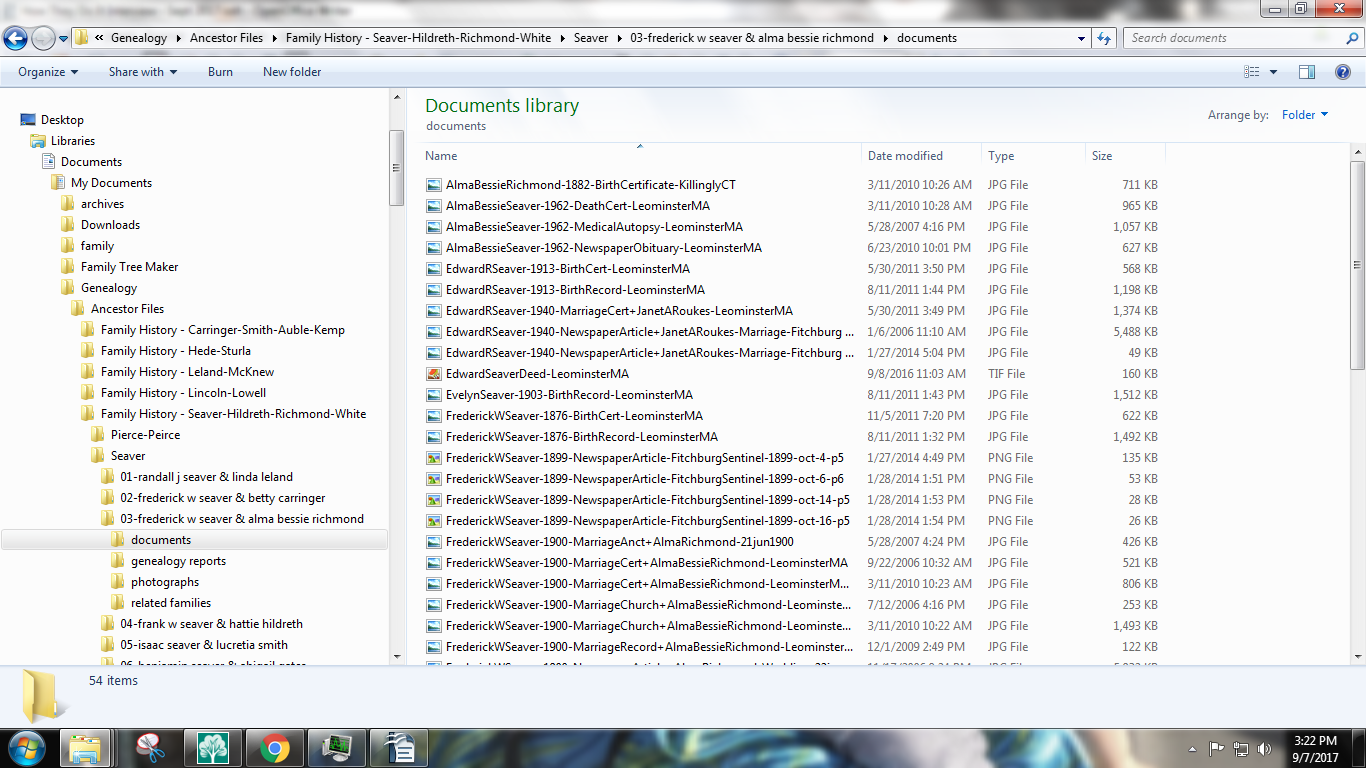
Randy Seaver's digital filing system

Randy’s digital filing system

As noted above, I have entered almost all (?) of the data in my paper files into my genealogy software program. All new research from online resources is put into my digital file folder system. When I go to a library or other repository, I use digital photographs of records or books and enter them into my digital file system and genealogy software program. I still have almost all of my paper files, but I rarely use them.

Are you a folder or binder person for your paper files?

I have both folders and binders, and the paper files in the bookcases are in binders for a specific surname, or a locality group of surnames. I used DearMYRTLE’s system for binders for a specific family for several of my ancestral families and that worked pretty well. However, I felt that I was wasting my research time putting them together for hundreds of family lines.

Do you use Evernote, One Note or any other electronic organizing system for your genealogy? If so, how do you use it?

I have used Evernote occasionally – usually to save online documents, and to transfer workshop, seminar or conference notes from my tablet to my computer system. I never became an expert at it, and don’t use it much at this time.

How do you “advance the ball” in your research on an ongoing basis?

“Advancing the ball” in my research means:

  • Reviewing Ancestry, MyHeritage, FamilySearch and Findmypast Hints/Matches on a daily basis, and entering information from them into my software program.
  • RootsMagic TreeSharing with my Ancestry Member Tree and matching RootsMagic persons to FamilySearch Family Tree are helpful on a daily basis to keep those trees updated.
  • Reviewing what I’m “missing” in terms of records for my ancestral families and then searching for those records. For example, I have searched for and found many probate records of my ancestors in FHL microfilm and online databases, but have searched for and found relatively few land records. A To-Do list is helpful for this.
  • Writing about ancestral records, transcribing documents, composing an ancestor biography every week on my blog. I believe in the “chunk” theory – if I add something of value every day, I will have a bigger and better database by the end of the year, but it will never be “done.”

The desk in the Genea-Cave

Do you have a dedicated space in your home for doing genealogy research? What’s it like?

Ah, the Genea-Cave!! It’s a 10×12 foot back bedroom with a desk chair, desk, computer system, printer, free-standing lamp, a fan, file cabinets, bookcases, boxes, and stacks of paper. There is very little remaining floor space. It is warm in the summertime – we don’t have air conditioning. The family photo albums are in one bookcase, and there are M&Ms in a container.

Do you have anything you’d like to add?

Genealogy and family history have been a second vocation for 30 years for me. It is a tremendous intellectual challenge and a lot of genealogy fun. Traveling to ancestral locations and genealogy cruises or conferences are exciting, educational and productive. My family health situation now prevents us from traveling extensively, but I’m able to get out to teach and speak, and to contribute to and attend local and regional society programs. I spend 8 to 10 hours almost every day doing genealogy related activities. Life is good – genealogy rocks!!

Randy contributes so much to the genealogy world with GeneaMusings and I really appreciate his taking the time to share with us how he organizes his own research. I agree with so much of what he’s written, especially the advice to step away from the computer and seek sources that are not available online. And, of course, I share his transition from paper to electronic storage of files.

If you’re not reading GeneaMusings, I encourage you to explore it and learn from Randy’s musings. Thank you, Randy!
Filed Under: Challenges, Excitement, Genealogy tips, Organizing Tagged With: How They Do It, organizing aids, Randy Seaver

Using the card catalog to find elusive documents on Family Search

September 22, 2017 By Janine Adams 6 Comments

Using the card catalog at Family SearchI use both Ancestry and Family Search regularly for online research. I tend to start with Ancestry because I find it easier to find indexed documents there. But when I’m looking for a document that’s more elusive, the catalog at Family Search often comes through for me.

I will sometimes do a Records search on Family Search but most often I start with a card catalog search. And I frequently come up with some great results.

I’ll give you a real-life example. I was doing research yesterday at the Saint Louis County Library and found an index to a Will Book. I wanted to see if I could find the actual document it referenced (an 1843 will for my 5th great grandfather, Jacob S. Baker, 1766-1845). Here’s what I did:

  1. I went to www.familysearch.org and logged in, then clicked Search, then Catalog.
  2. Under Place, I filled in the location from biggest to smallest (i.e. United States, Kentucky, Muhlenberg) then clicked Search.
  3. In the search results, I clicked on the type of document I wanted, in this case Court Records.
  4. In those search results, I clicked on a collection called Court Orders, 1799-1912.
  5. When I scrolled down under Film Notes, I was delighted to see that of the 12 rolls of microfilm, two had been digitized. And the year I was interested in was on one of those two rolls. (It seems like that never happens!)
  6. I clicked on the little camera icon, which opened the images of the film reel. And just as though I were using a microfilm reader, I was able to find the document I was looking for, based on the information in the index. Hooray!

If I had simply done a Records search on Jacob S. Baker I would not have found this image. (This is another argument for getting away from my computer and going to a library or other repository.)

Here’s another way the a Catalog search can be helpful. Sometimes at Family Search, you can do a Records search and find an entry that doesn’t have an image. But that image may indeed be available, with a Catalog search.

For example, I was looking for the death certificate for the second wife of my 2nd great grandfather, George Washington Adams. Her name was Della or Idella Adams and she died in Olympia, Washington, in 1943. On Family Search, through a Records search, I found an entry for her death certificate in the collection Washington Death Certificates, 1907-1960. But there was the dreaded “No image available” message.

But I didn’t give up. Instead, I copied the GS Film Number (2024117) and started a new search, this time of the Catalog. I pasted the film number in the box that says Search For Film/Fiche Number. (When I entered location as well, it didn’t produce results, so I deleted the location and left just the film number.)

That gave me a link to the whole collection of Washington state death certificates. I clicked on film number 2024117, even though its description didn’t seem to fit the county I was looking for. Then I went to the index record I’d found in the Record search and looked for the image number, 2348. I simply entered that number at the top of the screen for microfilm roll number 2024117 and it took me right to an image of Della’s death certificate.

I love searching the catalog at Family Search. I know a catalog search is an option at Ancestry, too, but I find it less enjoyable and productive.

Next time you can’t find an image of a document you have some information for, I heartily suggest using the catalog!

Filed Under: Challenges, Genealogy tips, Technology Tagged With: Adams, excitement, family search, genealogy tools, research, resources, technology

How They Do It: Crista Cowan

September 5, 2017 By Janine Adams 7 Comments

This month’s How They Do It interviewee is living the genealogist’s dream. As Corporate Genealogist for Ancestry.com, Crista Cowan lives and breathes genealogy for her living. I’ve heard Crista speak at a number of genealogy conferences and know her to be thoroughly knowledgeable about genealogy and so great at sharing that knowledge.  I hope you enjoy reading her thoughtful and thought-provoking answers to my questions as much as I did! I especially loved her answer to the question of public and private trees on Ancestry.com.

How They Do It: Crista CowanHow They Do It: Crista Cowan

How long have you been doing genealogy?

I was born into a family that has been very interested in genealogy for generations. So, I grew up going to family reunions and looking through shoeboxes of old photos with my grandma and taking trips to Utah to visit the Family History Library with my dad. When I turned 12, he setup a home computer with one of the first DOS based genealogy programs on it. I started entering all of our family’s paper-based genealogy documents into the software and I was hooked from then on.

What’s your favorite part of doing genealogy?

I think what I love the most is discovering the connections. We live in a world that is more electronically connected than ever before in history. But, I think this has created more emotional disconnection than ever before. I feel like genealogy helps restore some of what has been lost. It gives us an emotional and biological connection to history and to each other in a way that very few things can. For example, while researching the descendants of one of my 3rd great-grandfathers, I discovered that one of my college roommates was actually my 4th cousin. I hadn’t talked to her in almost seven years. This gave me an excuse to reach out to her and rekindle our friendship in a very real way (meaning outside of Facebook) and to share with her and her children the stories I had uncovered about our common ancestors.

Do you consider your genealogy research well organized?

I like to think that I am an organized genealogist. I have spent the last few years going totally paperless and that has helped. When I relied on so many paper files, things got out of hand very quickly. (I think anyone who has been doing genealogy for any length of time can relate to the piles and piles of papers that tend to accumulate.) Now I scan everything and only save digital files (as opposed to printing off my discoveries). I find that without all that paper not only am I much more organized but I am much more successful in my research as well.

What type of software do you use for organizing your genealogy research?

I use Family Tree Maker 2017 as my primary software program. I sync it with an online family tree at Ancestry. This helps me keep my family tree, my photos and documents, my DNA matches, and my research notes all easily accessible and organized.

Do you keep a research log? If so, what format?

I keep research notes on every person in my family tree. I use the NOTES space in the software to transcribe records that I discover, record failed searches, keep a to do list for future research, and write out my genealogical proofs. For me, it is most useful to have this information attached directly to the person and/or families in the software I’m already using instead of trying to incorporate another software program (or more paperwork) into my workflow.

Do you have a tree on Ancestry? If so, is it public or private? Why?

I do have my entire family tree on Ancestry and it is public. It was private for several years. I kept it private because there are mistakes in my tree – the mistakes of a teenage girl who was overly excited about her new hobby, the mistakes of generations of family historians who latched onto a source and ended up climbing the wrong family tree, simple mistakes of data entry errors. I was afraid that if my tree was public, those mistakes would be copied. I was even more afraid that people would discover those mistakes and think less of me as a professional genealogist. I figured I would make my tree public “some day.” Some day when I had gone through my tree with a fine tooth comb and discovered all my mistakes and corrected them.

But then, five years ago, I took an AncestryDNA test. And, I realized that without collaboration, my DNA matches and I were never going to figure out how exactly we were related. We were never going to be able to use our DNA results to break through our brick walls if we weren’t willing to share more openly. I made my tree public. The very next week I received a nasty email from someone who found an error in my tree. My initial reaction was to make my tree private again. But, I discovered that she was right (even if her tone was wrong). I corrected the error, thanked her, and had a major epiphany in the process. So long as my tree is public, people will find my errors. Then I don’t have to. When we freely and openly share, family history becomes this truly collaborative environment that helps us make discoveries quicker and helps us be more accurate. I’ve never looked back.

What’s your biggest challenge when it comes to organizing your genealogy?

My biggest challenge with organizing my genealogy revolves around old photographs. I have inherited five generations of family photo albums, slides, home movies, and pictures. My mom helped me get them all scanned and digitally organized into folders. Going back through those digital files to identify each photo and upload it to our tree, however, has taken a back seat to other research projects. I worry about the thousands of images sitting in digital files (well backed up mind you) that I still need to sort through.

What’s your biggest piece of advice to beginning genealogists in terms of keeping track of their research?

My biggest advice to new researchers is to keep track of the origin of every piece of information you enter into your family tree. If grandma told you what her parents’ names were and when and where they were born, make a note in your tree that you got that information from grandma. If you found an old book that listed seven generations of your ancestors, make a note of it. Nothing is more frustrating to me 30 years later than to go back to a branch of my family tree and look at information I entered and have no idea if it is accurate or not because I have no idea where that information came from.

What do you think is the most important thing for people to do to stay organized when it comes to family history research?

I have found that I can stay most organized if I research one family group at a time. Jumping around the family tree tends to cause the most confusion and the most disorganization, both in my files and in my brain. So, for example, when working with Ancestry Leaf Hints, I never use the All Hints list. It’s just a random list of hints for people in my tree. Instead, I use my family tree, find a family I want to work on and then methodically review hints for each person. Sometimes I have to look at groups of hints together to determine if they are for the right family or not. Sometimes I have to go up or down a generation on that branch to find the clues I need. Once I have worked the hints, then I can create a research list about what other records I need to discover and what research questions I need to answer for this specific family. This work habit has kept me organized and on track in a way that little else does.

If you were starting out new as a genealogist what would you do differently?

When I first started doing family history, I figured that if someone had printed it in a book, it must be true. I received two (very large) family histories and entered everything in them into my family tree. Over time, I have proved most of the information in these volumes to be true. However, I have also discovered some real errors. Some of the errors have been minor details about dates or places. Some of them have been major problems that have led to incorrectly identifying someone’s parents and climbing someone else’s family tree. If I was just starting out again, I would be sure to check the published information against other sources.

Do you keep paper or electronic files (or both)?

For decades I kept both paper and electronic files. However, for the past several years, I have been slowly going through all of my old paper files and purging them. I had lots of copies of census records and other documents that are now readily available online. After verifying that I have attached them to my tree, I have thrown away the paper copies. Other things, like certificates that I ordered from vital records offices, I have digitized and attached to my tree and then thrown away the paper copy. There are still a few treasures, like my great-grandmother’s baptismal certificate, that I have held onto because of the “heirloom” value but I try to find ways to display those instead of keeping them locked away in a filing cabinet. All of that said, I do, occasionally, print out a chart or a bound book reflecting the research I have done on a specific branch of my family tree so I can share it with family or display in my home.

Are you folder or binder person for your paper files?

When I had paper files, I used both folders and binders. When the folders and binders needed a room of their own in my house, I knew it was time for a change.

Do you use Evernote, One Note or any other electronic organizing system for your genealogy? If so, how do you use it?

I use OneNote when I am working out a genealogical problem but don’t yet have a person to put into my tree to whom I can attach that information. For example, if I am trying to discover the parents of a particular ancestor and doing so requires identifying all of the individuals of a certain surname in a specific county. I copy URLs for documents that I want to review later in more detail. I make notes and table to correlate and analyze data in a table format or some other comparative manner. If I end up with too much data, like with DNA matches, I might switch over to using a spreadsheet. I also use PowerPoint, specifically the org chart template, to figure out relationships with DNA matches when there are unknown variables. I have a digital folder with dozens of those kinds of charts and spreadsheets.

I used to use tons of little pieces of scratch paper but that got out of hand. So, I went to a craft store and bought a little hard bound sketch notebook. I use that now when I need to sketch out information or jot down quick notes to keep me on track while I am in the process of research.

Do you have a dedicated space in your home for doing genealogy research? What’s it like?

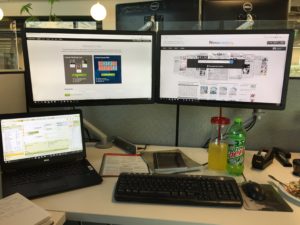
As the Corporate Genealogist for Ancestry, I’m lucky to get to do what I love every day as part of my job. So my work desk is my genealogy desk. I use a laptop as my primary computer and for years have had a large monitor attached to it so that I have double the screen space. Recently, however, I added a 2nd monitor so now I have three screens. I don’t know how I ever did without it. I can have Family Tree Maker open on one screen, Ancestry on another, and Newspapers.com on a third. It makes comparison and analysis of records so much easier. And, it ensures that my data entry is more accurate than if I had to flip back and forth between screens. I know this isn’t possible for everyone but even if you can just get a USB plug-in, portable monitor, it is totally worth it. That’s what I do at home – my laptop with a portable, plug-in monitor.
Also in my workspace, both at home and at the office I have a few books and quick sheets that I reference often. These include: The Source, The Redbook, Genealogy Standards, Evidence Explained and accompanying Quick Sheets, and the Shared cM Project Cluster and Relationships Charts.

Do you have anything to add?

Every Sunday night my dad and I get on the phone with one another, he from Oregon and me in Utah, and we work on our family history research together. Every day at work, I sit with some of the greatest genealogists in the world, and we collaborate on research projects for various television shows and marketing and PR campaigns. Several times a year, I go to a family reunion, or sit with my grandma or my cousins and share the discoveries I have made in our family tree since we were last together. For me, family history is about making fascinating discoveries in the lives of those who have gone before and feeling the connection to them and to the past. But, family history is also about the living. That realization has helped me to be more organized in my approach to research than any other thing – that knowledge that I have to be able to discuss and share and explain at any moment. And in that sharing, we rediscover and reaffirm our connections to each other as well the past.

Thank you, Crista, for your thorough answers! I feel like we’re kindred spirits. I loved reading about Crista’s transition from paper to digital files, her focus on one family group at a time and the connections she’s made through her genealogy research. Most of all, I think, I love the image of her working over the phone every week with her father on family history research. Genealogy really is about connection. If you’d like to hear more from Crista, you can access Crista’s weekly YouTube show, The Barefoot Genealogist, here.

Filed Under: Challenges, Excitement, Genealogy tips, Organizing Tagged With: Crista Cowan, How They Do It, organizing aids

The end of the August 30 x 30 challenge

August 30, 2017 By Janine Adams 2 Comments

It’s August 30, which means that the 30 days of the August 30 x 30 challenge are up. How’d the challenge work out for those of you who participated? I hope that you made strides you wouldn’t have otherwise made.

I’m happy to report that I had an excellent month. I hate to say it out loud for fear of jinxing it, but I feel like doing genealogy research first thing in the morning is becoming a habit! I’ve been getting up a little early to make time for it.  And I get started without any resistance. I have to say, it’s really a wonderful way to start the day!

I’ve also been able to create a habit of keeping a (very simple) research log, in Evernote. And as part of that logging, I always right down next steps. When I start my morning research, I consult my next steps, so I’ve been staying on track. Not once all month did I ask myself that overwhelming question, “What should I work on today?”

Tomorrow I’m going to go through the month’s next steps and compile a list of those steps I haven’t yet taken. I’m also going to take a look at a similar list I made at the end of July and see if there are some undone tasks there.

I know that having a 30 x 30 challenge has kept me on track. I’m going to try to continue the daily research in September without one. (I do have a week-long trip that might make that challenging.) If I’m not able to keep up with it, you can be sure that I’ll start a new 30 x 30 challenge in October!

Please report in and let me know how you did with your challenge, if you’d decided to participate. Even if you didn’t tell me you were participating, I’d love to know if the existence of the challenge was in any way motivating!

Filed Under: Challenges, Excitement Tagged With: 30 x 30, time management

  • « Go to Previous Page
  • Page 1
  • Interim pages omitted …
  • Page 65
  • Page 66
  • Page 67
  • Page 68
  • Page 69
  • Interim pages omitted …
  • Page 109
  • Go to Next Page »

about me

I'm Janine Adams, a professional organizer and a genealogy enthusiast. I love doing family history research, but I find it's very easy for me to get overwhelmed and not know where to turn next. So I'm working hard to stay organized and feel in control as I grow my family tree.

In this blog, I share my discoveries and explorations, along with my organizing challenges (and solutions). I hope by sharing what I learn along the way I'll be able to help you stay focused and have fun while you do your research, too.

tags

30 x 30 Adams amy johnson crow anniversary Brown cemetery census Civil War conferences connections dna electronic files Evernote excitement Family Curator family photos genealogy tools getting started goals How They Do It Igleheart Jeffries keepsakes learning opportunities maps newspapers NGS organizing aids overwhelm paper files planning quick tips rasco record keeping research research log research trip resources RootsTech social history source documentation Stacy Julian technology time management vital records

join the facebook community!

join the facebook community!

My organizing business

Learn more about my organizing business, Peace of Mind Organizing®.

Subscribe by RSS

  • RSS - Posts
  • RSS - Comments

© 2026 Janine Adams


Loading Comments...