• BLOG
  • ABOUT
    • Privacy Policy

Organize Your Family History

Stay focused and happy while exploring your roots

How I processed my Civil War pension files

April 14, 2025 By Janine Adams 4 Comments

I’m fortunate to have three ancestors who fought on the Union side in the Civil War and for whom I was able to obtain pension files from the National Archives. Ten years ago, I wrote a post about how I processed those files, starting with creating a robust source citation. I got good feedback on the post, so I thought I’d resurrect it in case newer readers would find it helpful. The pension files truly are treasure troves of information and the painstaking time I spent going through them paid off. If you want to request your ancestor’s pension file, you can do so on this page of the NARA website.
Processing civil war pension filesAs I mentioned a couple of weeks ago, I received my 3d great grandfather’s Civil War pension files from the National Archives in record time. I’d been prepared to wait 45 to 120 days and it arrived the week after I submitted the request online.

I dug right in and started processing the information. I was so grateful that I had attended the class Anatomy of a Military Pension, presented by Certified Genealogist Julie Miller at the National Genealogical Society’s annual conference that month. She provided step-by-step instructions of what to do with a military pension.

So the day after I received that 65-page pension file, I did what Julie suggested. I put the documents in chronological order and I assigned a number to each. Then I figured out a citation for the overall file and a  citation for each of the numbered documents.

Coming up with a proper citation was a bit of a challenge and I emailed Julie, who was kind enough to share the citation she uses for these files. (She had given us that info in the talk, but I hadn’t written it down.)

Here’s the citation I’m using for the overall pension file for my ggggrandfather, Richard Anderson Jeffries:

[278] Jeffries, Richard Anderson (1st Sgt., Company D, 13th Regiment, Missouri Volunteer Infantry, Civil War), application no. 567612, certificate no. 529585, Case Files of Approved Pension Applications, 1861-1934; Civil War and Later Pension Files; Department of Veteran Affairs, Record Group 15; National Archives, Washington, D.C.

278 was the next number in my source list in Reunion, my family tree software. Each of the individual documents is numbered, starting with 1, and has its own citation. My intention is that when I enter a fact into Reunion, I’ll use Source 278, but I’ll include in the detail field which of the 26 individual documents that particular fact came from.

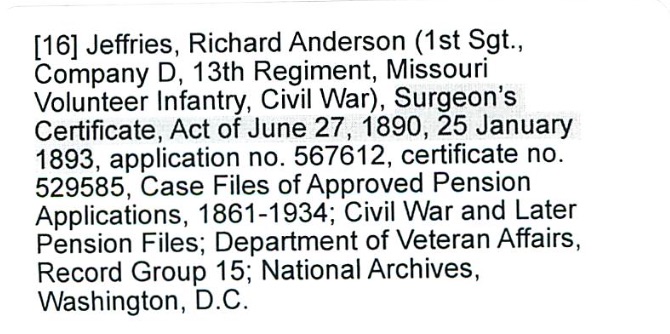
I created citation labels for each of the documents and affixed them to the appropriate pages. (That’s the citation for document 16 above.) Then I scanned the whole document into a pdf. I elected to have one pdf, rather than 26 individual ones–time will tell whether that was a good choice. (Edited to add a year later: Yes! That was a great choice.)

The next step, according to Julie is to transcribe the documents. Yes, I’m going to type word for word exactly what is on the documents. Julie urged us not to skip that step because when we transcribe, we learn things we would not otherwise learn.

After I transcribe, I will abstract the documents, so I can tell at a glance what they are and what info is contained within each. And then I’ll enter the new-found facts into Reunion, my family-tree software.

That’s a lot of work, but I’m delighted to have learned how to be thorough with it. And I know I’ll learn so much about my ancestor.

I am so grateful to have this structure, because just a few days after receiving Richard Anderson Jeffries’s file, I received the pension file for my gggrandfather, George Washington Adams. That file is over 100 pages; I had to request and pay for the rest of the file (another 80 pages) to be copied–I’m still waiting for part two. That same week I received the third and final pension file, for another gggrandfather, Benjamin Franklin Igleheart. All three pension files, probably 250 pages, came within two weeks of my request.

If I did not have the structure Julie provided in that talk to thoroughly process the information, I know I would feel overwhelmed. I would probably skim the documents, pluck out a few easy-to-find facts, and put them away intending to get to them later. And I don’t know when later would be.

I have skimmed the most recently received pension files to get a preview what I’m going to learn. (G.W. Adams had a big dispute about the amount of his pension–an adversary in the Soldier’s Home turned him in for saying he was more disabled than he was!) But I’m not going to analyze them until I’m finished with Richard Anderson Jeffries. So that will be motivation to go through the process.

I think these pension files are going to be a great learning experience not just about my ancestors, but also about doing proper genealogical research. This feels great!


Filed Under: Challenges, Genealogy tips, Organizing Tagged With: Adams, Civil War, excitement, Jeffries, overwhelm, record keeping, research, source documentation

Making the most of your first genealogy conference

February 28, 2025 By Janine Adams 2 Comments

RootsTech 2025 is almost here! If you’re attending in person and especially if it’s your first genealogy conference, you might benefit from this post, which I originally wrote in 2017. My number one RootsTech-specific suggestion is to try to scope out a quiet place where you can retreat if the large number of people starts to overwhelm you. It might be your hotel room. It might be a coffee shop or lobby of a nearby hotel (even if you’re not a guest there). Or it might be a quiet corner of the Expo.

I love going to genealogy conferences and have attended probably a dozen or so. Here are my big tips:

  • Bring your family tree or have access to it on a device. I frequently hear things at conferences that make me want to check my tree, to see whether I have ancestors in a locality, for example. Once, I was able to verify on my tree that the speaker, Joshua Taylor, and I were related! (I blogged about that exciting moment here.)
  • Bring some way to take notes, either a notebook or device. (I prefer to take notes into Evernote on my laptop.)
  • Eat a good breakfast, because you’re going to need a lot of brainpower. And bring along a bottle of water to stay hydrated. I always bring trail mix or something too.
  • Be prepared to keep a list of next steps, because the sessions you attend will surely spark ideas for things to look up or other actions.
  • Take a class that doesn’t necessarily interest you–you never know what new interests it might spark. (This tip came from reader Jan Rogge in a comment on my blog post about attending the Missouri State Genealogical Society conference in 2017.)
  • If it’s a large conference with an app (as RootsTech is), download the app and decide what sessions you’ll be taking in advance of your arrival at the conference.
  • Make conversation with the person next to you. You may be in a position to help him/her or vice versa. Or you could even meet a cousin that way!
  • Take time after the conference to read your notes and process the conference materials you bring home.

Basically, be prepared to write stuff down because you’ll probably learn so much you’ll never remember it. Most of all, enjoy yourself!

If you’re a veteran conference goer, please add your tips in the comments!

Filed Under: Genealogy tips Tagged With: conferences, RootsTech

First keynote speakers announced for RootsTech 2025

December 9, 2024 By Janine Adams Leave a Comment

The first four keynote speakers have been announced for RootsTech 2025, the giant genealogy conference sponsored by FamilySearch. It will be held March 6-8, 2025, both in-person in St. Lake City and virtually. Those four speakers are:

  • Author Ndaba Mandela (grandson of Nelson Mandela)
  • Prominent artist Dana Tanamachi
  • Olympic Gold Medalist Tara Davis-Woodhall and her husband, Paralympic Gold Medalist Hunter Woodhall

To learn more about these speakers, check out this page of the RootsTech website.

My experience attending four (I think) RootsTech conferences in person is that the keynotes are outstanding. Even if I didn’t think I had an interest in the speaker (I’m looking at you, Donny Osmond), I always ended up enjoying the talk and gaining something from it. I’m sure these keynoters, and all the rest they’ll announce in the coming months, will be great.

Registration is now open for the conference. The fee to attend in person is $129 for a three-day pass or $79 for a one-day pass. The virtual conference is free of charge (but requires registration). Here’s a preview of the class lineup with a schedule promised soon.

Both options for attending the conference are terrific. I’ve attended both in-person and virtual RootsTech conferences and speaking for myself, I get a lot more out of attending in person. When I’m there I can forget about family responsibilities and focus on my genealogy. I can meet fellow genealogists and see the latest products and services in the Expo Hall. I also would come in a little early so I could spend some time at the Family History Library.

The virtual conference has the advantage of being less expensive and less effort. However, when I register for the virtual conference, I always have the best of intentions but I have a hard time prioritizing it. The result is I’m seldom able to devote the time I want to the conference since I’m juggling home and work responsibilities at the same time. I’m definitely less focused on my genealogy if I’m attending virtually.

If you’d like to whet your appetite for the 2025 conference or get a feel for what you might learn, visit the on-demand library of past RootsTech keynotes and classes.

I won’t be attending the 2025 conference but if you’re tempted, I encourage you to give some serious consideration. It’s a great way to deepen your research!


Filed Under: Excitement, Genealogy tips Tagged With: conferences, learning opportunities, RootsTech

Quick Tip #45: Have a genealogy email address

November 7, 2024 By Janine Adams 6 Comments

Here’s the next in my occasional series of bite-size Quick Tips. Click on the Quick Tips tag for my other Quick Tips. Because I tend to write longer posts, I wanted to provide a quick-to-read (and quick-to-write) post every now and then on a small topic that pops into my head. This one could turn into a time saver!

Create an email address for genealogy

Keeping track of email is a challenge for the best of us. (You do not want to see how many emails I have in my inbox right now!) One way you can make genealogy life a little easier is to create a dedicated email address specifically for emails related to your research. So if you are reaching out to cousins, repositories, or DNA matches you send your inquiries from that address and use that address on any contact forms. How you create a new email address and filter the responses depends on your email client, so I won’t go into that here. I just want to plant the seed that having an email address dedicated to genealogy might make your life a little bit easier!.

Filed Under: Genealogy tips Tagged With: quick tips, technology, time management

  • « Go to Previous Page
  • Page 1
  • Page 2
  • Page 3
  • Page 4
  • Interim pages omitted …
  • Page 106
  • Go to Next Page »

about me

I'm Janine Adams, a professional organizer and a genealogy enthusiast. I love doing family history research, but I find it's very easy for me to get overwhelmed and not know where to turn next. So I'm working hard to stay organized and feel in control as I grow my family tree.

In this blog, I share my discoveries and explorations, along with my organizing challenges (and solutions). I hope by sharing what I learn along the way I'll be able to help you stay focused and have fun while you do your research, too.

tags

30 x 30 Adams amy johnson crow anniversary Brown cemetery census Civil War conferences connections dna electronic files Evernote excitement Family Curator family photos genealogy tools getting started goals How They Do It Igleheart Jeffries keepsakes learning opportunities maps newspapers NGS organizing aids overwhelm paper files planning quick tips rasco record keeping research research log research trip resources RootsTech social history source documentation Stacy Julian technology time management vital records

join the facebook community!

join the facebook community!

My organizing business

Learn more about my organizing business, Peace of Mind Organizing®.

Subscribe by RSS

  • RSS - Posts
  • RSS - Comments

© 2026 Janine Adams


Loading Comments...
