• BLOG
  • ABOUT
    • Privacy Policy

Organize Your Family History

Stay focused and happy while exploring your roots

MyHeritage offering free photo colorization

April 22, 2020 By Janine Adams 13 Comments

When I was at RootsTech, MyHeritage had a booth where they were colorizing old black-and-white photos for people. The booth was always swamped with people. I wasn’t one of the people who stood in line for this service because the whole idea of colorizing old photos just didn’t sit right with me. I couldn’t put my finger on my objection, exactly. But I’m curious what readers of this blog think.

Today, I thought I’d blog about it, so decided to upload a couple of photos to try it out for a spin.

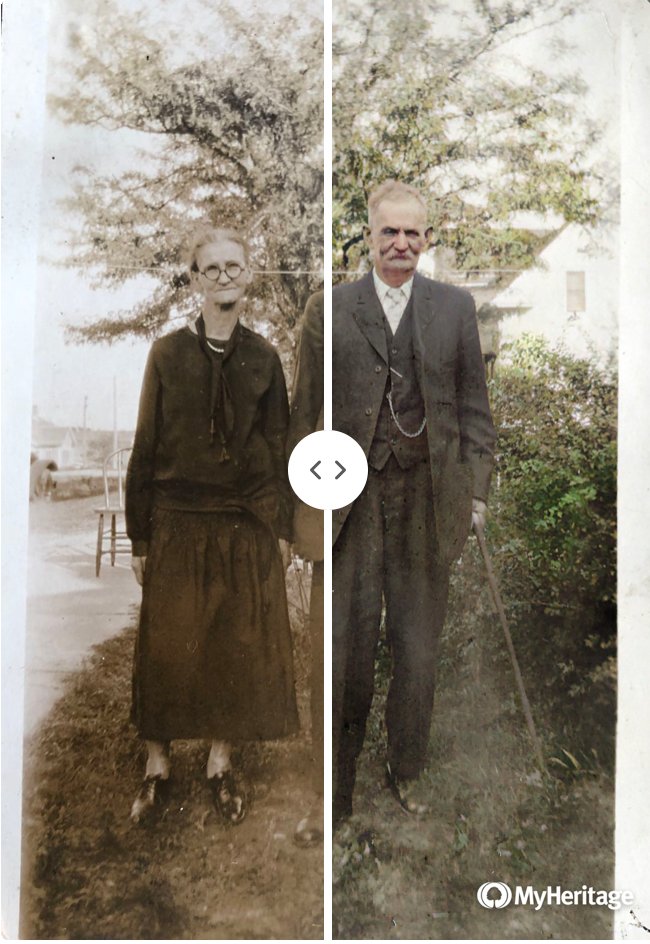
At left (at the top of this post) is a photo of my 2nd great grandparents, Samuel Vorce Wheeler (1852-1937) and Elizabeth Jane (Jennie) Nebergall Wheeler (1857-1933), taken in 1926 on the occasion of their 50th wedding anniversary. MyHeritage allows you to see your colorized and original photos side by side in one photo. You can move the dividing line back and forth and watch the photo change. That happens at the MyHeritage website–for the purposes of this post I took a screenshot. The photos you download (like those below) do not have the divider.

Here’s a photo of the Arthur Brown-Rhoda Wheeler family. (Rhoda is the daughter of Samuel and Jennie.) That’s my grandfather, Crawford Brown (1906-1996), on the far left with the dark striped shirt. I think the photo was taken around 1916. The top photo is the original that I uploaded. (I took a photo of the print with my phone, transferred it to my computer, and uploaded it.) Beneath is the colorized version.
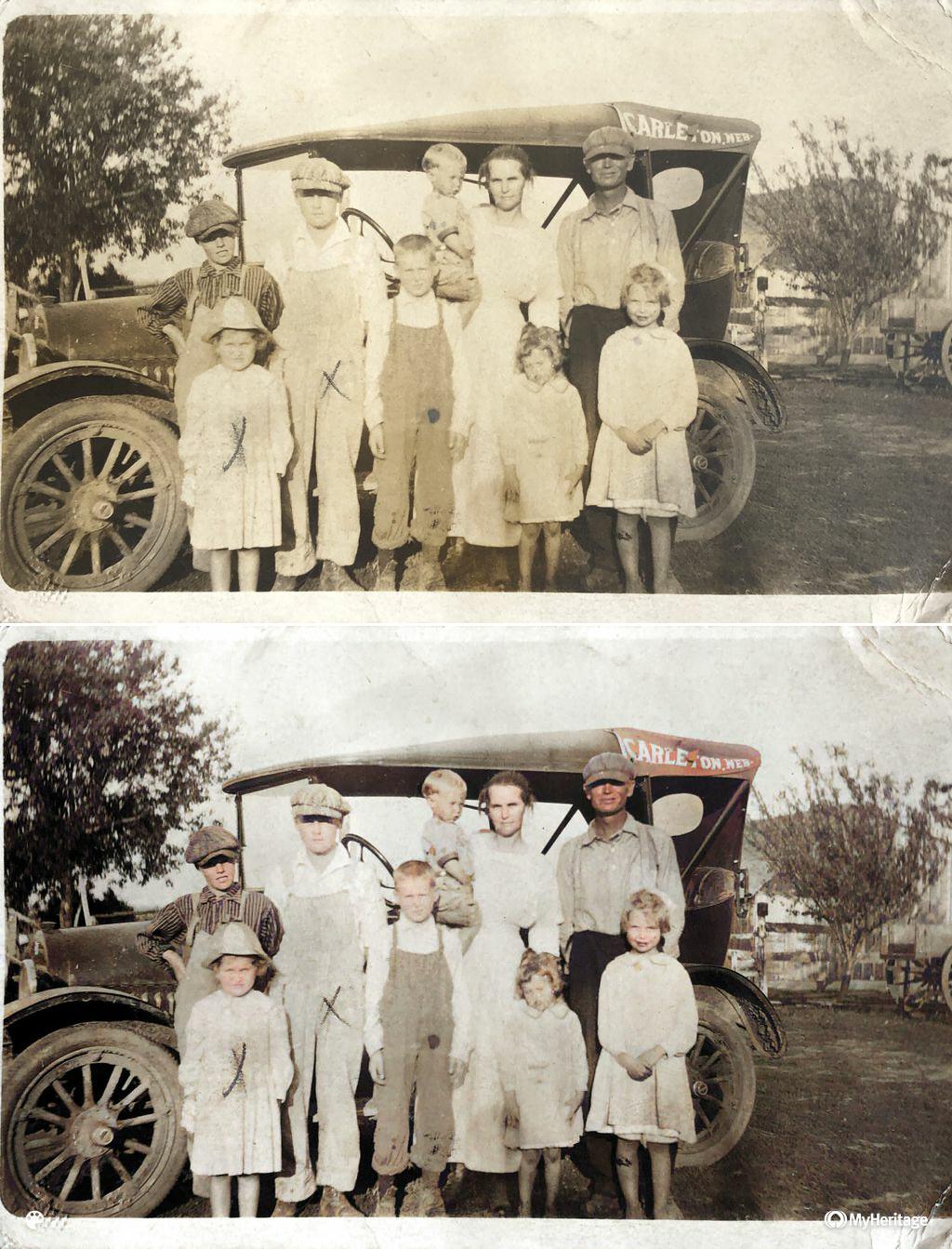
I have to admit I find the colorized version more eye-catching. But it doesn’t feel like a 1916 photo, does it?

It’s incredibly simple to upload the photo to the MyHeritage site (just drag and drop). The colorizing takes seconds. There’s no charge. With a click, you can download the colorized version and/or a comparison photo that contains both images.

It’s amazing, but I’m still not sure quite what to think about it. I do know that I’m not going to include the colorized versions among my genealogy documents–they’re purely for fun.

Have you tried it? What are your thoughts?
Filed Under: Genealogy tips, Preservation, Reflections, Technology Tagged With: Brown, family photos, genealogy tools, technology

Now’s a great time to go paperless

April 11, 2020 By Janine Adams 10 Comments

Have you been thinking about going paperless with your genealogy? I made that transition about six years ago and have never looked back. In 2015, I wrote a post called 8 reasons not to print that pretty well spells out my reasoning behind embracing digital organizing.

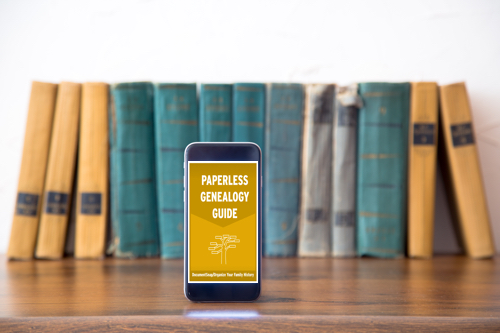
Making that transition is the kind of thing that you might be putting off, thinking you’ll need time to think it through and come up with and implement a plan. Most of us are not working at this time of COVID-19, so now might be a good time to start the process. And here’s a great (if I say so myself) resource to help you get started: The Paperless Genealogy Guide, a  40-plus-page downloadable pdf that I wrote in 2017 with scanning expert Brooks Duncan of DocumentSnap. We wrote the guide as we were working on the Going Digital talk we gave together at RootsTech that year.

One thing I want to make clear as you’re pondering going transitioning to digital: You don’t have to scan your existing paper files all at once. Just figure out what your digital workflow will be (here’s mine) and think about your digital file naming convention and computer folder structure. Once you know those things, you can just start with next document you find online. Rather than print it, just do this: rename it, process it and then file it digitally. You can then work on the backlog a file folder (or half hour) at a time until it’s done. But the key is not to add to the backlog. From this point forward process all incoming documents digitally.

So that it’s handy, I’ll share with you my file-naming protocol and folder structure. They’ve been working well for me for years but of course you might have or come up with something that works better for you.

My file-naming protocol:

Year Document Type-Ancestor Name-Locality of document

Example: 1938 death certificate-George Washington Adams-Indianapolis Indiana

My folder structure:

Genealogy/Surnames/[Surname]/Last Name, First Name, YOB-YOD

Example: Genealogy/Surnames/Adams/Adams, George Washington, 1845-1938

I have a folder for each individual. For married women, I file them under their married name (if there’s more than one, I use the one pertains to me) and put their birth name in parentheses.

Example of wife: Genealogy/Surnames/Adams/Adams (McEuen), Henrietta, 1847-1902

This is the kind of information that’s covered in The Paperless Genealogy, along with a lot more. The guide also includes information on selecting a scanner, keeping your data safe, and what you do (and don’t) need to get started. It also includes our Paperless Genealogy Checklist to walk you through the steps you need to take. The Paperless Genealogy is $9 and available instantly. Read more about it and purchase it at the DocumentSnap website.

Filed Under: Genealogy tips, Organizing, Technology Tagged With: electronic files, organizing aids, record keeping, technology

Free daily webinars on Legacy Family Tree this month

April 3, 2020 By Janine Adams Leave a Comment

Ready for some genealogy learning? Legacy Family Tree Webinars has provided another great opportunity to expand our knowledge while our time at home is expanded. Every day in April, they’ll be offering a different free webinar. To access it, go to the Legacy Family Tree Webinars homepage and look for the yellow bar at the top of the screen that says Click here to watch today’s free webinar. (Every day in April – a free webinar!). Just click there and you’ll be able to watch the webinar of the day; no login required.
Each day of the week has as theme this month:

  • Sundays – Methodology
  • Mondays – DNA
  • Tuesdays – Ethnic Genealogy
  • Wednesdays – Technology
  • Thursdays – Around the Globe
  • Fridays – Beginners
  • Saturdays – TechZone

Visit this page on Legacy Family Tree to see a complete list of the free offerings and the day each is offered. Then mark your calendar!

Filed Under: Genealogy tips Tagged With: learning opportunities

Help others (and yourself) by indexing

March 27, 2020 By Janine Adams 6 Comments

When the self-isolation around the COVID-19 crisis started, I jotted down some things I might do to occupy my time. I was inspired at RootsTech to volunteer to index once again for Family Search (I hadn’t done it since the 2017 Worldwide Indexing Event) so I added indexing to my list. This past week, I gave it a try.

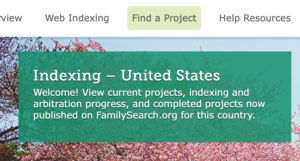
Family Search makes it so easy to volunteer to index. I logged in, selected Indexing from the top menu bar, then Find a Project. I focused on the United States (there are plenty of opportunities in other countries as well), then selected “US, Michigan–Naturalization Records, 1837-1933.” I did a thorough reading of the instructions and indexed a batch. I only did it for a short while that day, but I plan to go back to it this weekend.

If you’re getting a little tired of your own research, this might be a nice change of pace. As someone who has benefited from the volunteer indexing efforts of others, it feels nice to contribute. And here’s a bonus: Indexing might make you a better researcher!

Filed Under: Genealogy tips, General Tagged With: indexing

  • « Go to Previous Page
  • Page 1
  • Interim pages omitted …
  • Page 35
  • Page 36
  • Page 37
  • Page 38
  • Page 39
  • Interim pages omitted …
  • Page 106
  • Go to Next Page »

about me

I'm Janine Adams, a professional organizer and a genealogy enthusiast. I love doing family history research, but I find it's very easy for me to get overwhelmed and not know where to turn next. So I'm working hard to stay organized and feel in control as I grow my family tree.

In this blog, I share my discoveries and explorations, along with my organizing challenges (and solutions). I hope by sharing what I learn along the way I'll be able to help you stay focused and have fun while you do your research, too.

tags

30 x 30 Adams amy johnson crow anniversary Brown cemetery census Civil War conferences connections dna electronic files Evernote excitement Family Curator family photos genealogy tools getting started goals How They Do It Igleheart Jeffries keepsakes learning opportunities maps newspapers NGS organizing aids overwhelm paper files planning quick tips rasco record keeping research research log research trip resources RootsTech social history source documentation Stacy Julian technology time management vital records

join the facebook community!

join the facebook community!

My organizing business

Learn more about my organizing business, Peace of Mind Organizing®.

Subscribe by RSS

  • RSS - Posts
  • RSS - Comments

© 2026 Janine Adams


Loading Comments...