• BLOG
  • ABOUT
    • Privacy Policy
  • CONTACT

Organize Your Family History

Stay focused and happy while exploring your roots

A time-saving addition to my digital workflow

May 11, 2018 By Janine Adams 12 Comments

I’ve posted before about how I process documents that I download from online sources. In an ideal world, I follow my workflow from start to finish as soon as I download a document. But in the real world, it’s not unusual for me to run out of time to process the document immediately. (By “process” I mean, create a source, extract facts, add those facts to my genealogy software and properly file the document on my hard drive). That’s an inevitable outcome in researching in short, frequent sessions, as I do.

When I download a document, without fail I rename the file using my file-naming protocol (Year Document Type-Ancestor Name-Location) and file it in my Surnames folder. But all too often I don’t have time to properly process it and the document languishes in the Surnames holding pen until I do have time.

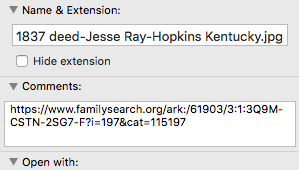
Today, I added a small item to my digital workflow. As soon as I download a document and rename it, I right-click on the file in my Mac’s Finder, select Get Info, then in the Comments section, I paste the URL of where I found the document. That way, if I need more information to create a source, it’s simple for me to get back to the online source. Per my workflow, once the source citation is created, I replace the URL in the Comments area with the citation itself (which includes the URL).

It’s a small thing, but I know this is going to save me time in finding the document online again. And it will reduce aggravation. Sometimes little things can make a big difference!

For more in-depth information on going digital with your genealogy research, check out The Paperless Genealogy Guide, a 44-page downloadable guide written by paperless expert Brooks Duncan and me and available for $9.

Filed Under: Challenges, Organizing, Technology Tagged With: electronic files, organizing aids, record keeping, source documentation

Exercising my microfilm muscle

February 27, 2018 By Janine Adams 2 Comments

I headed to Salt Lake City this morning to attended RootsTech. I landed at 11:30 a.m., dropped my suitcase off at my hotel and made a bee-line for the Family History Library. I had a list of things to look up and I was raring to go.

Just a few days ago, I had come across an index to deed books for Hopkins County, Kentucky, covering 1807-1939. Both the index and the deed books themselves are available at the Family History Library. But only the index has been digitized; the books themselves (with the exception of a couple) are available only on microfilm.

I was so happy to find the index right before, rather than right after, I was going to be in Salt Lake City! So today, I looked up the microfilm numbers, found the six rolls of microfilm (I didn’t realize I was supposed to limit myself to five at a time) and took up residence at the microfilm reader. At first, I was uncertain and slow. But by the third reel, I was a microfilm ninja!

At the Family History Library, in order to get a copy of the document you find on microfilm, you take the microfilm spool, along with the take-up reel, and carry them to a scanning machine. This way you’re saving your place on the film.

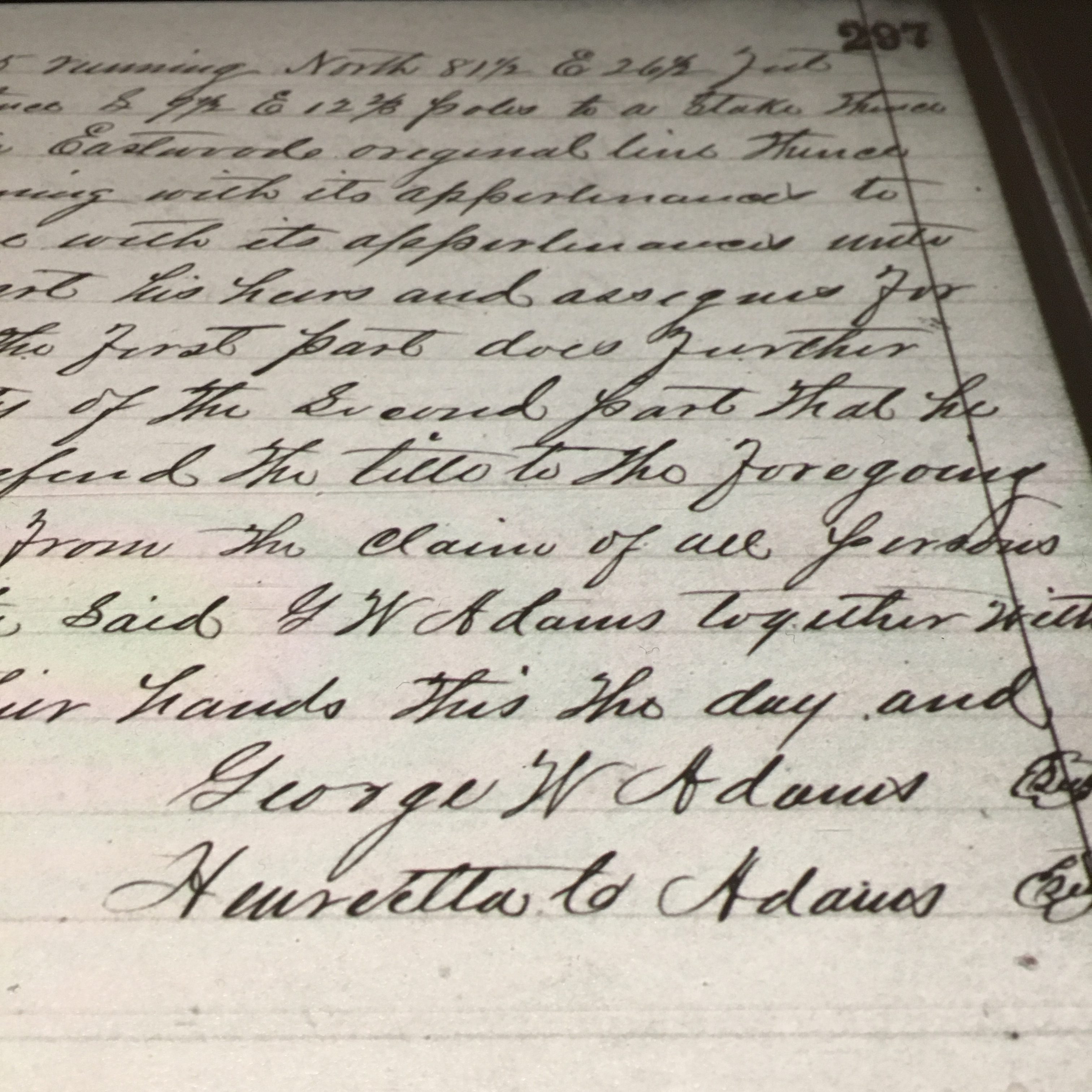
I was intimidated at the prospect of scanning from microfilm using unfamiliar software, but the staff member gave me a patient lesson (she used a pointer to point at the screen!) and after getting help just once, I was able to do it on my own the next eleven documents. It’s a little more complicated than it sounds because you have to zoom in and out, straighten pages and adjust the brightness. I felt so empowered!

I found some great stuff in those deed books and though I was a bit bleery eyed four hours later when I’d made it through all my lookups, it was well worth the effort. I’m grateful that I seldom have to use microfilm. Searching and browsing digital copies of documents and downloading with a single click is so much easier. But I always like it when I gain an appreciation for all the work that pre-internet genealogists went through.

It was a great start to my RootsTech week!

Filed Under: Challenges, Genealogy tips, Technology Tagged With: conferences, Family History Library, genealogy tools, research, RootsTech

Raise your hand if you’re going to RootsTech!

February 6, 2018 By Janine Adams 3 Comments

RootsTech 2018 is a little later than usual (February 28 to March 2) and I’ve just today started to focus on it. I deleted last year’s app on my so that I could download this year’s version. Turns out, if I’d read this blog post, titled 7 Ways the Mobile App Will Enhance Your RootsTech Experience I would have realized that all had to do was open the 2017 app, tap Exit to Show List, and select RootsTech 2018.

The app really is robust, allowing you to access information about conference sessions, exhibitors, schedules and more in a variety of ways. I’m going to make sure I budget some time in advance of the conference to go through it and put sessions on the app’s schedule so I’m not feeling stressed while at the conference.

Apparently 15,000 attendees are expected at this year’s conference to learn from their choice of 300 sessions and 200 exhibitors. I can’t believe I can attend a conference of that scope and not feel completely overwhelmed. It really is very well organized. One thing I’ve learned is to schedule down time and give myself permission to skip a conference session if I’m feeling exhausted. (I find that being around so many people can be draining.) If you’re attending for the first time you might want to check out this RootsTech blog post, A Survival Guide to RootsTech.

In years past I’ve had a great time meeting readers of this blog at RootsTech. If you’re going and you’d like to say hi in person, just leave a note in the comments and we’ll figure that out. I hope to meet some of you in person this year!

Filed Under: Excitement, General, Technology Tagged With: conferences, excitement, learning opportunities, resources, technology

A simple tip for accessing Family Search documents

January 26, 2018 By Janine Adams 14 Comments

Last weekend I went to the St. Louis County Library’s genealogy room to access some documents I’d found on Family Search that were only available for viewing from the Family History Library or an affiliate library. I had stored links to these documents in Evernote until I had a few lookups to do.

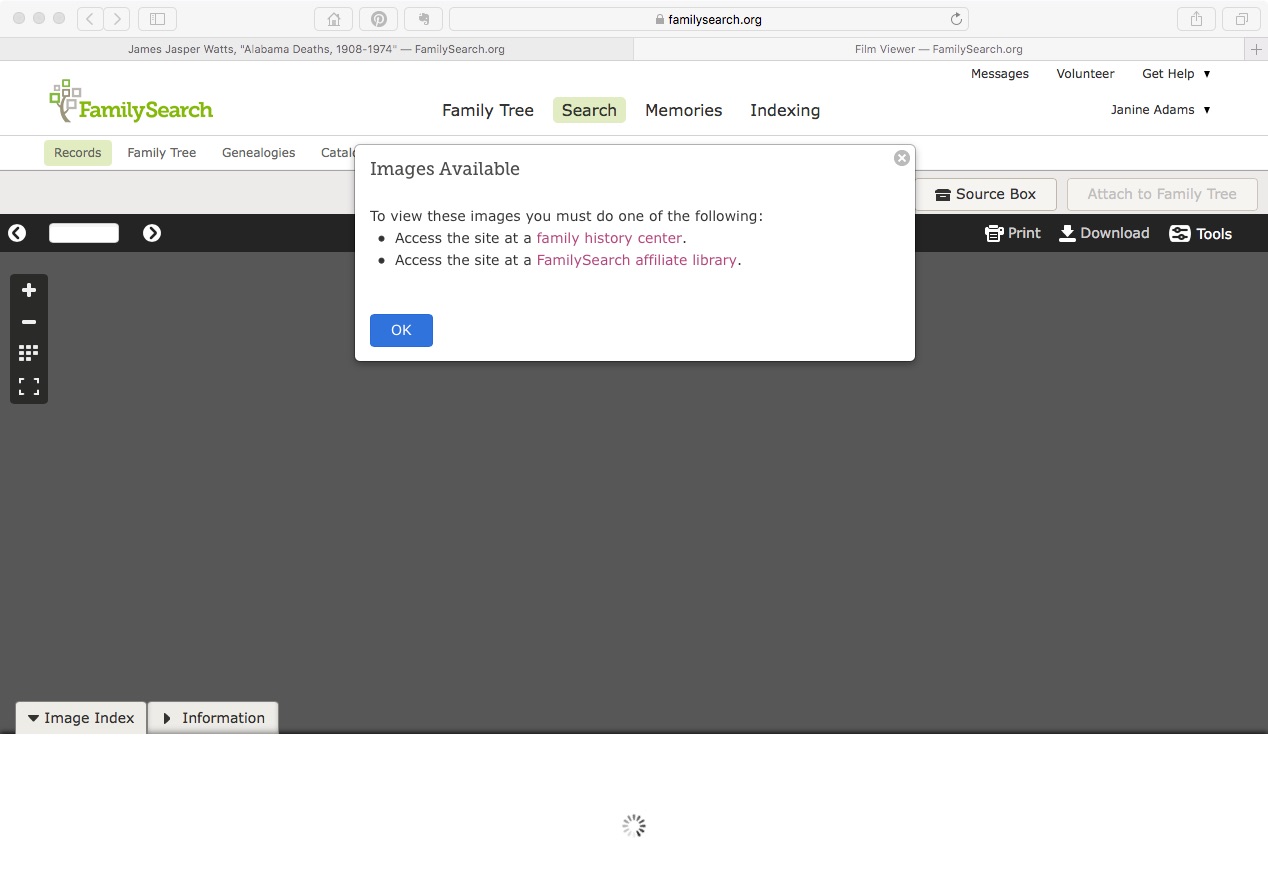
When I got there and logged on to the library’s wifi, I was disappointed to get the same message I’d received at home (pictured above). I consulted with the librarian, who was able to access the first document on her computer. She didn’t know why I couldn’t access it on mine, but suggested I use the library’s computers. I did that, but I would have much preferred being on my own laptop, since the documents I was trying to access were hyperlinked on my computer. (I didn’t think of accessing my Evernote account on the library’s computer.) I also would have much preferred to download the documents directly to my computer, rather than onto a flash drive. And I didn’t enjoy fumbling around with Windows when I’m used to a Mac.

When I got home, I realized I’d not properly captured the source information. So back I went to the library three days later.

I had the same problem accessing the documents and I asked a different librarian for help. He made a brilliant suggestion:

Try another browser.

I don’t know why I hadn’t thought of it. I like to use Safari on my Mac, but Safari sometimes doesn’t play well with others. When I tried to access the document on Chrome, there it was.

So if you’re in a library where you should be able to access a Family Search document and can’t, just try another browser.

Edited to add: According to some comments I received on Facebook, this browsing-switching phenomenon as it relates to Family Search might be specific to the St. Louis County Library. So your mileage may vary.

Filed Under: Challenges, Genealogy tips, Technology Tagged With: research, technology, vital records

  • « Go to Previous Page
  • Page 1
  • Interim pages omitted …
  • Page 10
  • Page 11
  • Page 12
  • Page 13
  • Page 14
  • Interim pages omitted …
  • Page 27
  • Go to Next Page »

about me

I'm Janine Adams, a professional organizer and a genealogy enthusiast. I love doing family history research, but I find it's very easy for me to get overwhelmed and not know where to turn next. So I'm working hard to stay organized and feel in control as I grow my family tree.

In this blog, I share my discoveries and explorations, along with my organizing challenges (and solutions). I hope by sharing what I learn along the way I'll be able to help you stay focused and have fun while you do your research, too.

tags

30 x 30 Adams amy johnson crow anniversary Brown cemetery census Civil War conferences connections dna electronic files Evernote excitement Family Curator family photos genealogy tools getting started goals How They Do It Igleheart Jeffries keepsakes learning opportunities maps newspapers NGS organizing aids overwhelm paper files planning quick tips rasco record keeping research research log research trip resources RootsTech social history source documentation Stacy Julian technology time management vital records

join the facebook community!

join the facebook community!

My organizing business

Learn more about my organizing business, Peace of Mind Organizing®.

Subscribe by RSS

  • RSS - Posts
  • RSS - Comments

© 2026 Janine Adams


Loading Comments...