• BLOG
  • ABOUT
    • Privacy Policy

Organize Your Family History

Stay focused and happy while exploring your roots

Should you color code your files?

July 6, 2021 By Janine Adams 20 Comments

Let me preface my answer to this question with one statement: You do you.

If color coding is satisfying and sustainable for you, go for it. Color coding (either of paper files or digital ones) can help you quickly identify what you’re looking for. But it comes with a drawback, in my estimation: extra work.

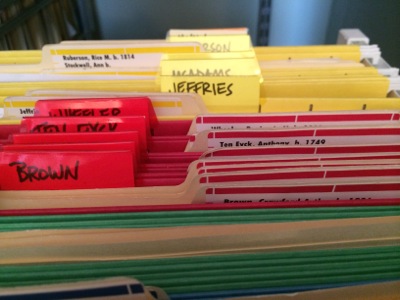
When I first started with genealogy back in 2001 or so, I created a color-coded paper file system. I bought colored folders and color-coded folder labels. I used one color per line (so four colors, one for each grandparent’s surname) and I created folders for each couple, with the folders for each surname and each line filed together.

I wasn’t a professional organizer yet, but I found the color coding satisfying.

That worked nicely before I ended up abandoning my research because I hadn’t sourced things properly. One of the reasons it worked out well is that I hadn’t yet done a lot of research so I didn’t have a lot of files. (That’s a picture of my file cart from back in the day above.)

When I came back to genealogy a decade later, I slowly transitioned from paper to digital files. And I didn’t bother using colored dots or any other type of electronic color-coding because I didn’t need to. Instead, I created a digital folder structure and a file-naming protocol that meant that I don’t have any trouble finding any of my digital files. I had to train myself to rename my files immediately after downloading them and to file them properly as soon as I processed them. That’s a solid habit now and easy as pie. Color coding would have been an additional, unnecessary step.

Once I started working as a professional organizer, I discouraged most clients from using color-coded files for fear that they wouldn’t have the right color handy when they needed to file. When that happened, they couldn’t file and piles would form.

In my view, if color coding impedes your ability to actually file, it’s not worth it. But if you love color coding and it works well for you, go for it.

If you’re interested in learning more about my folder structure and file system, check out my Orderly Roots Guide, How I Do It: A Professional Organizer’s Genealogy Workflow.

Filed Under: Challenges, Genealogy tips, Organizing Tagged With: electronic files, organizing aids, record keeping

Trying to stay laser focused this month

April 6, 2021 By Janine Adams 11 Comments

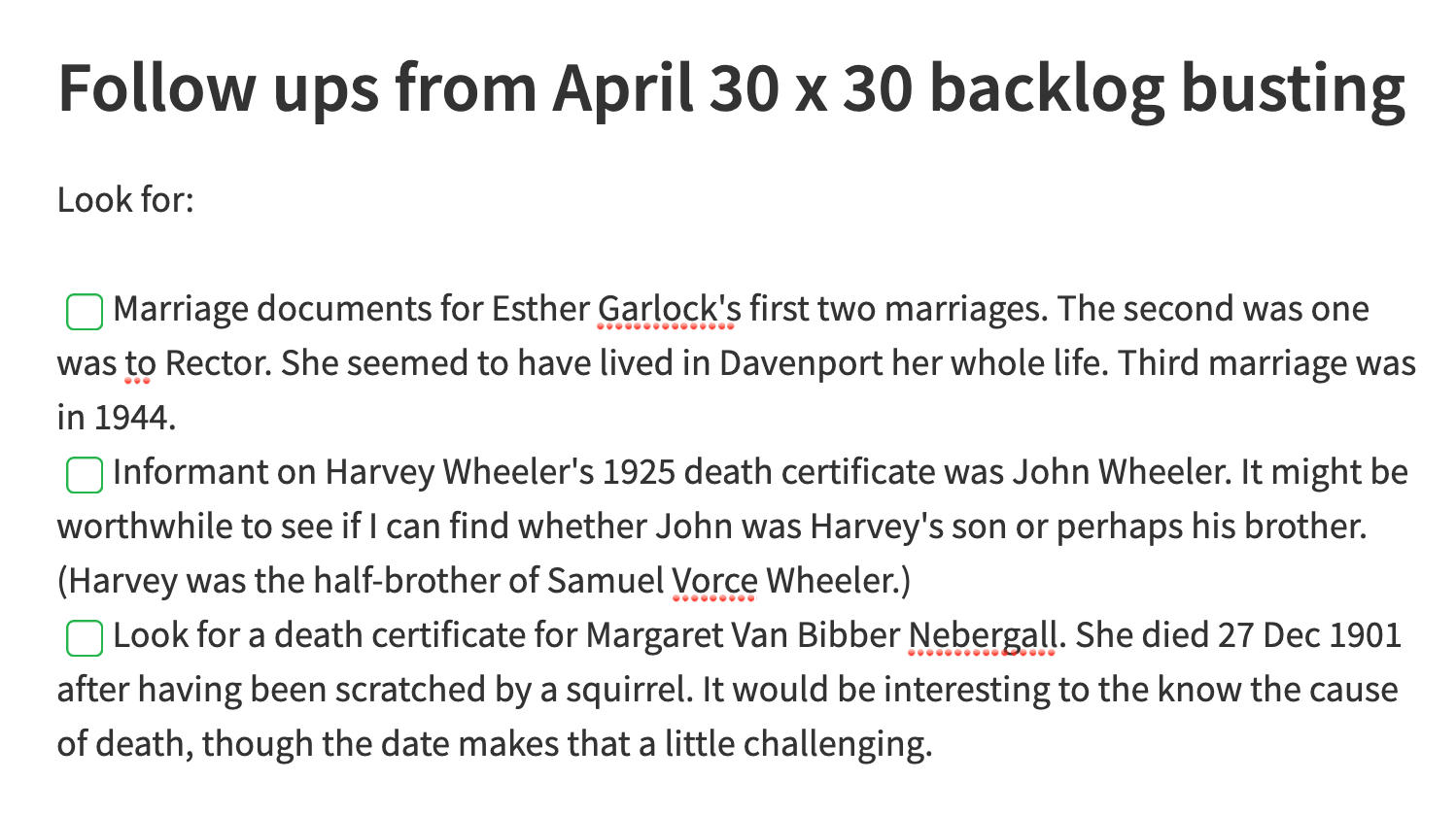
Sample from my genealogy follow up notebookIt’s less than a week in, but I’m really enjoying this month’s 30 x 30 challenge. My goal is to get through as much of my backlog as I can. On April 1, I had 112 files in my backlog waiting to be processed, but many of them are newspaper articles, which come in pairs (a jpg with the whole page and a pdf of the clip). At minimum, therefore, I have 56 source documents to process. In reality, it’s more than that.

I’ve tried this in the past and failed. I would end up allowing myself to do further research if questions came up during the backlog busting. That would slow down the elimination of the backlog, for obvious reasons. But this month, I’m trying very hard not to do any research; I have a laser focus on processing files. (By that, I mean I’m analyzing each document, creating a source citation and attaching it to all the facts I glean from a document.)

I created a note in my Evernote research log called, “Follow ups from April 30 x 30 backlog busting.” And when I come across further research I need to do, I note it there. That’s a picture of it above. Like the rest of my research log, my follow-up notes are very casual.

My intention is to turn my focus to this follow-up note when this month’s 30 x 30 is over. I’ve set a reminder in Evernote to look at that note on May 1. (I felt like a genius when I thought of the reminder!)

In six days, I’ve processed 25 documents. If I can keep this pace up I should be able to get rid of my backlog by the end of the month. I’m feeling really productive and I’m really enjoying myself. I think the key, right now, is my determination to not add new documents. Of course, if I don’t succeed, I’ll cut myself a ton of slack because I know that any progress I make is good.

I hope your 30 x 30 is going just as well!

Filed Under: Challenges, Genealogy tips Tagged With: electronic files, research, time management

Quick Tip #15: Resist the urge to print

February 23, 2021 By Janine Adams 10 Comments

Here’s the next in my occasional series of bite-size Quick Tips. Click on the Quick Tips tag for my other Quick Tips. Because I tend to write longer posts, I wanted to provide a quick-to-read (and quick-to-write) post every couple of weeks on a small topic that pops into my head. This one changed my genealogy life.

Resist the urge to print

As a professional organizer, I know what a problem paper clutter can be. And I know how hard it can be to access unfiled paper (and so much paper is unfiled!). So I am a huge proponent of not printing genealogy documents I find online. Instead, I encourage you to download and file them.

The key to feeling confident about downloading, rather than printing, is to have a reliable file-naming protocol and folder structure so that you can find the documents. Mine is detailed in this post, but yours might be different. That’s great, as long as it works for you. When you download and file digitally, rather than print and file or put into binders, your documents are always at your fingertips when you’re at your computer, even if you’re at a library or repository. It can be a mindset shift, but I think it’s worth it.

It’s important to mention, as was brought up in the comments to this post, that it’s absolutely essential to backup your hard drive if you’re going to store your documents digitally. I wrote about this in my last quick tip.

For extensive information on going paperless in your genealogy research, check out the Paperless Genealogy Guide I wrote with scanning expert Brooks Duncan, available for purchase at his website, DocumentSnap.

Photo by Sam Dan Truong on Unsplash

Filed Under: Challenges, Genealogy tips Tagged With: electronic files, quick tips, record keeping, technology

Quick Tip #14: Back up your data!

February 9, 2021 By Janine Adams 8 Comments

Here’s the next in my occasional series of bite-size Quick Tips. Click on the Quick Tips tag for my other Quick Tips. Because I tend to write longer posts, I wanted to provide a quick-to-read (and quick-to-write) post every couple of weeks on a small topic that pops into my head. This one is brief but very important.

Back up your data

If you’ve embraced digital file organization, as I have, it’s absolutely imperative to back up your data. And it’s a good idea to do it in multiple ways. I store my genealogy source documents on my hard drive and I back up my hard drive continuously through Backblaze, an automated cloud-based service. (That’s a referral link; I’ll be compensated if you use the link to sign up for BackBlaze.) I’ve been very happy with Backblaze but there are other cloud-based backup services, like Carbonite and CrashPlan, that you might consider.

I also automatically back up hourly to an external hard drive via the Time Machine program on my Mac. (I keep my external hard drive plugged in via a hub whenever my computer is at my desk, which is most of the time.) Finally, my Reunion database is stored on Dropbox, so that I can access it, via ReunionTouch, on my phone. So that’s another place the files exist. I have confidence back up system and, best of all, it’s all automatic–I never have to think about it!

Those are just the ways I back up. There are lots of other ways to do it. The important thing is to feel confident that if your hard drive failed or your computer were stolen or damaged you would not lose your precious genealogy data. If you’re not as confident, I urge you to take some steps to explore how you might improve your situation!

Photo by Sam Dan Truong on Unsplash

Filed Under: Challenges, Genealogy tips Tagged With: electronic files, technology

  • « Go to Previous Page
  • Page 1
  • Interim pages omitted …
  • Page 3
  • Page 4
  • Page 5
  • Page 6
  • Page 7
  • Interim pages omitted …
  • Page 15
  • Go to Next Page »

about me

I'm Janine Adams, a professional organizer and a genealogy enthusiast. I love doing family history research, but I find it's very easy for me to get overwhelmed and not know where to turn next. So I'm working hard to stay organized and feel in control as I grow my family tree.

In this blog, I share my discoveries and explorations, along with my organizing challenges (and solutions). I hope by sharing what I learn along the way I'll be able to help you stay focused and have fun while you do your research, too.

tags

30 x 30 Adams amy johnson crow anniversary Brown cemetery census Civil War conferences connections dna electronic files Evernote excitement Family Curator family photos genealogy tools getting started goals How They Do It Igleheart Jeffries keepsakes learning opportunities maps newspapers NGS organizing aids overwhelm paper files planning quick tips rasco record keeping research research log research trip resources RootsTech social history source documentation Stacy Julian technology time management vital records

join the facebook community!

join the facebook community!

My organizing business

Learn more about my organizing business, Peace of Mind Organizing®.

Subscribe by RSS

  • RSS - Posts
  • RSS - Comments

© 2026 Janine Adams


Loading Comments...
