• BLOG
  • ABOUT
    • Privacy Policy

Organize Your Family History

Stay focused and happy while exploring your roots

Find genealogy files on your computer with metadata

March 18, 2014 By Janine Adams Leave a Comment

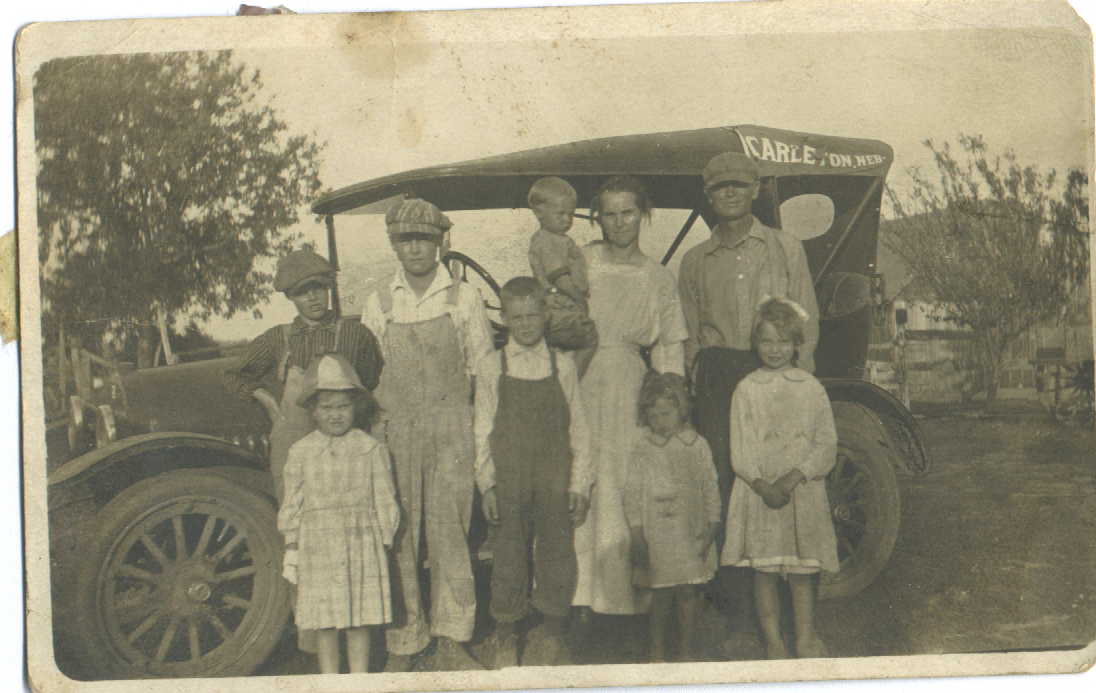
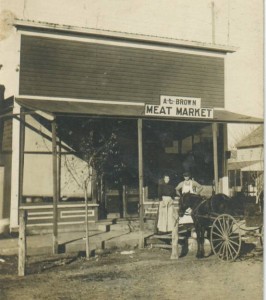
Brown family, before trip to Nebraska, 1922Brown family, before trip to Nebraska, 1922AJ Brown meat marketAs I mentioned in my last blog post, being able to easily access my genealogy research findings is critical to me. I’m creating a reasonable file structure on my hard drive, but I can’t put a ton of information about a document in the file name. Happily, there’s a way I can find all the documents or photographs pertaining to one thing (like a location or a surname) and that’s by tagging my files with metadata.

When I went to RootsTech last month, I heard a couple of talks on metadata (one Mac focused, one PC focused). So I know more than I did  before the conference, but I’m certainly no expert. Here’s a brief primer on metadata, with links to more in-depth information.

What is metadata?

The word metadata literally means “data about data.” So it’s information about what’s in a file or a photo. Think about a caption with info scribbled beneath is or on the back, saying who is in the picture, where it was taken, and when. That’s metadata. You can attach the same sort of information to your digital photos and scans, embedded in the file, without marring the photo.

If you’re familiar with tagging a document with keywords in Evernote or Springpad, you’ll understand the concept. Think also how you tag people in photographs in Facebook. Just use terms you can imagine searching on.

How do you add metadata?

Very generally, you add metadata by right-clicking on a file within the Windows Explorer or Mac Finder, then clicking on Properties (Windows) or Get Info (Mac). On a Windows machine, you’d then click on Properties, then on the third tab, Details. You’ll see a form you can fill in with varying types of data. On a Mac, it’s a little more free form. After clicking Get Info, you fill in the tags you want in the Spotlight Comments section at the top of the info window. Use a semicolon to separate tags.

You can also download software specifically for adding metadata. I need to research that more for my own files. I do know that I want to keep this as simple as possible.

Why bother using metadata?

Even in the most organized file structure, you can only fit so many characters in a file name. And long file names can become unwieldy. Embedding metadata allows you to easily find the files you’re looking for, even if the search terms aren’t those you’d put in a filename. Also, the information stays with the file when you share it. The photo above, of my great grandfather’s meat market in Nebraska, has no metadata attached to it, except that the name of the cousin who sent it to me. I have many photos like that and I hope to make them more meaningful by embedding metadata.

How can you learn more about metadata?

I know I’m not giving you a whole lot of information here, partly because I use a Mac and don’t have a Windows machine at my fingertips to test things on.  Here are some online resources to help you get started.

  • Metadata for Digital Images, presentation by Flip-Pal Scanner at 2013 RootsTech (handout)
  • Understanding Metadata and Genealogy, Lisa Louis Cooke’s Genealogy Gems podcast (video interview with Randy Whited)
  • Labeling Digital Photos, on All About Digital Photos (more in-depth information on metadata and software)
  • Labeling Photos with IPTC, Kimberly Powell, About.com Genealogy (info on the IPTC metadata standard)

My goal with this post was to make you aware of the concept and the utility of metadata and urge you to consider tagging your documents. Don’t worry about being perfect. Any data you add will be helpful.
Filed Under: Genealogy tips, Preservation, Technology Tagged With: Brown, family photos, genealogy tools, keepsakes, metadata, RootsTech

Dealing with a box of family photos

December 17, 2013 By Janine Adams 11 Comments

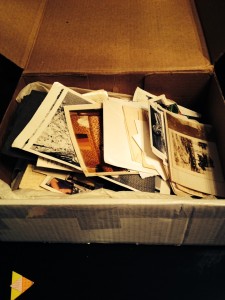
trying to create order from a jumbled box of family photosUntil recently my mother had a box of old family photos in her closet that we would enjoy going through with her when I visited. As I’ve become more involved with family history research and with learning about proper preservation techniques, I realized that I really wanted to get the photos to my home and deal with them properly.

So when I was there a couple of weeks ago, I mailed them to myself. They arrived last week. That’s a photo of the box and its jumbled contents.

I don’t know about you, but when I see a box like that and think about creating order out of it, I get a little overwhelmed. But, luckily, something else came in the mail the next day. It was the Family Archivist Survival Kit, sold by Sally Jacobs, The Practical Archivist. Part of the kit is her Loose Photos Kit (I certainly have loose photos!). That includes archival-quality storage boxes and envelopes as well as instruction.

My intention is to buy the ScanSnap SV600 scanner and scan these babies. But first, I have to create some order and figure out what I have.

Knowing that I have a place to put photos after I sort them (and after I scan them) gives me peace of mind.

Step One is going to be to read the copious information provided in the kits. Step Two (unless I learn otherwise) is going to be to sort into families. And Step Three will be to sort by individual. Maybe it’s the professional organizer in me, but I know I’ll feel better once the photos are sorted and I see what I have and also have segregated the photos that need identification–of which there will be many.

Many aspects of family history research make me feel overwhelmed. And here’s another case. But having resources and supplies available to me is hugely helpful, and probably the reason I was able to actually take the box from my mother. (She’s been offering it for years.)

I’ll write here about the progress and any surprises that are thrown my way!

Filed Under: Challenges, My family, Preservation Tagged With: family photos, organizing aids, overwhelm, practical archivist

Label old photos while you can

December 3, 2013 By Janine Adams 2 Comments

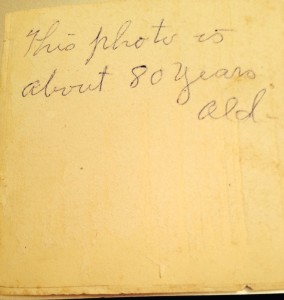
A great example of how not to label a photo!

A great example of how not to label a photo!

I’m visiting my parents in Walla Walla, Washington, and today my mother and I went through (for the second or third time) a big box of photos that she inherited after her mother passed away. Most of the photos are from here father’s family, the Browns. Thanks to my getting to know some of the Brown cousins earlier this year, the names made more sense than they had in the past.

But oh how I wish more of the photos had been labeled. And that those that were labeled had better labels! (The photo with this post is of the back of one of the photos we looked at today.) And, of course, my other big wish is that I’d taken the time a decade or more ago, when my mother’s memory was stronger, to go through them with her.

If all the photos had been labeled with the first and last names of those pictured and the date the photo was taken, my time going through them with my mother would have been more of a trip down memory lane for her, rather than a series of head scratchers. But we did make some progress and we had a very nice time.

My mother has given me permission to take the photos home with me. I intend to do more detective work and scan the photos that I can identify and attach them to my family tree. (Yet another reason to buy the scanner I’m coveting!) I’ll be attending the Brown family reunion in June and my intention is to bring those photos with me and ask for help in identifying some of the unlabeled photos. And, of course, I’ll be happy to share photos.

Once I get home from my trip and start dealing with these photos, I’ll do more research on what to do with the originals, as well as how to electronically tag and file the photos for ease of access in sharing. (And I’ll share here.)

I have many steps ahead of me. But one thing I know is that while I’m grateful that generations before me hung on to these photos, I wish they’d taken the time to give them good labels!

Filed Under: Challenges, Organizing, Preservation Tagged With: Brown, family photos, photographs

The irresistible ScanSnap SV600

November 26, 2013 By Janine Adams 1 Comment

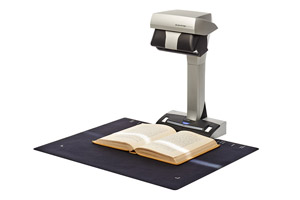
SV600_mat1I’m not a big early adopter of technology. Well, I did have an original iPad, but I didn’t get my iPhone until the 4S.

But since the Fujitsu ScanSnap SV600 contactless scanner was introduced just last month, I’ve found myself really wanting one. This scanner allows you to scan books, photographs, and documents without risk to the original. Documents rest on a surface and the scanner scans from above. Sounds like magic to me.

Today, it’s front of mind for two reasons: I have a family history book that my aunt lent me (“The Family of Edward Hampton Rasco and Connexions,” published in 1967) and she wants it back. I was thinking of potentially photocopying it, but what I’d really like is to be able to scan it.

Also today, a client showed me her marvelous collection of letters her father wrote during World War II.  She wants to have them scanned and make a book of them for her family members. This seems like a great application for the SV600.

One of the features that makes the scanner so appealing is that it will automatically straighten pages. In other words, the curvature of the page that naturally occurs when it’s bound into a book disappears, thanks to the included software. It also allows you to easily erase your fingers (used to hold a book open) from the image, and detects page turning, so you can turn the page and scan without having to press the button. (Check out this video from DocumentSnap.com’s review to see what I mean.)

I have a ScanSnap S1500M sheet-fed scanner and I love it. (It’s a precursor to the iX500.) But it’s only good for those items I feel safe sending through the sheet feeder. I imagine being able to easily and safely scan scrapbook pages, old photos, fragile letters, and pages of books using the SV600 and my heart goes pitter-patter. It’s surprisingly inexpensive for what it is. Right now it’s selling for just over $600 on Amazon. Stay tuned!

Filed Under: Challenges, Excitement, My family, Preservation Tagged With: family photos, rasco, resources, scanners, ScanSnap SV600

  • « Go to Previous Page
  • Page 1
  • Interim pages omitted …
  • Page 6
  • Page 7
  • Page 8
  • Page 9
  • Go to Next Page »

about me

I'm Janine Adams, a professional organizer and a genealogy enthusiast. I love doing family history research, but I find it's very easy for me to get overwhelmed and not know where to turn next. So I'm working hard to stay organized and feel in control as I grow my family tree.

In this blog, I share my discoveries and explorations, along with my organizing challenges (and solutions). I hope by sharing what I learn along the way I'll be able to help you stay focused and have fun while you do your research, too.

tags

30 x 30 Adams amy johnson crow anniversary Brown cemetery census Civil War conferences connections dna electronic files Evernote excitement Family Curator family photos genealogy tools getting started goals How They Do It Igleheart Jeffries keepsakes learning opportunities maps newspapers NGS organizing aids overwhelm paper files planning quick tips rasco record keeping research research log research trip resources RootsTech social history source documentation Stacy Julian technology time management vital records

join the facebook community!

join the facebook community!

My organizing business

Learn more about my organizing business, Peace of Mind Organizing®.

Subscribe by RSS

  • RSS - Posts
  • RSS - Comments

© 2026 Janine Adams


Loading Comments...