• BLOG
  • ABOUT
    • Privacy Policy

Organize Your Family History

Stay focused and happy while exploring your roots

Inherited items: From overwhelm to order

June 7, 2022 By Janine Adams 2 Comments

As I mentioned recently, last month I shipped seven boxes of photos and documents that had belonged to my father and aunt, both of whom have moved into care facilities. Actually, one of the boxes contained just a few large items, so it’s really six small-size moving boxes full of small items. They arrived last week and I vowed to not let them linger.

But looking at the unopened boxes, I felt overwhelmed about dealing with all the stuff. I told myself that I would go through a box a day for a week and I’m happy to say that I have been able to do that. I have one box left, which I plan to go through today.

My plan was to take everything out of the large boxes and sort the items so that they feel approachable.

So far I’ve been able to follow the plan! I used Stacy Julian’s How to BEGIN with the BOX approach, which I had used when I was dealing with a box of stuff I brought home from Walla Walla in 2020. That gave me a great framework for storing the sorted items until I can start going through them. Using Step One of Stacy’s methodology (adapted a little for my current needs), I divided the contents of the boxes into these categories:

  • Documents
  • Narratives and correspondence
  • Photos
  • Framed photos
  • Albums

I put the albums and framed photos in a bin to go through later. (But I did enjoy looking at them while I was emptying the boxes.) Once I get through the last box, I’ll turn my attention to the documents, as well as narratives and correspondence. I’ll employ Stacy’s Step Two, in which I’ll select 10 items at a time–the ones that interest me most–and scan them, then process them as I would anything I found online. After the first ten are finished, I’ll go back to the documents and select ten more and so on.

The photos will be a little trickier for me, but my plan is to scan them, share them with relatives and keep the originals stored in an archival box or boxes. I’ll do the same, in turn, with the framed photos and albums.

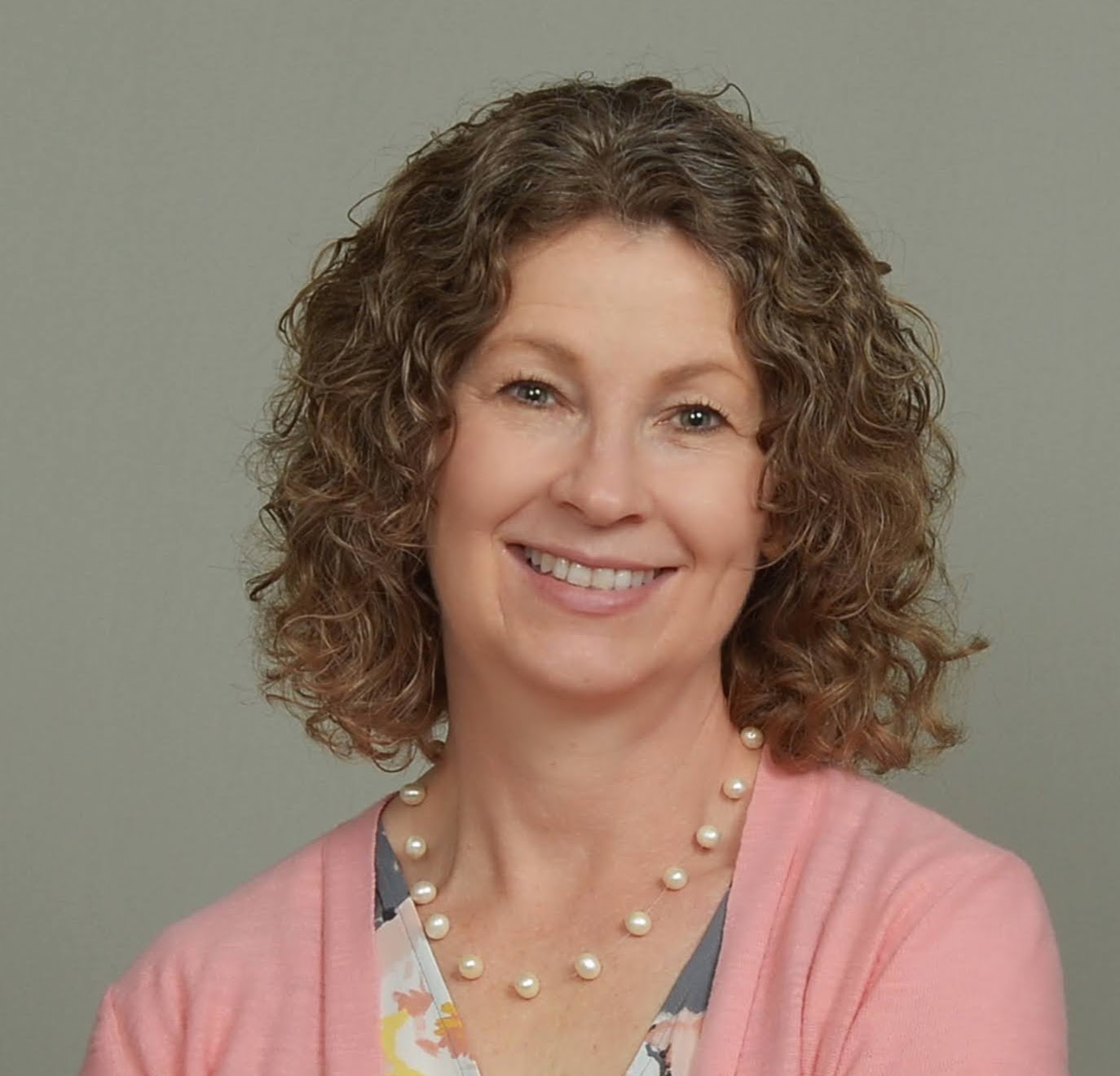
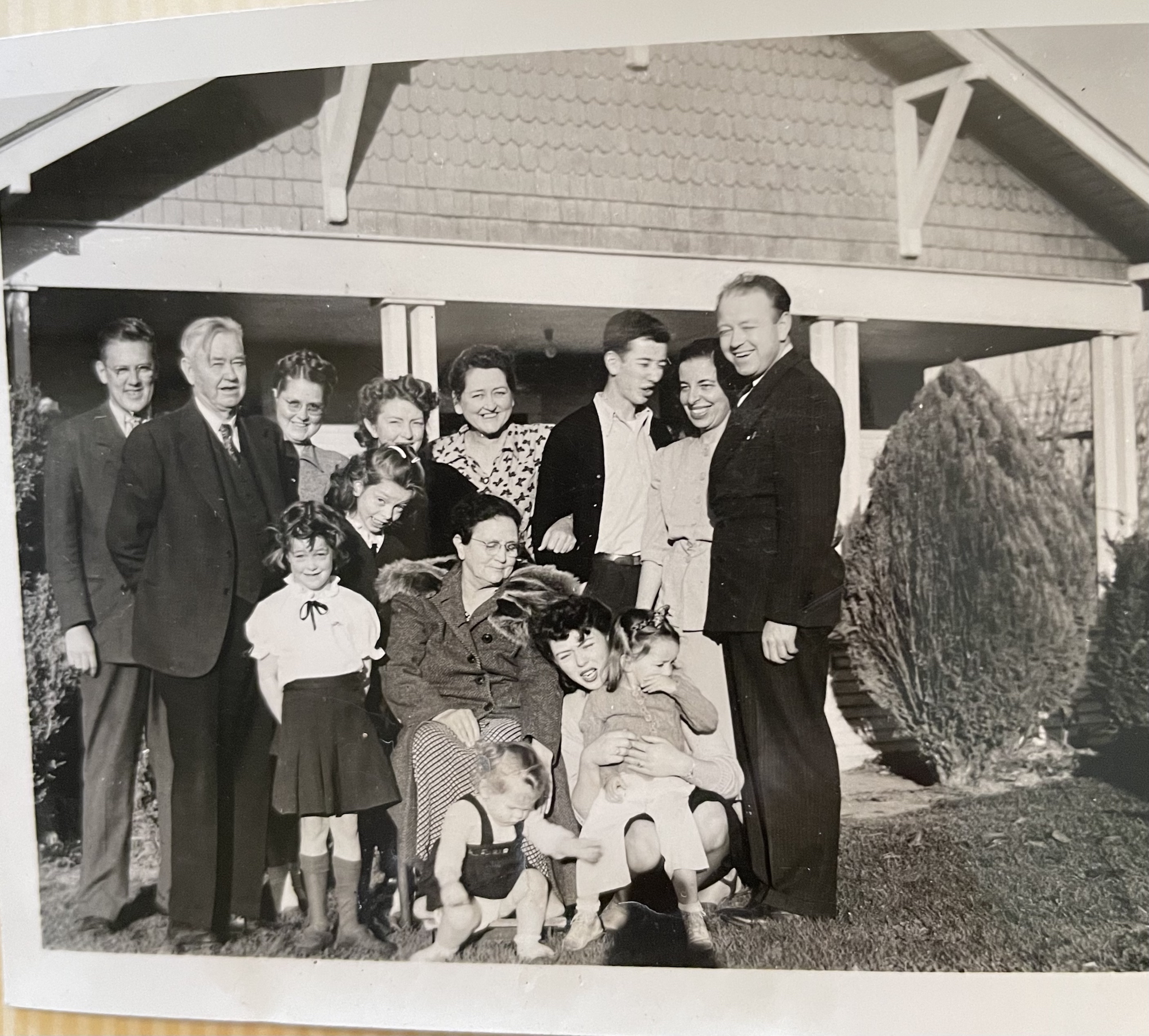
Incidentally, the unruly bunch in the photo at the top of this post is my father and aunt, with their parents, grandparents aunts and uncles. I’m not sure who all the kids are (yet). I had never seen that photo before this week and now, thanks to this project, I’m able to recognize my great grandparents, William Reese Rasco (1878-1957) and Luella Watts Rasco (187-1953), in photos. That makes me really happy.

Having a methodology to deal with the contents of these boxes is giving me huge peace of mind. (Thank you, Stacy Julian!) Having places to put the sorted items after I go through each big box has been hugely helpful in keeping me from feeling overwhelmed. I’m excited to go through the final box so I can started processing documents. I found a number of death certificates, birth certificates, diplomas, passports and newspaper articles that I know I’ll enjoy going through.

This has been a great focus for this month’s 30 x 30 challenge!
Filed Under: Challenges, Genealogy tips, My family, Organizing Tagged With: family photos, organizing aids, overwhelm, rasco, Stacy Julian

Follow-up notebooks to the rescue!

May 27, 2022 By Janine Adams 6 Comments

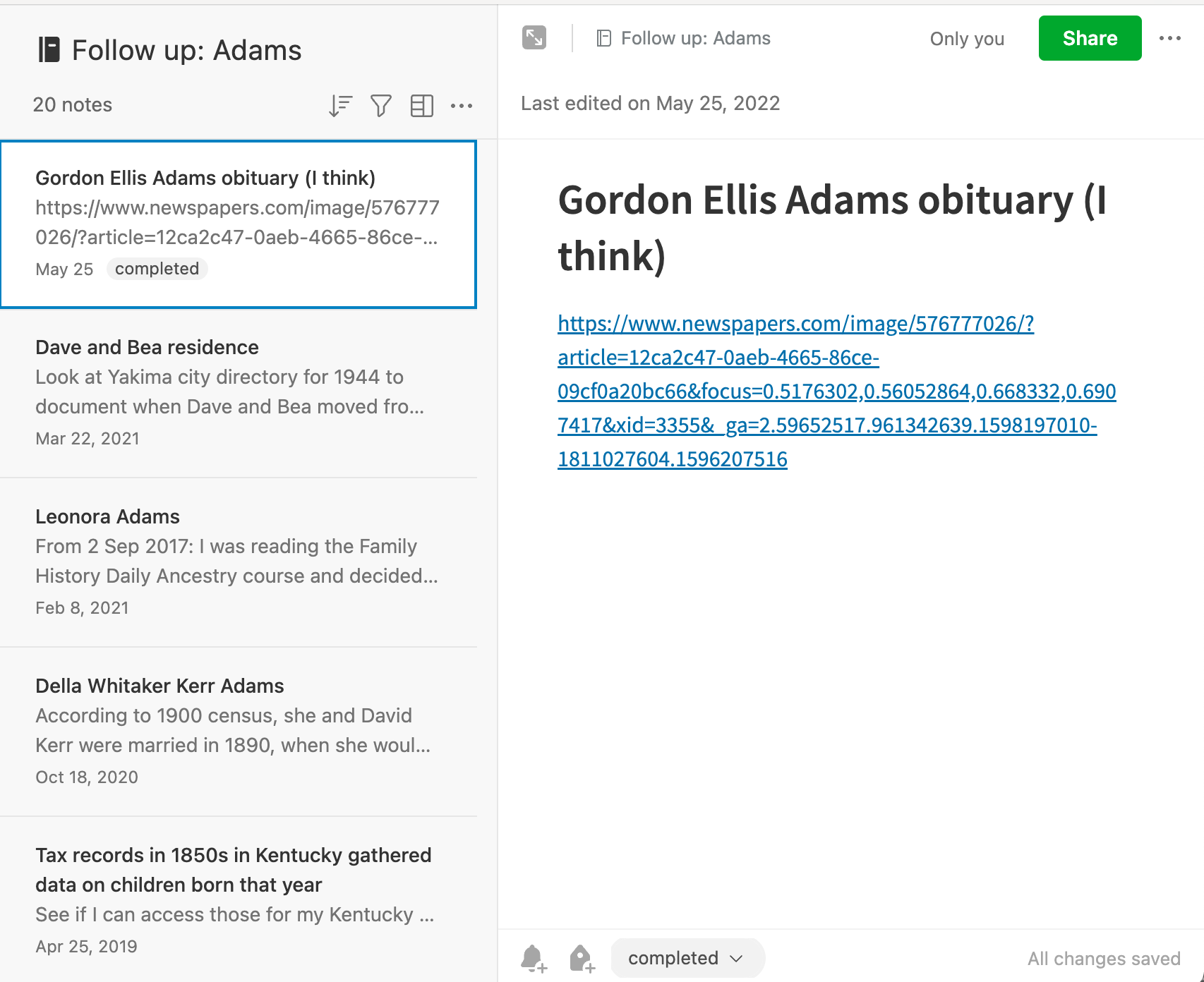
I’ve been using follow-up notebooks in Evernote for years to keep track of clues that I come across so that I don’t get distracted from my current research question. I have follow-up notebooks by Surname in my Evernote Genealogy stack. I also have a notebooks called Library Look Ups, where I paste links to FamilySearch documents that must be accessed from the Family History Library or one of its affiliates.

Two days ago, I met up with my genealogy buddy, Vickie, at the St. Louis County Library Headquarters’ Genealogy and History Library. The headquarters is closing tomorrow for more than year for renovation. While some of the genealogy collection is moving to another branch starting July 5, the resources won’t be as abundant.

Vickie and I thought it would be a good idea to pay one last visit while we could. We scheduled it a few weeks ago, before my trip to Walla Walla. Because of family and work obligations, I just haven’t had time to do genealogy research or even prepare as I normally would for this library trip.

So I just showed up with my computer at the library, with no plan or research question. But, thanks to my follow-up and library look-up notebooks in Evernote, I actually had a productive time! I first looked up everything in the library look-up notebook and then turned my attention to the follow-up notebooks by surname. That kept me busy the whole time I was there. And it got me away from the “what should I work on?” question that sometimes bedevils me.

I heartily recommend having a spot to record look-ups and follow-ups so you easily start researching when the opportunity arises.

Filed Under: Genealogy tips, Organizing Tagged With: Evernote, genealogy tools, organizing aids, overwhelm, research

How They Do It: Diana Elder

April 26, 2022 By Janine Adams 1 Comment

Today’s entry in my How They Do It series in an interview with Diana Elder of Family Locket. I’ve admired her talks and her contribuitions to the genealogy community through the years and I was delighted when she agree to do this interview. Diana Elder AGⓇ is a professional genealogist accredited in the Gulf South region of the United States. Diana authored Research Like a Pro: A Genealogist’s Guide and co-authored the companion volume, Research Like a Pro with DNA: A Genealogist’s Guide to Finding and Confirming Ancestors with DNA Evidence. Diana and her daughter, Nicole Dyer, are the hosts of the Research Like a Pro Genealogy Podcast and share research tips on their website, FamilyLocket.com.

How They Do It: Diana Elder

How long have you been doing genealogy research? 

I started researching my family in earnest in 2003 when my dad gave me all of his research in a suitcase. In 2015 I started doing client work and found I loved researching in a variety of locations.

What’s your favorite thing about being a genealogist?

I love making discoveries  – especially solving brick wall cases.

What’s your biggest challenge when it comes to organizing your genealogy?

Right now my biggest challenge involves the three large file boxes of documentary work I inherited from my father and added to once I took over the research in 2003. I’m slowly working through the files and making sure the research is digitized and organized in my digital files.

What is your favorite technology tool for genealogy?

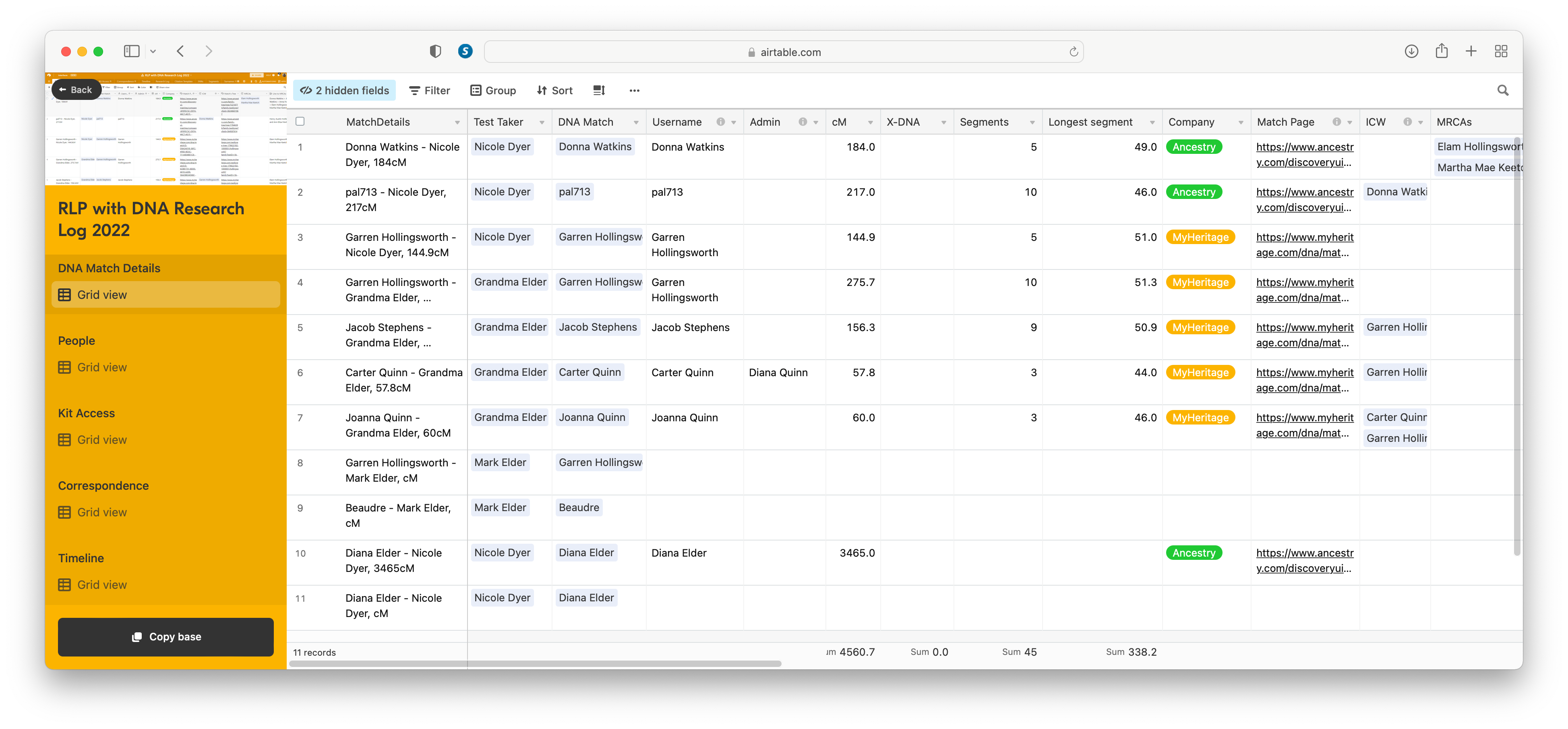
Hands down, my favorite tech tool is my Airtable research log. I use it for all my research whether it involves DNA or not.

If you were starting out new as a genealogist what would you do differently?

I would follow my Research Like a Pro process – doing a project for each ancestral line and ending up with a source-cited report for each ancestral couple.

Do you keep a research log? If so, what format?

Absolutely! I don’t feel that I’m doing real research unless I am working from my research plan and tracking the results in my Airtable research log.

How do you keep track of clues or ideas for further research?

The Airtable research log template has a column/field for comments or results. I add notes here or sometimes add another column for ideas for further research. My research report always includes a section titled “Future Research Suggestions.” I’ve found that no project is ever finished – there is always more that can be done. (That’s a screen shot of Diana’s Airtable DNA Research log at right. Click on it to see a larger image.)

How do you go about sharing your personal research with cousins or other interested parties?

I write up my research in a fully cited report that I upload to an ancestor’s profile on FamilySearch. I can also easily share the report with other researchers.

What’s the most important thing you do to prepare for a research trip?

I prepare a research plan based on my objective, the available sources, and what I hope to discover.

What’s your biggest piece of advice to genealogists in terms of organizing their research?

Research by objective. Focus on something specific that you’d like to discover such as death date and place, unknown father, etc.

Do you have a dedicated space in your home for doing genealogy research? What’s it like?

Yes, I have an office with my desktop computer, two monitors, shelves for my many books, and a filing cabinet.

Thank you, Diana! If you’d like to explore more of Diana’s advice on researching like a pro, be sure to check out the Family Locket website and blog. She and her daughter Nicole have such clear and complete advice on many genealogy topics. (If you favor videos, be sure to check out their YouTube channel.) Diana’s enthusiasm for Airtable has me wanting to check it out! If you’re intrigued as well, check out this Family Locket YouTube video on using Airtable for creating a research log for FAN Club genealogy research.

Filed Under: Excitement, Organizing Tagged With: Diana Elder, How They Do It, organizing aids

How I handle married women in my files

March 29, 2022 By Janine Adams 8 Comments

Today I had what I thought was a great idea to write about how I handle married women in my digital files in my own research. But I searched my blog and discovered I’d written about just over a year ago! I still think it’s an interesting topic, so I’m re-running the original post, slightly edited. One thing I discovered with the comments to the original post is that the way I do it may not be the standard way! Most, if not all, of the commenters last year said that they organize the women in their family trees by their birth surname. (I object to the term “maiden name” so will stick to my preferred term, “birth name.”)

I’m by no means saying my way is the right way, but it’s worked well for me for years. I encourage you to read the comments to the original post (linked above), to see how the dozen or so commenters are handling their female ancestors and relatives.

Handling the females in your family tree

Most of the women in our family trees changed their name at some point or another. That can present an organizational conundrum in the files we keep for them. I thought I’d let you know how I handle it in my digital filing system. As always, I’m not telling you the right way to do anything. I just want to share how I do it, because it’s worked well for me.

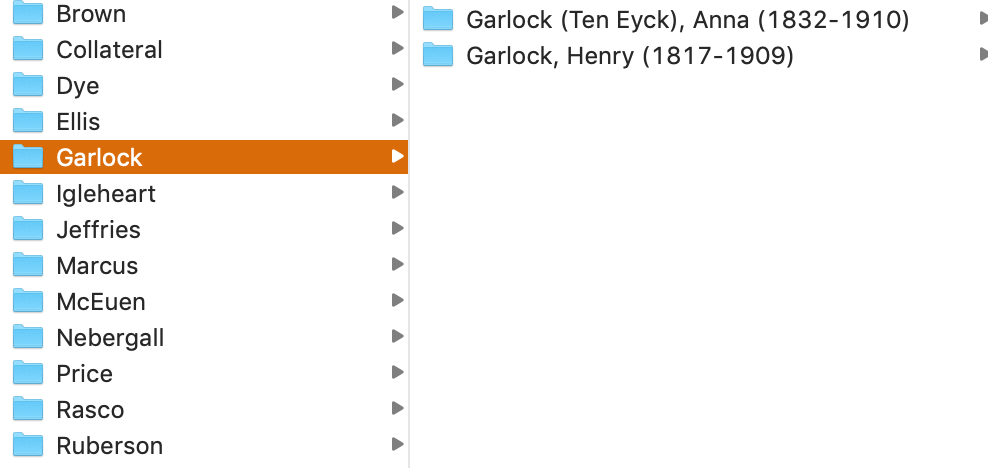
In a nutshell, I file women under their married surname. (By contrast, in my genealogy software, Reunion, all the women are listed by their birth names and if I don’t know their birth name, I leave the surname blank.) As I describe in the post How I Process a Downloaded Document, I have surname folders on my hard drive for each of the surnames I have researched and within each folder I have folders for individual people. The folders for individuals contain the source documents pertaining to that person. (I have a separate Collateral folder within which the surname folders for collateral relatives are filed using the same folder structure.)

Here’s how I name women’s folders:

Last Name (Birth Name), First Name (YOB-YOD). So the folder for one of my second great grandmother’s folder is called Garlock (Ten Eyck), Anna (1832-1910). It resides in the Garlock Surname folder, as shown in the screenshot above.

If I find a relative before she’s married, I’ll use her birth surname for filing purposes. But once I’ve found marriage documents, I’ll rename and move her folder to her married surname.

It seems pretty straight forward, but of course, things like multiple marriages can make it more complicated. For my direct-line ancestors, it’s easy. I use the surname associated with the spouse who is my direct line. (If it’s a second or later marriage, I don’t typically use the first married name in the folder name, I just use the birth name.)

But for collateral relatives, where there isn’t necessarily a married name that is more relevant to me than the other married names, I typically just use the first married surname that I find and leave it like that.  Sometimes I make exceptions, especially for women who were married multiple times and for whom I have trouble keeping track of their various married names. For example, Leonora Adams, the daughter of my much-researched second great grandfather George Washington Adams, was married four times. I file her within the Adams Collateral folder using the folder name “Adams, Leonora (Lochry Stevens Good Ward), 1877-1962.”

Again, I’m not suggesting this is the best way to do it, but it works for me. I pretty much developed my system as I went along. And, as in almost all things, I allow myself to be imperfect about it. That means that  there may be inconsistencies in my folder structure. But I have enough of a solid infrastructure that the inconsistencies don’t bother me.

Writing this makes me want to go through my folders–particularly for the collateral relatives–and perhaps correct any inconsistencies. But I’m comfortable leaving them as is until I get around to doing that.

I’d love to hear in the comments how you handle the name changes of women in your files. And are there any situations I didn’t cover here that you’re curious about? Feel free to ask in the comments.

For more in-depth information on how I organize my own genealogy, check out How I Do It: A Professional Organizer’s Genealogy Workflow, a 37-page downloadable available for $19.99.

Filed Under: Challenges, My family, Organizing Tagged With: electronic files, organizing aids

  • « Go to Previous Page
  • Page 1
  • Interim pages omitted …
  • Page 3
  • Page 4
  • Page 5
  • Page 6
  • Page 7
  • Interim pages omitted …
  • Page 43
  • Go to Next Page »

about me

I'm Janine Adams, a professional organizer and a genealogy enthusiast. I love doing family history research, but I find it's very easy for me to get overwhelmed and not know where to turn next. So I'm working hard to stay organized and feel in control as I grow my family tree.

In this blog, I share my discoveries and explorations, along with my organizing challenges (and solutions). I hope by sharing what I learn along the way I'll be able to help you stay focused and have fun while you do your research, too.

tags

30 x 30 Adams amy johnson crow anniversary Brown cemetery census Civil War conferences connections dna electronic files Evernote excitement Family Curator family photos genealogy tools getting started goals How They Do It Igleheart Jeffries keepsakes learning opportunities maps newspapers NGS organizing aids overwhelm paper files planning quick tips rasco record keeping research research log research trip resources RootsTech social history source documentation Stacy Julian technology time management vital records

join the facebook community!

join the facebook community!

My organizing business

Learn more about my organizing business, Peace of Mind Organizing®.

Subscribe by RSS

  • RSS - Posts
  • RSS - Comments

© 2026 Janine Adams


Loading Comments...