Five years ago, I created a screencast of how I found my great aunt’s death certificate on family search after finding an FHL film number on Ancestry. While the user interfaces at Ancestry and Family Search may have changed a little in the last five years, I do think it’s useful information, so I decided to run that 2019 post again today.
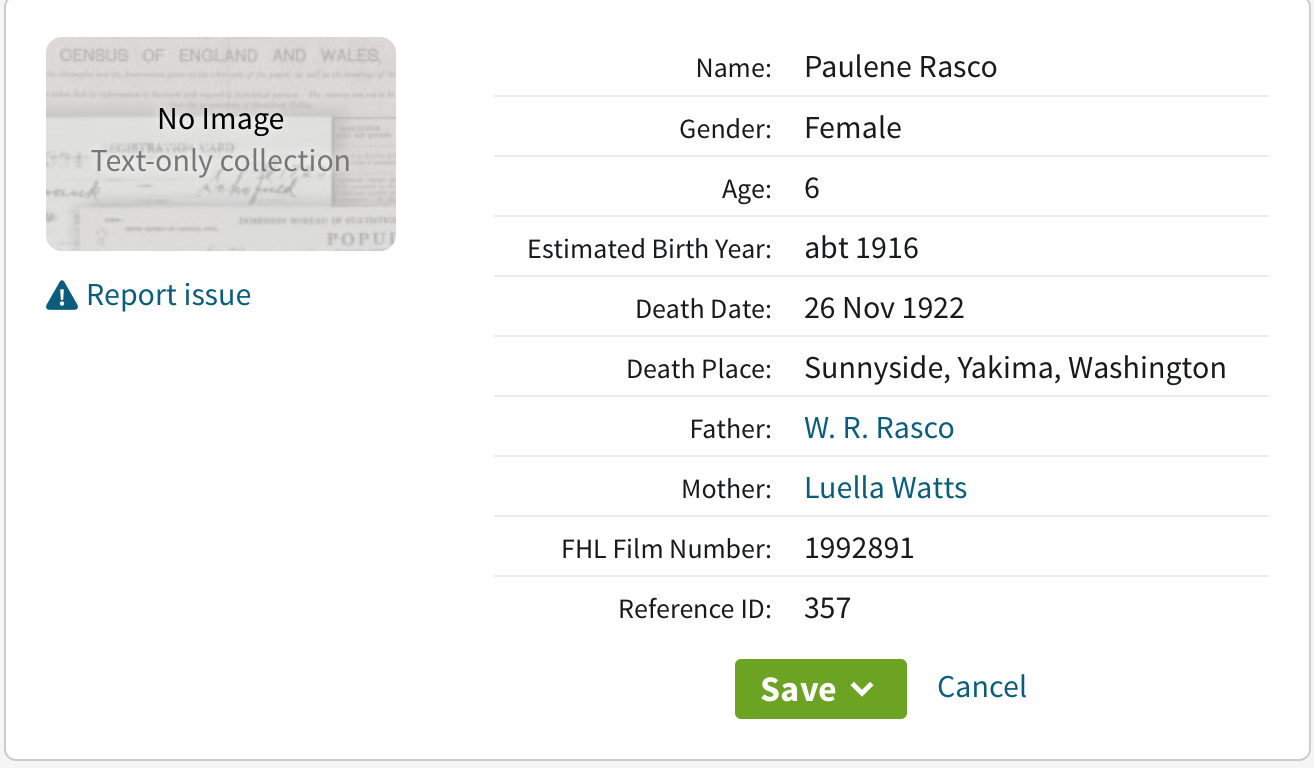 Today I was doing some research on Ancestry. (I’ve finished my backlog project and have lifted my ban on searching–more on that in a future post.) I was looking for a death certificate for my grandmother’s sister whom I had just learned through Find A Grave had died at the age of six, in 1922.
A simple Birth/Marriage/Death records search produced a collection called Washington, Select Death Certificates, 1907-1960, but when I clicked on it, it said “No Image Text-only collection.” (A picture of that screen is at the top of this post.) I saw that there was a FHL film number, so I went to Family Search to try to track down the document.
I was successful in finding an image of the death certificate, though I had to jump through a few hoops. After I successfully downloaded and processed it, I decided to do a screencast of the process, in case it helps someone here.
Here’s the screencast:
A quick summary is that I searched on the film number in the catalog at Family Search, then when I got another No Image Available message there, I drilled down further to the actual microfilm number mentioned on Ancestry and did another search. That brought up the image. If it hadn’t, I would have gone to the image number (listed in the initial search result at Family Search) in that digitized microfilm. Bottom line: don’t give up if you’re told an image isn’t available!
You can find more information on using Family Search’s card catalog in this post from a year ago: Using the card catalog to find elusive documents on Family Search. And if you’re interested in how I processed that death certificate after I downloaded it, check out the blog post How I process a downloaded document. (For a deeper dive, check out my Orderly Roots guide, How I Do It: A Professional Organizer’s Genealogy Workflow.)

Thanks, Janine. Now I know not to let that “No image available” stop me in my tracks.
So glad you found it helpful, Patti!
Your video has an excellent demo of making the FHL number and image number work for us. I especially appreciate the fact that you showed an approach where the “system” resisted showing an image—and then overcame its resistance by using a diifferent route. It’s natural for us to try one method, be disappointed if it fails, and give up on the whole thing. I guess we assume that the system knows all and is integrated in all the ways it operates. But you’ve shown us that we don’t always have to settle for the first rejection.
A local public library (with free parking) recently became a FamilySearch Affiliate, and I’ve been digging into some of the volumes that are restricted, like Chicago death certificates. Your video and this wider access of Affiliate status are expanding my search horizons.
WOW – that was really helpful. I had no idea that one could do this. Thank you!!
Thank you so much for that excellent information Janine, I had no idea that a search like that was possible. This will be very helpful.
Janine, thank you for this tip. I’ve been reading your blog for years and this was one of the first times I’ve put a tip into immediate action. I was doing some Arkansas research and only found the “no image” text only marriage records on Ancestry. Remembering your tip, I went to familysearch and was able to find the images. Super helpful and timely. I’m sure this is something I’ll use again.
That’s fantastic, Carrie! Thanks so much for letting me know that the tip was helpful! Best of luck with your research.