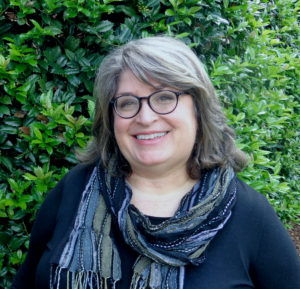
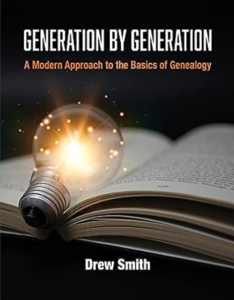
 When I was offered a review copy of the new book, Generation by Generation: A Modern Approach to the Basics of Genealogy, by Drew Smith, I was happy to accept. I’m a big fan of Drew’s work (and was thrilled when he did one of my How They Do It interviews back in 2017). I ended up receiving two copies of the book, so I’m offering a giveaway for one of them. (See the bottom of this post for details on the giveaway.)
Drew Smith has been doing genealogy since the 1990s and has been working as a genealogy educator for decades. This genealogy book, written for beginners, is the book that he wished he’d been able to read when he was first learning how to research his family. It’s divided into two parts. Part I For all Generations: Preparing to Research discusses preparing to do research. It provides a foundation of understanding about various facets of research, starting with Names, Places, Dates and Events and ending with a chapter on Using Online Repositories. You can bet I first turned to Chapter 4: Tools and Methods to Keep Us Organized. (Drew is the author of the 2016 book Organize Your Genealogy: Strategies and Solutions for Every Researcher.) In that chapter, he succinctly and clearly lays out some ways to organize both digital and paper documents.
Part II Generation by Generation: Doing the Research is where things get innovative. Beginner genealogists are often advised to start with themselves and move up their family tree as their research progresses. Drew organizes Part II of this book in the same way, offering information about sources and record types for various time periods. Chapters include information about different types of records in each of these generations:
- Generations after 1950 in the U.S.
- Generations from 1880 to 1950 in the U.S.
- Generations from 1850 to 1880 in the U.S.
- Generations from 1776 to 1850 in the U.S.
- Generations in British America before 1776
- Generations outside the U.S. (in English)
- Generations with Records in Other Languages
The bulk of Part II is obviously U.S. focused, so those genealogists (like me) whose families have been in the U.S. for generations will find this book especially helpful.
Like Drew, I wish a book like this had been around when I started doing genealogy research. It’s so clearly laid out and clearly written, with bits of humor tossed in. The depth of information is broad and Drew doesn’t go down rabbit holes, but he doesn’t just skim the surface. His explanation of the various types of DNA was one of the most easy to understand that I’ve read. The generational approach of Part II is very useful friendly and easy to apply to the moving-up-the-tree way that many people (including me) research. I’m not a beginner genealogist, but I benefited from the book!
GIVEAWAY DETAILS: If you’d like to win a free (physical) copy of the book, just leave a comment below and tell me how long you’ve been doing genealogy and how you think you’ll benefit from the book. To get an extra entry, share this blog post on Facebook. Be sure to tag Organize Your Family History so I see it. I will select a winner at random using the Random Number Generator and will let the winner know via email. Deadline is Friday, September 8, 2023 and I will reach out to the winner for a mailing address on Saturday, September 9.
PLEASE NOTE: THE GIVEAWAY IS OVER AND ENTRIES ARE CLOSED.